The logbook
Notes from the dock.
Ship notes, deep dives, and honest engineering. No growth-hack listicles.
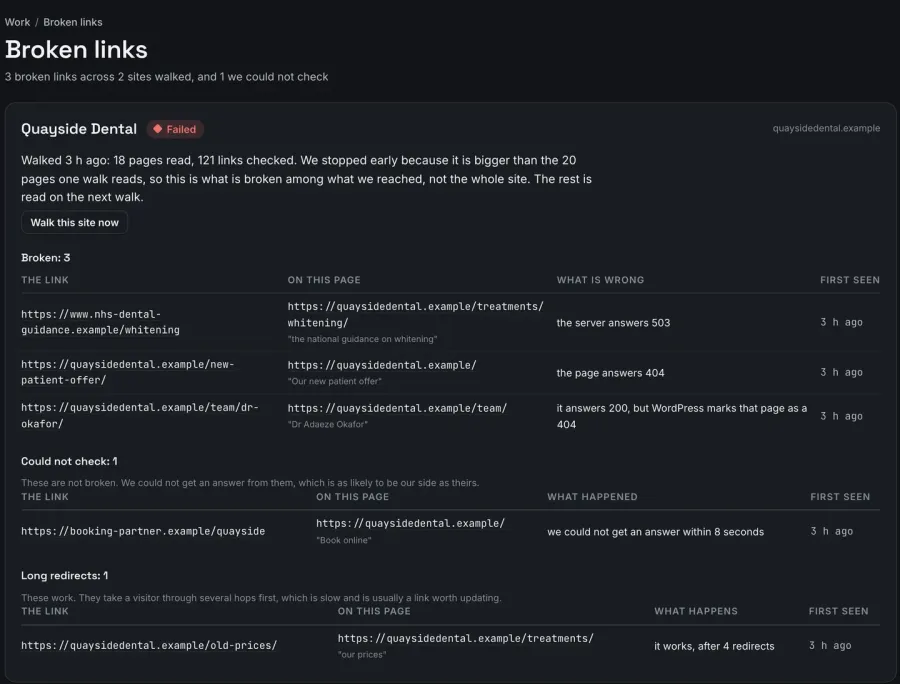
A broken link checker for multiple WordPress sites that walks each one the way a visitor would
About once a week ReDock Web walks every connected WordPress site the way a visitor would and lists each link that answered with an error, the page it sits on, and the links it could not check.
Read the post →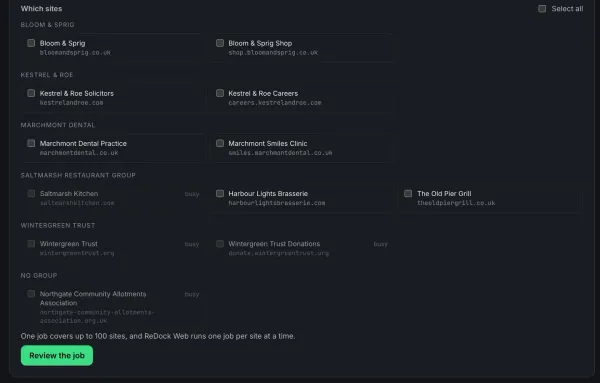
Bulk update WordPress plugins on multiple sites and read the failures properly
Bulk update WordPress plugins across multiple sites as one job, with a snapshot before each update, a per-site reason on every failure, and a retry that only runs the failures.
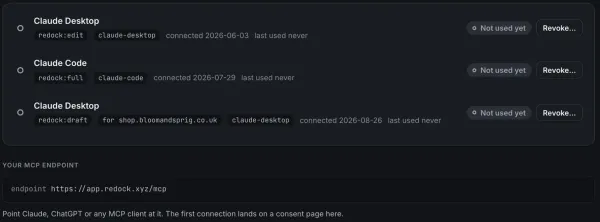
Claude Code and WordPress: work on a client's live site from the terminal, approved for that one site
Add ReDock Web's MCP address to Claude Code with one command, approve it for a single client site at the level you choose, and every change it makes is recorded under its own name.
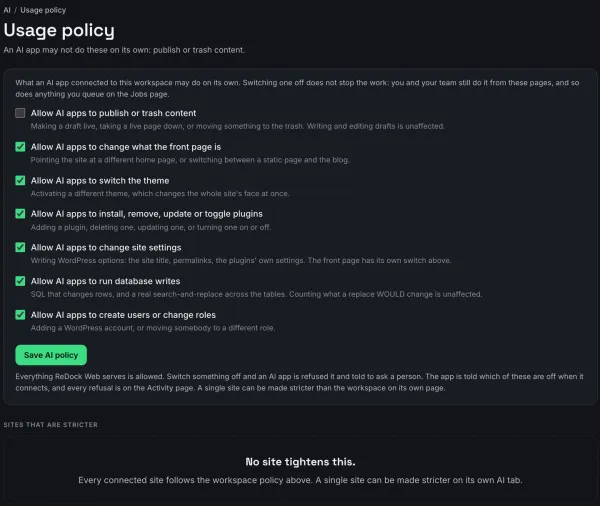
Connect ChatGPT to WordPress through an MCP door that keeps the rules on your side
ChatGPT's developer mode can add a remote MCP server by its address, and ReDock Web's door puts a consent page, seven policy switches and an activity log between ChatGPT and your clients' WordPress sites.
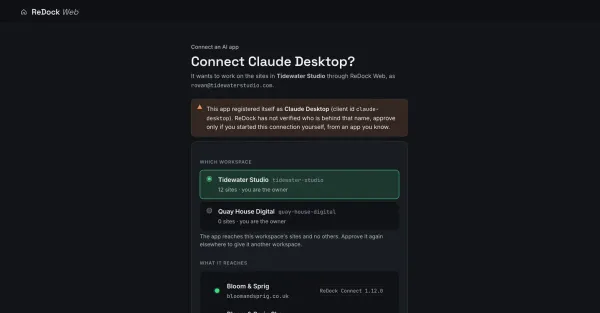
Connect Claude to your live WordPress sites, with rules it cannot talk its way past
Connect Claude to WordPress through one MCP door: a consent screen that names what it reaches, seven policy switches enforced at the door, and every refusal in the log.
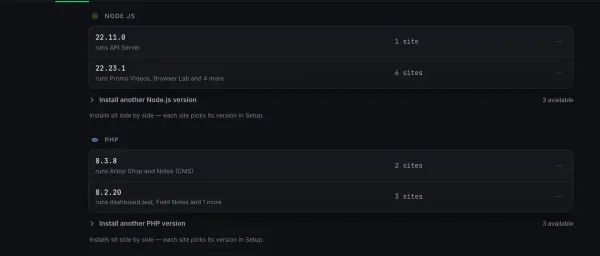
A local development stack for WordPress and Node: two sites, two runtimes, nothing installed into your system
Run a WordPress site on PHP and a Node service side by side with the free ReDock desktop app, each pinned to its own runtime version, with PHP, Node, MySQL and Redis living in ReDock's own folder and nothing in your system.
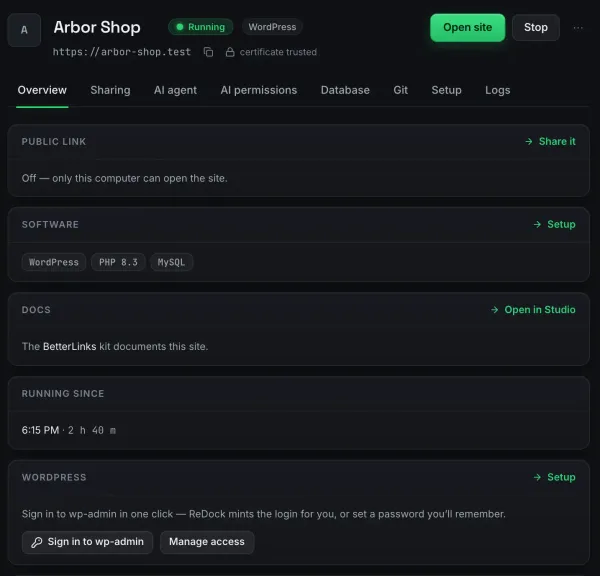
Local WordPress development on Windows: a site in about a minute, no XAMPP and no Docker
A WordPress site on Windows 10 or 11 in about a minute with the free ReDock desktop app: a trusted https://name.test address, PHP and MySQL you never install, and wp-admin signed in with one click.
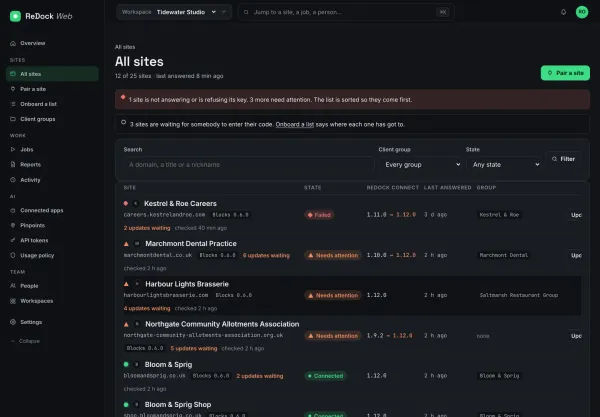
How to manage multiple WordPress sites from one dashboard
Manage multiple WordPress sites from one dashboard: connect them with a single plugin, read them live, and run an update across all of them as one job.
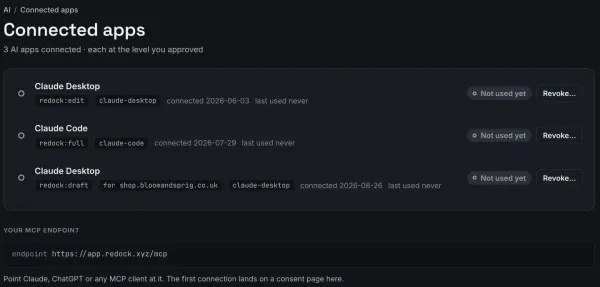
Cursor WordPress MCP: work on a client's live site from your editor, approved for that one site
Connect Cursor to WordPress through ReDock Web's MCP door: one address in mcp.json, a consent screen that can grant a single client's site, and every change Cursor makes recorded under its name.
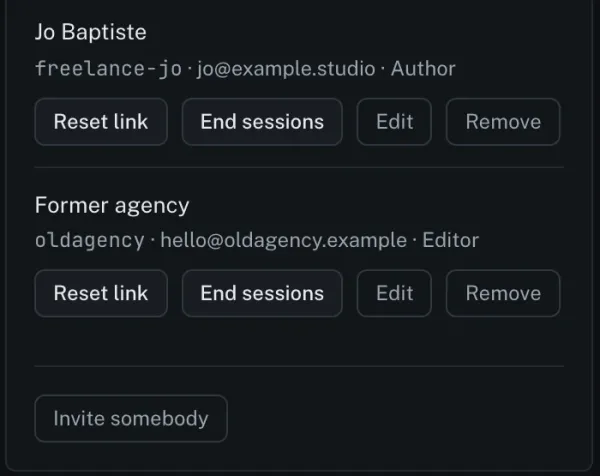
Manage WordPress users across multiple sites: who can sign in, and what to do the day an account is taken
ReDock Web shows who can sign in to each connected WordPress site and with what role, counts the sessions before it ends any, and hands you WordPress's own reset link rather than a password.
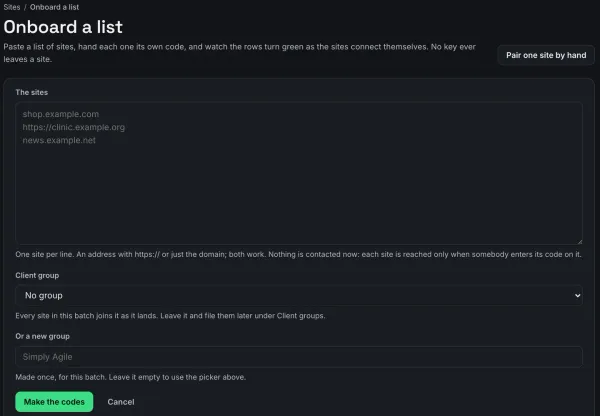
How an agency can onboard a client's WordPress sites in bulk, with no passwords
Onboard WordPress sites for a new client by pasting their list into ReDock Web: every site gets a short code of its own, connects itself, and lands under the client's group.
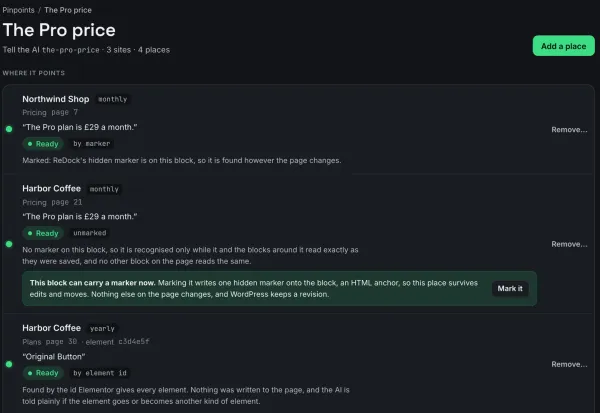
ReDock pinpoints: name a place on a client's site once, and the AI finds it on every site
A ReDock pinpoint is a name, your note and the exact places it means across client sites, so an AI app asked for the-pro-price edits that block on every site and never the lookalike beside it.
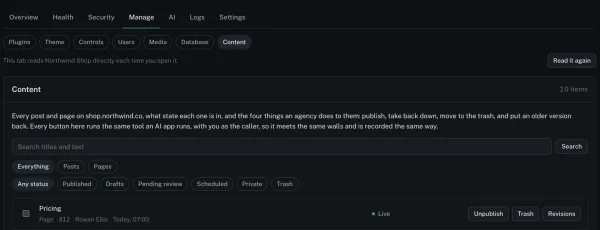
Publish posts to multiple WordPress sites: what one dashboard can honestly do
ReDock Web does not copy one post onto many sites: it publishes, unpublishes, trashes and restores the posts already on each client site by list, and puts an older revision back when an edit goes wrong.
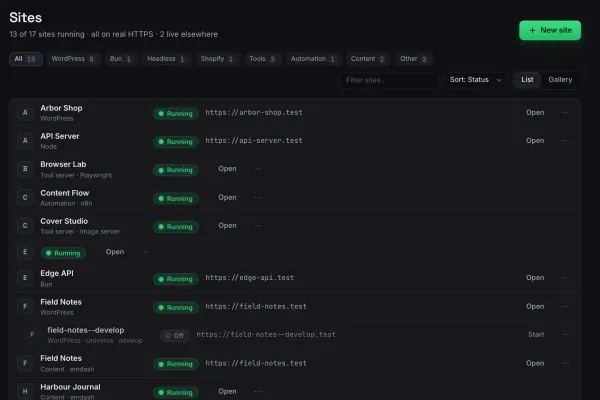
Run n8n locally on Windows or Mac: one click, a trusted address, and a webhook that reaches it
n8n on your own computer in about a minute with the free ReDock desktop app: a site at a trusted https address, its output in the window, and a public webhook address for as long as a service needs to call it.
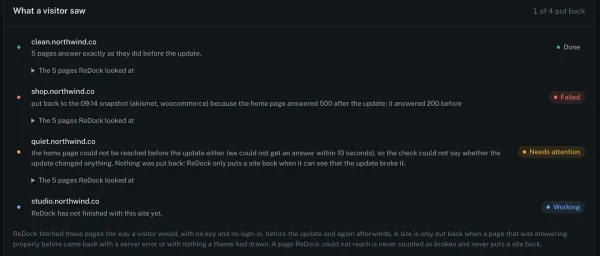
Safe WordPress plugin updates: what happens when one breaks the site
Safe WordPress plugin updates look at the site before the update and again afterwards, and put a site back to its snapshot when a page that was working comes back broken.
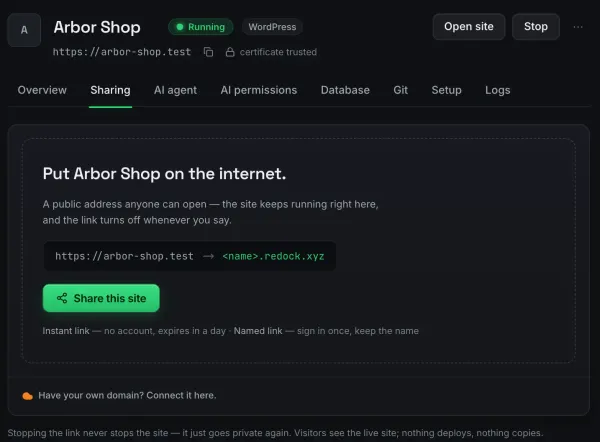
Share localhost with a client from Windows: a quick link, a named link, and the stop button
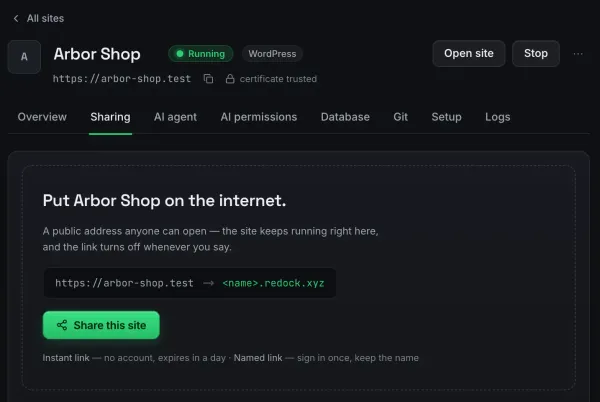
Put a site running on your Windows PC on a public https address in one click with the free ReDock desktop app: an unlisted quick link with no account, a named redock.xyz link that keeps its name, and a stop that always works.
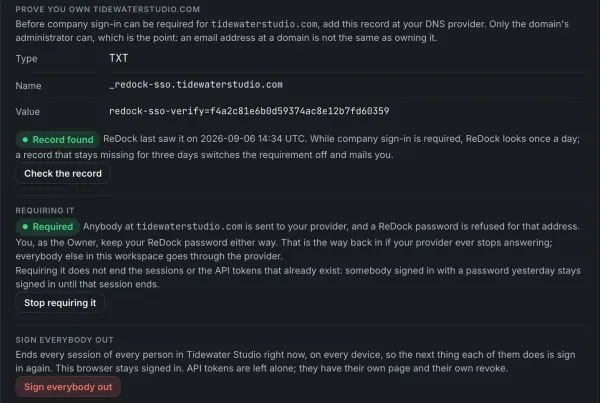
SSO for a WordPress agency: company sign-in for the workspace your clients' sites live in
Single sign-on for a WordPress agency's ReDock Web workspace: connect any OpenID Connect provider, prove your domain with a DNS record, then require it, with the owner's own password kept as the way back in.
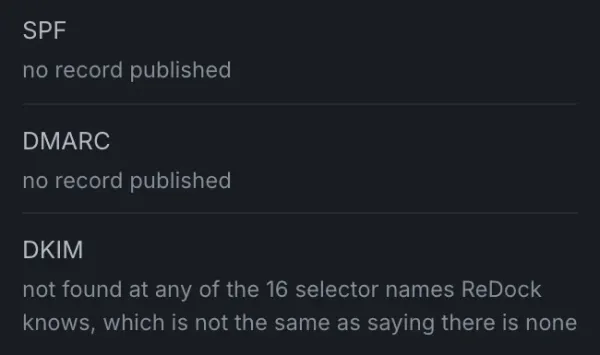
SPF, DKIM and DMARC for WordPress sites: check mail deliverability across every client domain
ReDock Web reads each connected WordPress site's SPF, DKIM and DMARC records from public DNS about once a week, counts SPF lookups against the limit of ten, and says in a sentence what to fix.
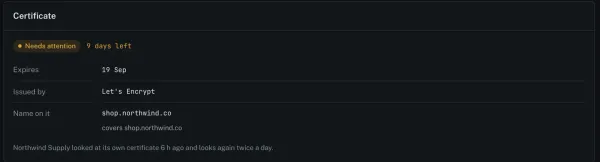
SSL certificate expiry monitoring for sites you did not set up
SSL certificate expiry monitoring that reads the certificate a site actually serves, counts the days left, and says when the name on it does not cover the address.
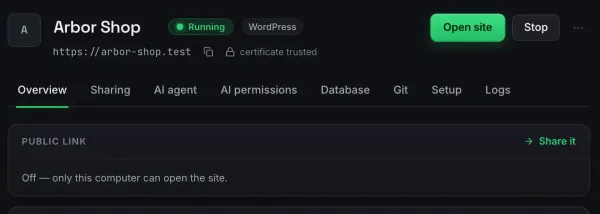
Trusted local HTTPS: how the .test addresses and the certificate work, and why the browser shows a lock
Why https://name.test shows a real padlock on your own computer: a private certificate authority made at first launch, a certificate per site signed by it, Caddy serving them, and .test resolving only on your machine.
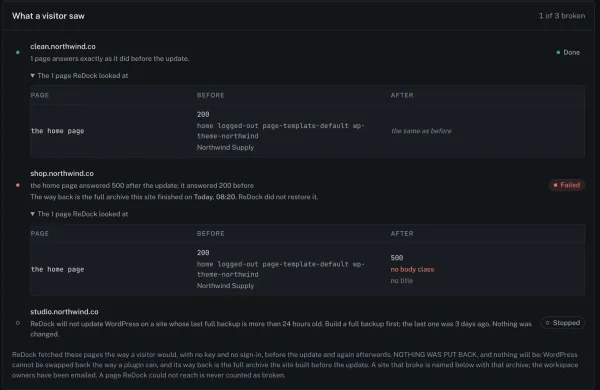
Update WordPress core on multiple sites, with a backup rule that refuses before anything breaks
ReDock Web updates WordPress core on multiple sites as one job that refuses any site without a full backup from the last day, shows what visitors saw before and after, and never puts a site back on its own.
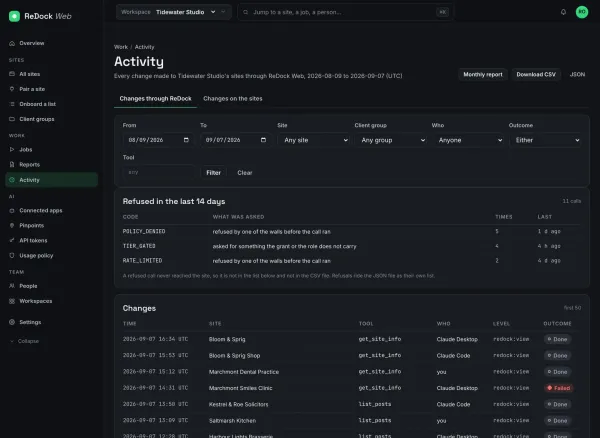
A WordPress activity log that can answer for a person, a job or an AI
A WordPress activity log across every client site, with who did it, which tool, how it ended and the refusals, filterable and exportable as CSV or JSON.
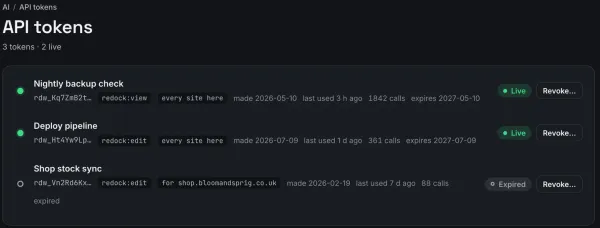
A WordPress management API token for your agency's own scripts
A WordPress management API token in ReDock Web lets your own scripts reach client sites at a level you choose, for one site or every site, and stops working on its very next call once you revoke it.
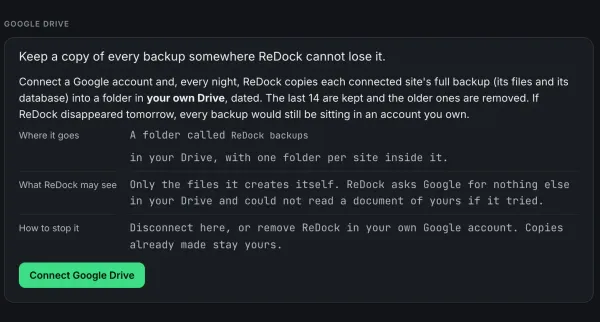
WordPress backup to Google Drive for agencies: every client site, every day, in your own account
ReDock Web copies a full backup of every connected WordPress site, files and database, into a Google Drive you connect once, every day, and keeps the last fourteen copies of each.
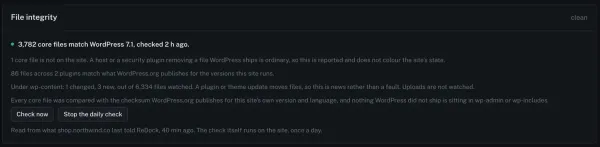
WordPress core file integrity check: what it proves, and what it misses
A WordPress core file integrity check compares every core file with the checksum WordPress.org published for that exact version, and names anything changed or never shipped.
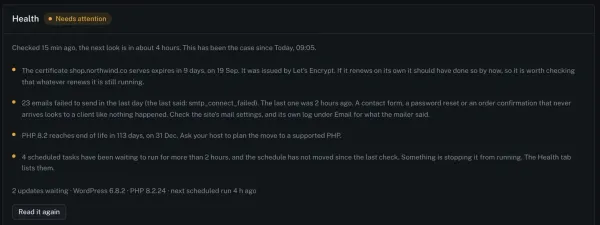
WordPress cron not running: the real causes, and how to see it from outside
WordPress cron not running is rarely a broken daemon. The four causes worth checking first, and how to spot a stalled schedule across a whole estate.
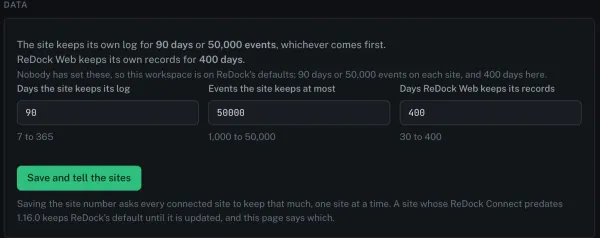
WordPress management data retention: how long the records live, taking them with you, and deleting with a trail
Data retention in ReDock Web is three dials you set, for how long each site keeps its own log and how long ReDock keeps its records, beside one download of everything held and deletion that keeps the audit trail.
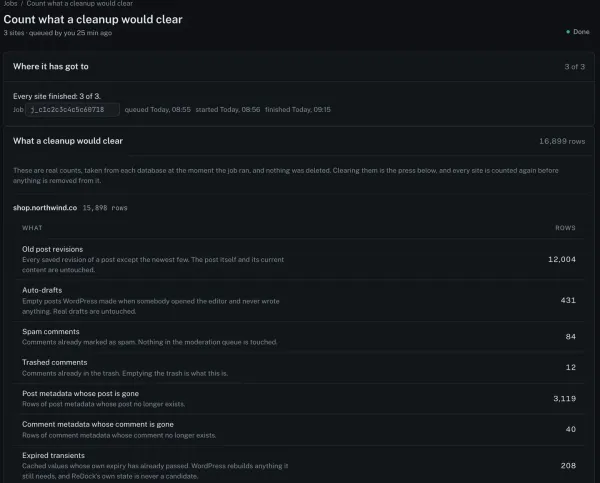
WordPress database cleanup across multiple sites: count first, then delete
A WordPress database cleanup in ReDock Web counts seven kinds of leftover rows on every site you name before it deletes anything, counts again before it clears, and skips any site whose numbers moved.
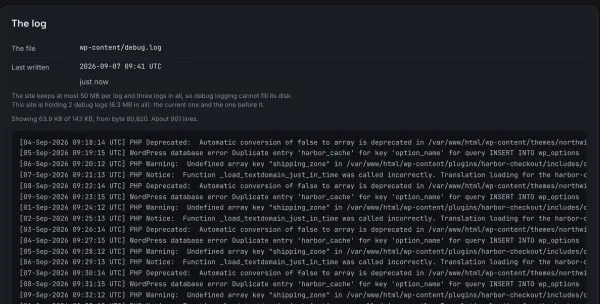
The WordPress debug log on a client's live site: switch it on, read it, and switch it off again
ReDock Web switches WordPress's debug log on for one site behind a confirm, keeps errors off the pages visitors see, lets you read and search the log in the browser, and puts wp-config.php back exactly when you switch it off.
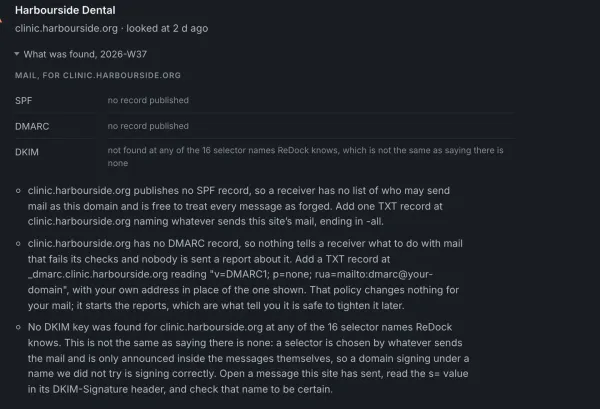
WordPress email not sending: work out which half is broken
WordPress email not sending is two faults wearing one symptom. How to tell whether the site failed to hand the message over or the receiver refused it.
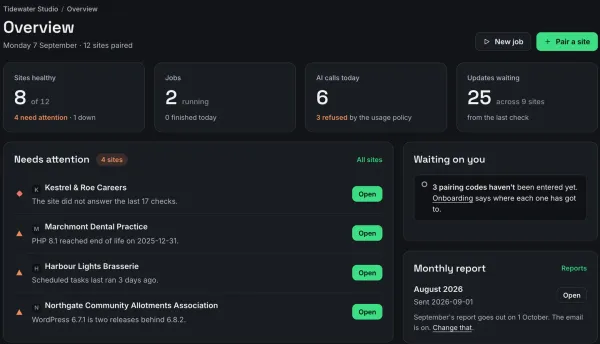
A WordPress maintenance plan checklist: what to include in a care plan, and how to show each part was done
A WordPress maintenance plan checklist for agencies and freelancers: uptime, health, updates with a way back, off-site backups, vulnerability checks, broken links, mail and speed, accounts, and the monthly report that shows the client all of it.
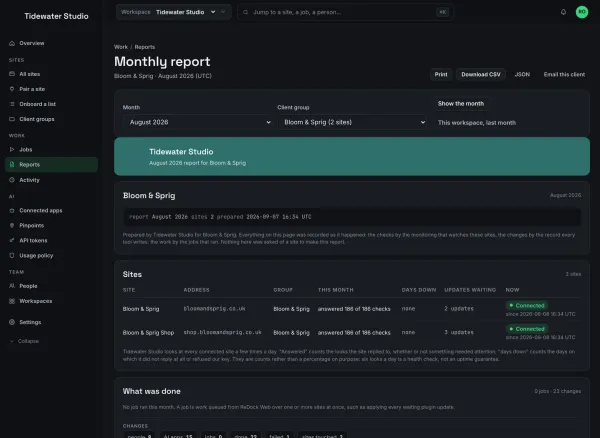
The WordPress maintenance report a client will actually read
Build a monthly WordPress maintenance report from records made as the work happened, put your own name and colours on it, and send the client their own copy.
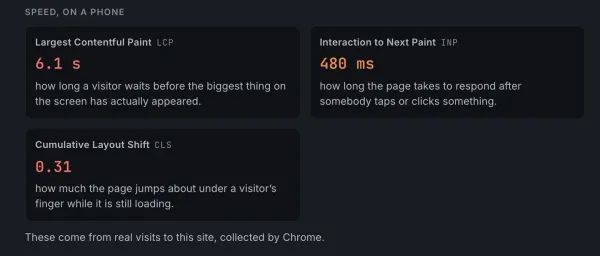
WordPress page speed monitoring for agencies: a weekly phone score for every client site
ReDock Web measures every connected WordPress site's home page on a phone with Google's PageSpeed Insights about once a week, and shows the score, how it moved, and the Core Web Vitals where Google has them.
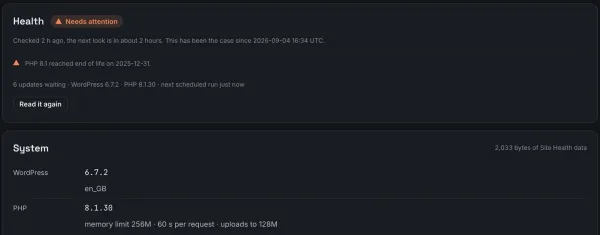
WordPress PHP end of life: find the client sites still on it, and move them this month
When a PHP version reaches end of life it stops getting security fixes, and ReDock Web names every client WordPress site still running one, with the date support ended, and counts down before the date arrives.
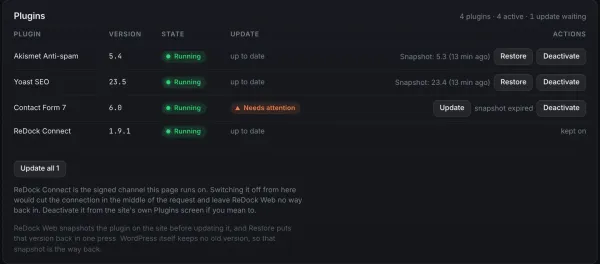
WordPress plugin rollback: getting the previous version back after an update breaks something
A WordPress plugin rollback in ReDock Web puts the version you had back in one press from the snapshot taken before every update, or rolls to any version wordpress.org still publishes.
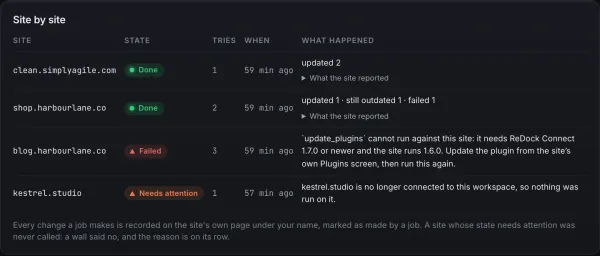
WordPress plugin update failed? Read each site's reason, fix that, and retry only the failures
When a WordPress plugin update fails across client sites, ReDock Web gives every site its own sentence saying why, and one button that runs the job again on only the sites that did not finish.
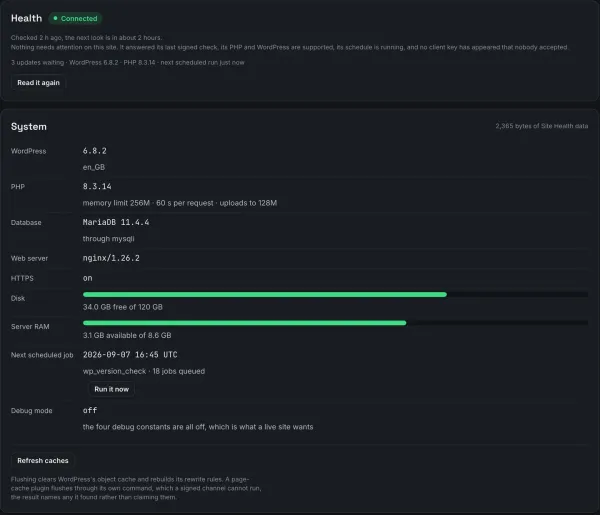
A WordPress site health check across every client site, written as reasons rather than a score
WordPress's own Site Health screen checks one site from inside wp-admin, while ReDock Web reads every connected site's health every few hours and lists what needs attention in sentences, with the sites in trouble first.
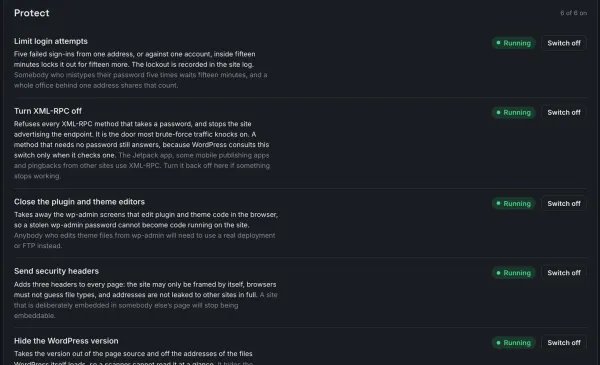
WordPress two factor authentication across multiple sites, without a plugin on each
Turn on WordPress two factor authentication across multiple sites from one dashboard, with six hardening protections, and get told when one is switched off elsewhere.
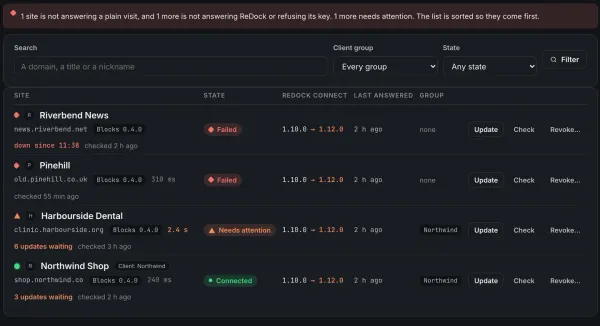
WordPress uptime monitoring when you answer for other people's sites
WordPress uptime monitoring that visits each site from outside on your own interval, says why a site is not answering, and measures the month against the target you promised a client.
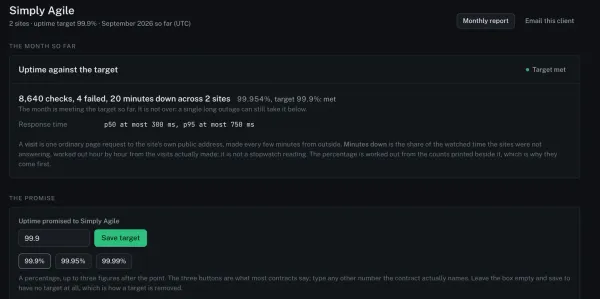
An uptime SLA for client websites: set the target once, and let each month say whether it was met
In ReDock Web a client group carries the uptime you promised, and its page and its monthly report say whether the month met it, missed it, had no checks, or had no target.
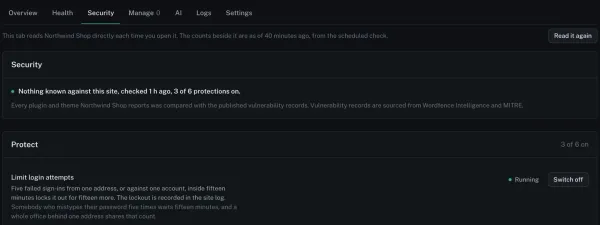
A WordPress vulnerability scanner for multiple sites that names the version that fixes it
ReDock Web compares every plugin and theme on every connected WordPress site with the published vulnerability records, marks the ones at risk, and names the version that fixes each.
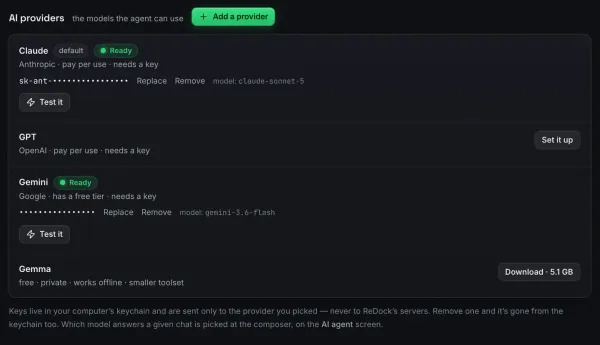
AI with no API key: a local model that can actually do things
A local model with no key is usually a chat box. Give it real tools and it creates sites and edits WordPress instead, with the tools carrying the correctness.
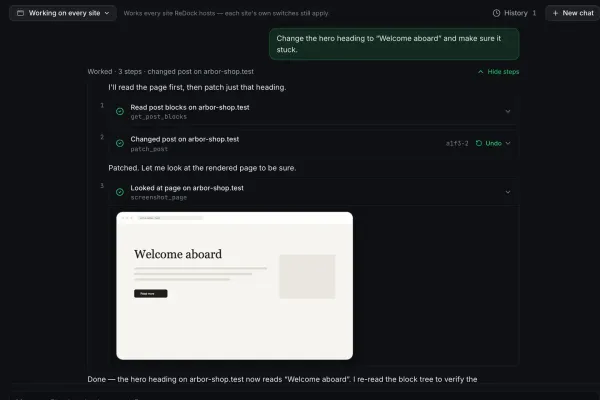
AI edits your WordPress site: one block change, one element change, both shown
An AI editor is only as good as the layer it writes through. Blocks on Gutenberg, elements on Elementor, one change each, with the receipt and the undo.
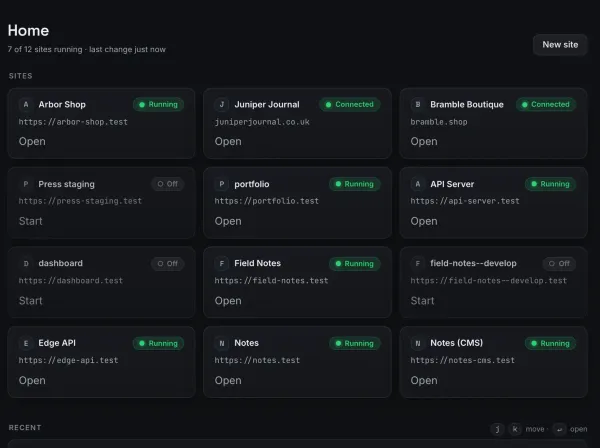
Auto-generate product demo videos from your changelog
A changelog is structured data and a demo video is a repeatable format. Map one onto the other and one template renders a consistent video per release.
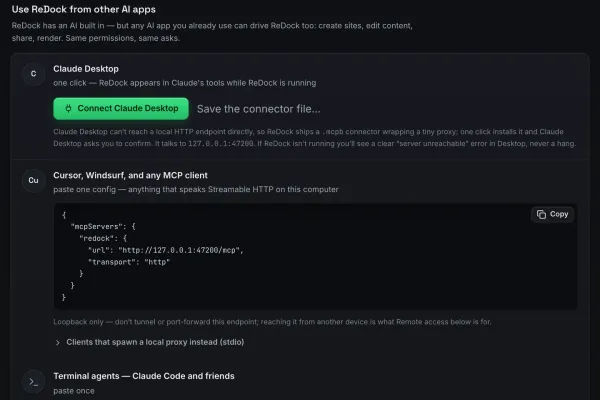
Claude Desktop and your sites: connecting an MCP server that can ship
Connect Claude Desktop to ReDock's MCP server and it can create local sites, author WordPress, share a preview and deploy. Connect the web door too and it reaches your live sites.
Claude MCP tutorial: build and publish a website by chatting
Connect Claude to ReDock's MCP server and take a website from nothing to a public URL in one conversation, with no terminal and no config file surgery.
Let Claude write your launch video: agent-driven Remotion scenes
Describe the video, let an agent write the scene code, and render an exact file on your own machine. The agent drafts, the renderer draws, nothing is synthesised.
Claude versus a local model for agent work: an honest comparison
Claude is stronger at deep reasoning. A local model is private, free and offline, and good enough at picking tool calls. Use both, matched to the task.
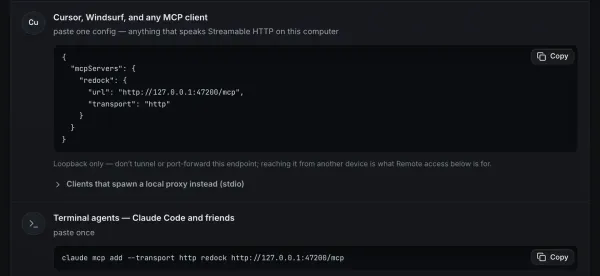
Cursor and MCP: letting your editor's agent run real websites
Point Cursor at ReDock on 127.0.0.1:47200 and its agent can create, run, author and deploy real local sites without leaving the editor. Add the web door for live client sites.
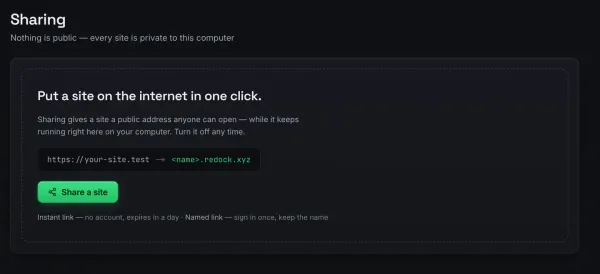
Attach a domain you own to a Cloudflare deploy, from the app rather than a dashboard
Put your own domain in front of a free Cloudflare deploy without hand-editing DNS. One custom domain at a time, attached from inside the app, on every plan.
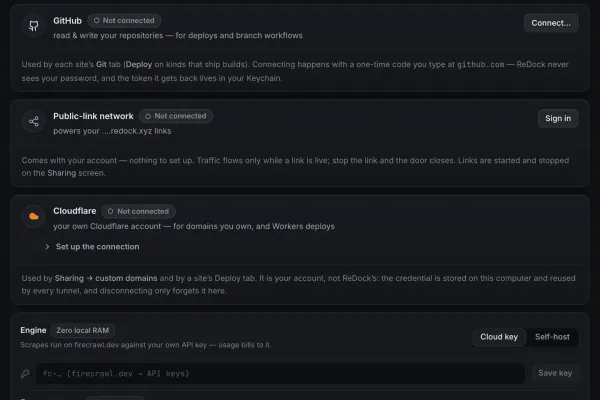
Deploy to Cloudflare's free tier: the honest guide, and the one-click version
What Cloudflare's free tier actually covers for a static site, and how to connect an account, build and deploy from one window with the hash and duration reported back.
How to deploy a website for free: no credit card, no server, no pipeline
Build the site on your own computer, then push the built output to a free edge tier in one click, with the commit hash and the real duration reported back.
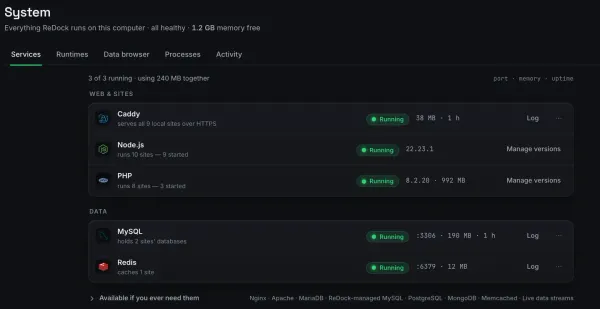
Docker for local web dev: when it is overkill and what is lighter
Docker earns its keep on parity and reproducibility. For running one site on your own machine it is a team-scale tool doing solo-scale work.
Easy hosting for side projects: from a folder to a real address to the world
The easiest hosting for a side project is none until you need it. Run it locally at https://name.test, share it over a link when somebody asks, deploy it when it is real.
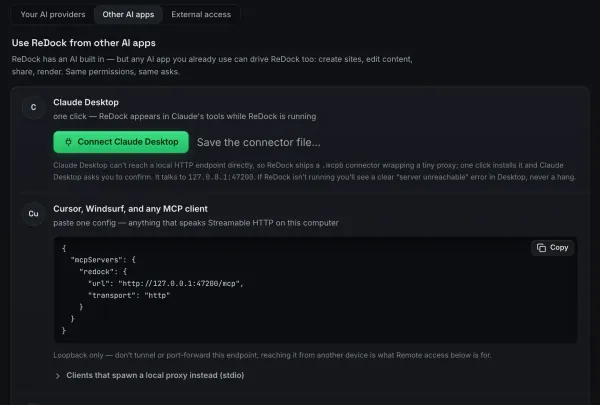
Easy MCP setup: zero config, no terminal, no JSON files
Easy MCP setup means pointing a client at a server that is already running. ReDock serves its whole surface at 127.0.0.1:47200, with a one-click connector or one line to paste.
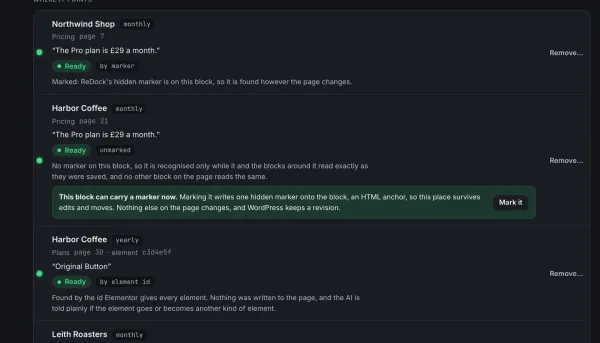
Elementor vs Gutenberg in the AI era: how an agent edits each one
Agents can drive both builders now. Gutenberg through blocks and an HTML anchor, Elementor through its element tree and each element's own id. Here is how each works.
Free AI video with Remotion: video as code, rendered on your own machine
Remotion draws video from code, so an agent writes the scenes and the renderer draws them exactly. Nothing is synthesised. The Studio runs on macOS.
A free AI website builder that runs offline: agent, local model, real WordPress
The agent, the model and the site all run on your own machine, so you can build a real WordPress site with no account, no key and no connection.
Free hosting that is actually your own computer: local sites behind a real link
The cheapest host you will find is the machine you already own. Run real sites locally, then give one a public HTTPS address over a Cloudflare tunnel.
Free MCP server: give Claude real tools on your computer in five minutes
ReDock is a free MCP server for macOS and Windows: Claude gets tools to create local sites, write WordPress content, share a preview and deploy, with no terminal and no API key.
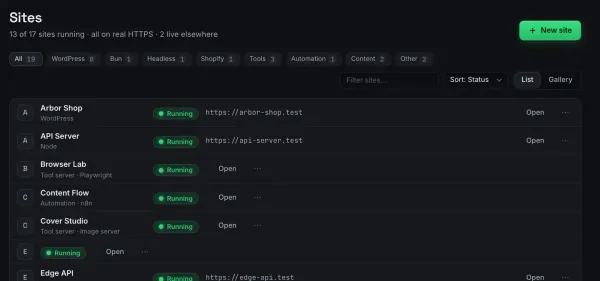
Free social media scheduler: build your own with n8n in an afternoon
A scheduler is a queue, a clock and a node per destination. Build one on your own computer with n8n, let an agent fill the queue, and keep the posting deterministic.
Free staging environments: stop paying for preview hosting
Staging is just letting somebody see the site before it ships. Run it locally behind a real HTTPS link, or deploy the built output to a free edge tier.
A free website with a real URL in ten minutes: quick links explained
Give a site running on your own computer a public HTTPS address without deploying anything. Unlimited unlisted links, plus three named ones that keep their name.
Build it locally, show the client, then look after the live site
The build is the easy part. Here is the whole arc: a local site, a named review link that does not change, and what happens after the client says yes.
Gutenberg MCP: how an AI writes real block content, not HTML soup
Block-native MCP tools let an agent read a page as blocks, patch one, and check the rendered result, so what it writes stays editable in wp-admin.
Headless WordPress with Astro: the free, fast way to ship a WP-backed site
Keep WordPress as the editor and render the front end with Astro. Both halves run on your own computer, each on its own trusted https://name.test address.
Laravel Herd versus ReDock: PHP-first against agent-first
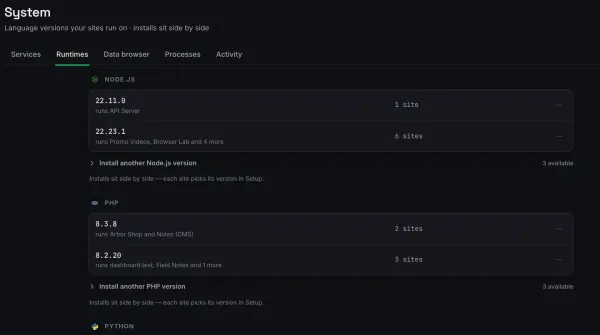
Herd is fast and deep in one lane. ReDock spans several stacks and lets an agent drive them. If you live in Laravel, Herd is probably the better fit.
Local models on an 8 GB Mac: what fits, and what it can actually do
Memory is the hard constraint. A small model that fits and stays responsive beats a large one that swaps, and for driving tools it is genuinely enough.
Local MCP vs remote MCP: where should your agent's hands live?
A local MCP server reaches your files, processes and ports. A remote one reaches a hosted service. ReDock runs both, and the honest comparison is about reach and consequence.
Free local WordPress environment with real HTTPS, one click, no Docker
One click provisions PHP, MySQL and a full WordPress install at a trusted https://name.test address, on macOS or Windows, with no Docker and no terminal.
LocalWP versus ReDock: two takes on local WordPress
One is a WordPress specialist with years of polish. The other treats WordPress as one stack among several and makes the whole thing agent-operable.
MAMP alternatives: what replaced the classic local stack
There is no single replacement. The local stack split into tools that each do one thing well, and the right pick depends on what you build.
MCP over HTTP explained: how agents actually talk to your machine
An MCP HTTP server answers at a URL rather than being launched per client, so one long-running server can serve Claude, Claude Code and Cursor at the same time.
ReDock's MCP tools, grouped by what they actually do
What an agent can reach through ReDock: sites, WordPress, Elementor, ship and system on the local door, and the connected live sites on the web door, at the level you approved.
MCP vs plain APIs: why agents need tools, not endpoints
An API exposes endpoints a developer wires up in advance. MCP exposes self-describing tools an agent discovers at runtime and calls on its own. That difference is the whole point.
n8n and Claude over MCP: an agent that helps build its own automations
Point Claude at ReDock and it can see the n8n instance running on your computer, reason about the flow with you, and draft the workflow JSON you import.
n8n in one click, on your own computer: the free automation studio you already own
Run n8n self-hosted on macOS or Windows with one click: warm-started, on a trusted HTTPS address, and reachable by real webhooks. No Docker, no terminal.
Webhooks on localhost: how an n8n flow receives real events behind a tunnel
A webhook needs a public address and localhost has none. A Cloudflare tunnel gives your local n8n instance one, with real HTTPS and no router changes.
Automate WordPress publishing with n8n: draft, review, live
Wire a draft to review to published pipeline with n8n and a WordPress site, both running on your own computer, talking over the REST API on trusted HTTPS.
Free tunnel alternatives to ngrok: what the free tiers actually give you today
The old complaint about rotating free URLs is out of date. Here is what ngrok's free plan prints today, checked on their own page, and where a built-in tunnel differs.
The no-terminal dev environment: who it is for and who it is not
No terminal does not mean no code. It means the plumbing happens in an app. That is a good default for building sites and beside the point for infrastructure work.
A one-person content pipeline: the agent drafts, n8n schedules, Remotion renders
Three engines running side by side on one machine, wired so publishing is a system rather than willpower. You still approve everything before it goes live.
Client code that never leaves your machine: private AI for agency work
A local model means the client's code, content and credentials never leave the device. And when the work goes live, the same rules can follow it to the live site.
Programmatic video versus video editors: when code beats a timeline
Code wins when the video is repetitive, data-driven or has to be exact. A timeline wins when it is a one-off cut of real footage. Most people want both.
Render farm of one: batch-rendering Remotion videos locally with Bun
One template, a list of data, and a warm Bun runtime turn your own machine into a render farm. No queue, no per-minute bill, and the assets never leave.
Remotion tutorial for people who do not do video: your first rendered file
One idea gets you started: a video is a React component sampled over time. Go from a blank scene to a rendered file, with no timeline and no editing software.
How to show a client a work-in-progress site without deploying it
Share the site running on your own computer over a real HTTPS link. No build, no staging server, no copy to keep in sync, and the link goes dark when you are done.
From idea to shipped side project in one evening, for nothing
The evening usually goes on setup. Fifteen minutes to a running site with real HTTPS, then build, share for feedback, and deploy free when it is ready.
Shopify app development on localhost: the loop that has to close
A Shopify app is a service the store must be able to call back. Run it on the Node version it wants, give it a public HTTPS address, and watch the round trip in the logs.
The Shopify dev environment checklist: Node, a database, a public address
Three things have to be right before a Shopify app installs locally. Miss one and you get a confusing failure that looks like your code's fault and is not.
Shopify MCP: what an agent can and cannot do for store developers today
There is a difference between an agent that manages a store and one that operates your local app development environment. ReDock does the second, and says so.
Testing Shopify webhooks locally, without a separate tunnel tool
Webhooks are inbound requests, so localhost is unreachable and the events fire into a wall. The fix is one public HTTPS address, and it comes with the site.
Hosted free tiers versus owning your stack: the numbers, checked today
What Vercel, Netlify and Cloudflare actually print on their free plans as of 11 September 2026, and where running the local half yourself fits.
What is MCP? The Model Context Protocol explained for people who just want things done
MCP is an open protocol that lets an AI assistant call real tools on your computer, so it creates the site, edits the content and deploys it instead of describing how.
WordPress magic login: getting into wp-admin without a password
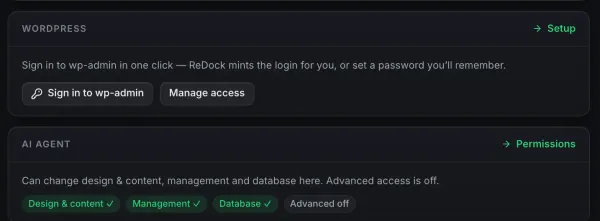
A single-use link opens wp-admin without a stored password. ReDock mints one on your local sites, and ReDock Web does the same for the live sites you look after.
WordPress MCP: two doors, one for the sites on your computer and one for the sites you run
ReDock serves two MCP doors for WordPress: one on your own computer at 127.0.0.1:47200, one on the web for the live sites you look after, with consent, policy and a record.
One-click WordPress plugin branch switching: test a feature on a living site
Point a WordPress plugin at another git branch and test it against a site with real content and real other plugins, with no zip files and no reinstall dance.
XAMPP today: a respectful retirement guide
XAMPP still works, and it shows its age on per-project isolation and automatic HTTPS. Here is what a modern local stack does differently, fairly.
Making YouTube videos without paid tools: the code-video pipeline
Treat video as code and the repeatable parts of a channel cost render time instead of a monthly fee. Intros, outros and data segments you own forever.
The zero-dollar creator stack: a website, a scheduler and a video renderer in one window
A real website, an automation scheduler and a programmatic video renderer, running side by side on the machine you already own, with no subscriptions.
Introducing ReDock: your AI has a dock now
Why we built a desktop app where an agent creates real sites, shares them over tunnels and deploys them, with honest status the whole way.