Trusted local HTTPS: how the .test addresses and the certificate work, and why the browser shows a lock
Why https://name.test shows a real padlock on your own computer: a private certificate authority made at first launch, a certificate per site signed by it, Caddy serving them, and .test resolving only on your machine.
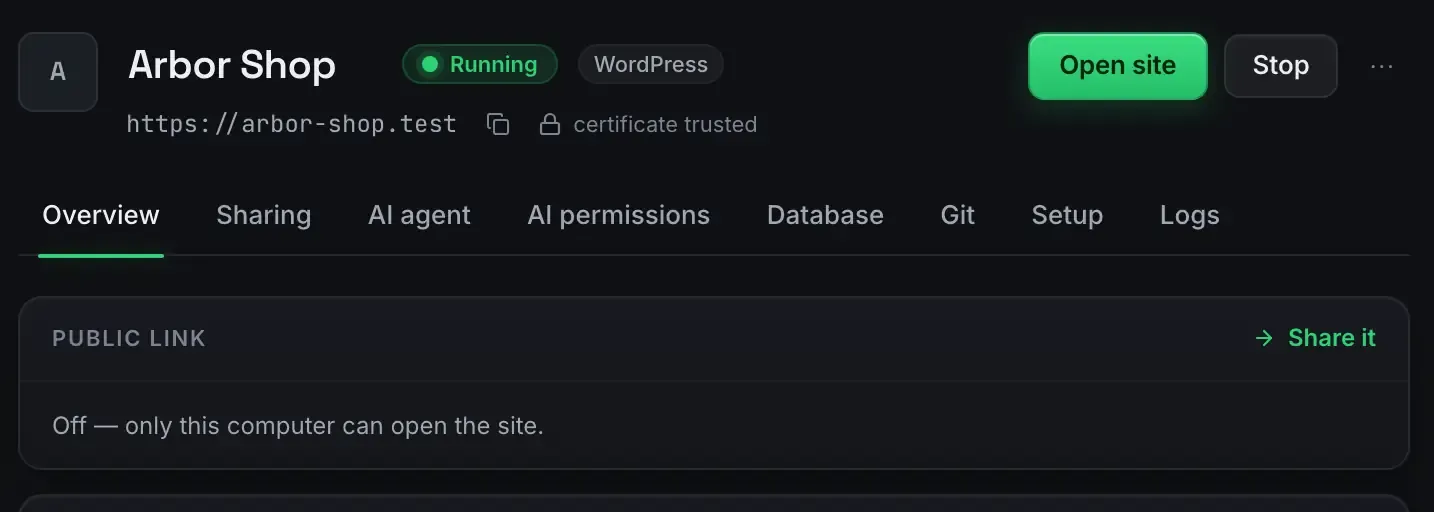
The browser shows a lock on https://arbor-shop.test because the certificate behind it was signed by an authority the browser trusts. ReDock created that authority on your computer the first time it ran, asked for your password once to add it to the system’s trust store, and has signed a certificate for every site since. The .test name resolves only on your machine, the certificates renew themselves, and the authority signs nothing but .test sites. That is the whole mechanism. The rest of this post shows it on the real screens and says what it does and does not cover.
Why a self-signed certificate warns and this one does not
A certificate is a claim: this server is who it says it is. The browser believes the claim when a certificate authority it already trusts has signed it. A self-signed certificate is signed by nobody the browser knows, so every visit starts with a warning, and the usual workaround is to click through it or add each site’s certificate to the trust store by hand.
ReDock takes the other path. It creates one private certificate authority on your computer and asks the system to trust that one authority, once. From then on every site’s certificate is signed by it, and the browser treats each new site the way it treats any real website. Caddy, the web server ReDock supervises, serves every site over HTTPS, and its automatic HTTPS documentation describes how a server like it issues and renews local certificates.
What you see in the app
The site header says it plainly.
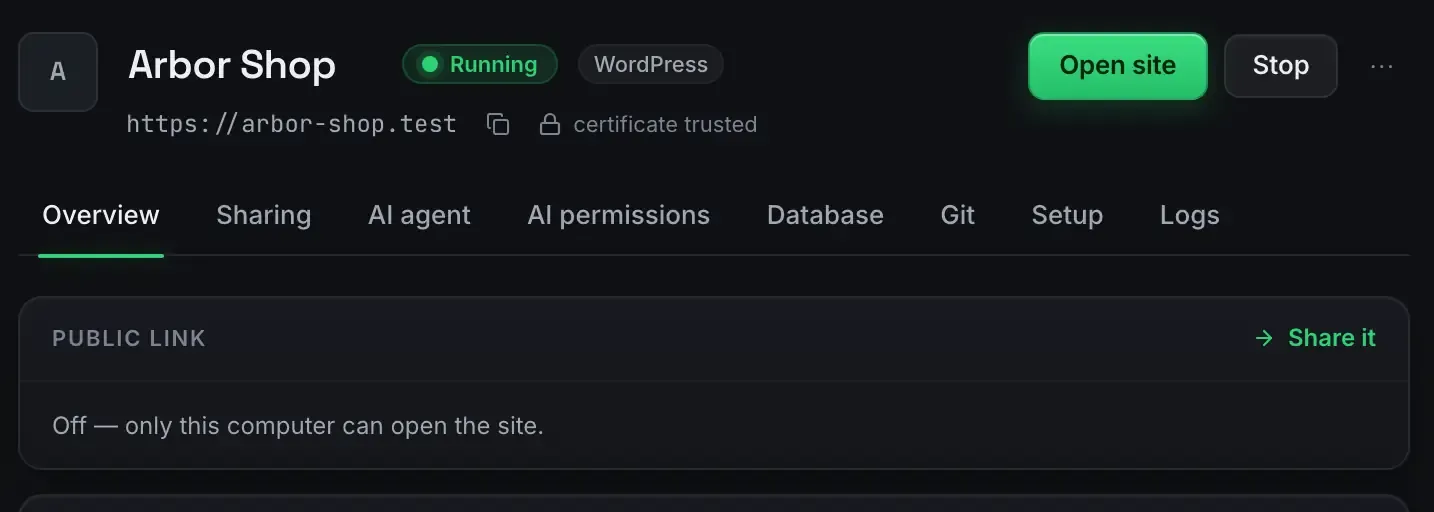
“Certificate trusted” next to the address is the app confirming what the browser will find. The Public link card underneath, reading Off, is the other half of the story: nothing about this address is public. Only this computer can open the site.
On the System screen, the Services tab shows who is doing the serving.

One Caddy, every site, all over HTTPS. There is no per-site secure step because there is nothing per site to do: a new site gets a certificate as part of being created.
The Sharing screen lists the local addresses and says the one thing that matters most for a laptop on a train.

These never need the internet. The names resolve on your computer and the certificates were issued on your computer, so the lock works with the Wi-Fi off.
Settings keeps a tab for it, called Local HTTPS, next to Account, AI and Connections. Its contents are not pictured here.

Why .test
The .test top-level name is reserved by RFC 6761 for testing and will never be sold as a real domain, so arbor-shop.test can never collide with somebody’s website. ReDock resolves those names to your computer and nowhere else. A .local name, which some tools use, has a different job on a network and can clash with devices that advertise themselves under it; .test sidesteps that.
What the lock gets you
More than a green icon. Browsers hold back features on plain http:// pages that they allow on secure ones: service workers, secure cookies, and camera and microphone APIs among them. A site that will run on HTTPS in production behaves the same way at https://name.test, so the bug that only appears behind a lock appears on your desk first.
The certificates renew themselves before they expire. The authority signs only your .test sites and never leaves the machine. Uninstall ReDock and the trust is removed with it.
What it does not cover
The public link is a different animal. When you share a site, the visitor reaches it over HTTPS through a tunnel on a redock.xyz address, with a certificate that the network serving that address provides. Your private authority plays no part in it, and it should not: it exists to be trusted by one computer, yours. The sharing guide covers that side.
Other devices on your network do not see the lock either, because .test resolves only on your machine. A share link is the honest way to show a site to a phone.
How the other tools handle it
Local creates self-signed certificates with a one-click Trust button, and its own docs say newer macOS needs a manual step in Keychain. Herd and Valet serve plain HTTP by default and secure a site when you ask, per site. WordPress Studio needs a custom .local domain switched on per site, trusts its authority automatically on Windows and by hand in Keychain on macOS. Lando runs its own authority but its lndo.site names resolve through a public DNS entry, so they need an internet connection. Each of those is on a comparison page built from the tool’s own site: Local, and the local development stacks for the rest.
FAQ
Is a private certificate authority on my computer safe?
It is scoped and it is yours. It signs only .test names, it never leaves the machine, you approved it once with your password, and uninstalling ReDock removes it. A certificate it issued would be refused anywhere but your own browser.
The browser still warned me after the first launch. What now?
Quit the browser and open it again. Browsers read the system’s trust store when they start, so a browser that was already open when you trusted the authority may not have noticed yet. If the warning persists after that, write to hello@tryredock.com with the browser’s exact error text.
Can I see the lock from my phone on the same Wi-Fi?
Not on the .test address; it resolves only on your computer. Share the site instead: the public link is HTTPS end to end, works on any device, and you can stop it the moment you are done.
Want every local site behind a real padlock, with one password prompt and nothing to configure? Download ReDock, free, for macOS or Windows.