AI edits your WordPress site: one block change, one element change, both shown
An AI editor is only as good as the layer it writes through. Blocks on Gutenberg, elements on Elementor, one change each, with the receipt and the undo.
An AI WordPress editor is only as good as the layer it writes through. If the model emits raw HTML you get pages that look plausible in the editor and fall apart in the theme. If it writes through the builder’s own data model, you get pages a person can still edit by hand.
ReDock does both builders. On Gutenberg it writes blocks. On Elementor it patches elements. This post shows one change on each, plus the receipt and the undo that come with them.
Why raw HTML is the wrong output
Ask a general model to write a landing page for WordPress and it will hand back a wall of markup. Paste that into the block editor and WordPress wraps it in one Custom HTML block. Nothing is a real heading, a real button or a real columns layout. The theme’s spacing and type do not apply. You cannot change a section without editing markup.
The block editor is a structured document format: every element is a typed block with attributes, serialised into the post content. An agent that respects that produces content you can maintain. An agent that ignores it produces a screenshot in HTML clothing.
Change one: a block, on Gutenberg
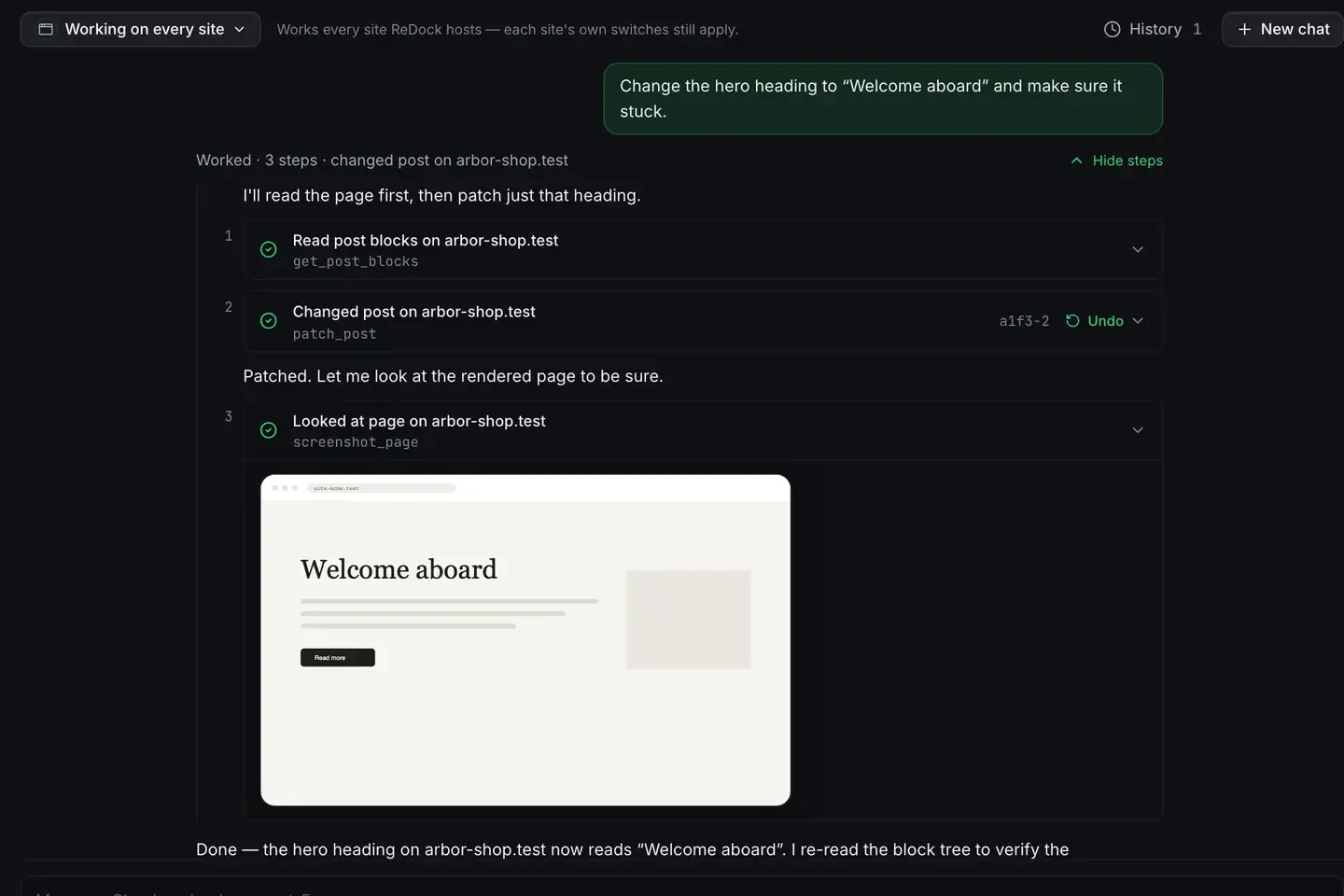
Here is the whole thing, on a local WordPress site. Change the hero heading to “Welcome aboard” and make sure it stuck.
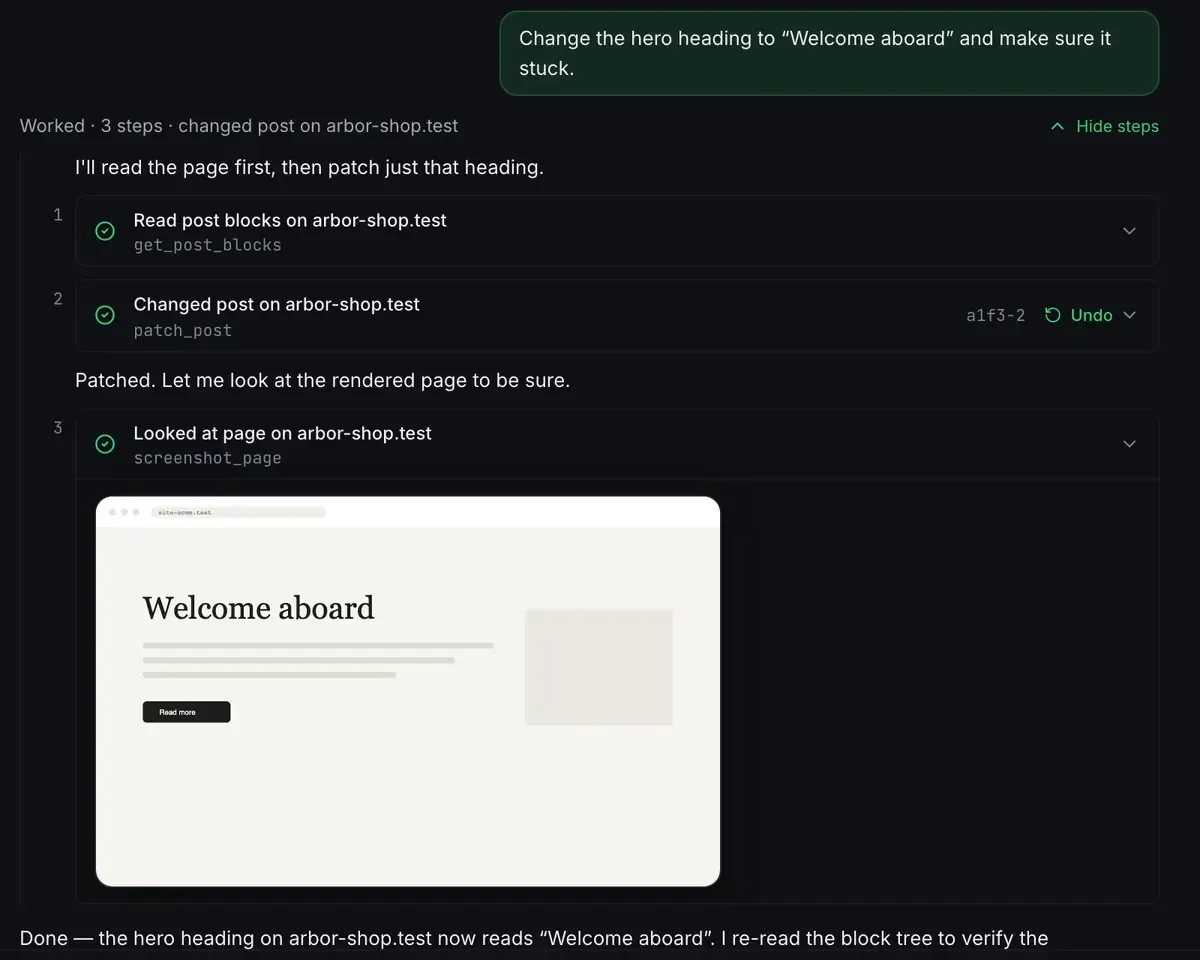
Read the page as a block tree. Patch one block. Look at the rendered page to confirm. Note what is not there: no full rewrite of the page, no HTML, no “I have updated the heading” without evidence. The change is a WordPress revision, which is why the Undo is real rather than a promise.
The stronger habit on top of that is reaching for the theme’s own patterns first. A pattern is a pre-designed arrangement of blocks that already carries the theme’s spacing, colours and type: a hero, a pricing table, a testimonial row. The agent looks at what the site actually registers, picks one, and adjusts the content inside it. Pages built that way look like they belong to the site, because structurally they do.
Change two: an element, on Elementor
Elementor stores its layouts in its own structure, and for a while that meant agents could generate copy for an Elementor page and little else. That is no longer where things stand.
ReDock has tools for Elementor documents: read the element tree, patch a widget’s settings or text, save. Each read carries a version token, and a stale token is refused rather than overwriting an editor you left open. On the web side, the same adapter means a named place on an Elementor page resolves by the element’s own id.

Nothing is written to the page to make that work, because Elementor already gives every element a persistent id. If the element goes, or becomes a different kind of element, the agent is told plainly instead of guessing.
The honest boundary: the agent edits what Elementor stores, it does not drive the visual editor. A widget with unusual custom storage may still need a manual touch, and the receipt says so when that happens. Elementor vs Gutenberg in the AI era is the full comparison and the Elementor page has the boundary in detail.
The receipt
On a local site the undo is a WordPress revision and the record is in the app. On a live site connected to ReDock Web, every change is written down with the time, the site, the tool, who did it, the level it ran at and how it ended.
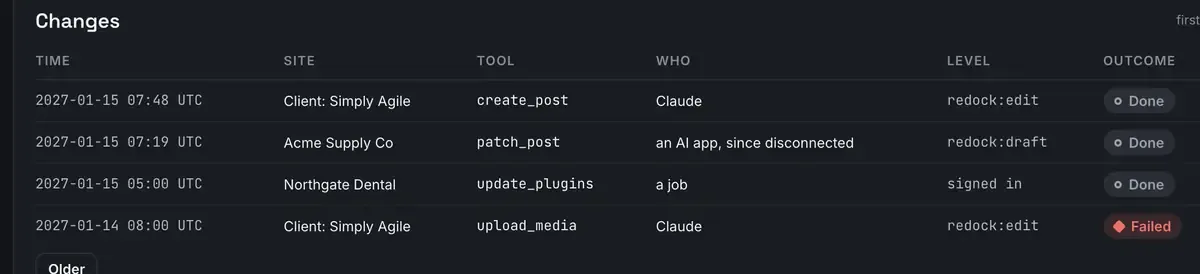
A person, a job and an AI app read the same way in that list, because when a client asks who changed the front page the answer has to be able to be any of the three. Refused calls are there too. Records are kept 400 days and export as CSV or JSON.
Where this fits
The same door that writes content also creates the site, installs plugins and signs you in. Start at WordPress MCP for both doors, then Gutenberg MCP for the block detail and WordPress magic login for the way in. The tool groups are in the MCP docs.
You can run all of this without a cloud model. ReDock ships its own agent and a catalogue of local models sized to the memory you have, so the tool calls can come from a model on your own computer. The built-in agent docs cover it.
FAQ
Does the AI overwrite my existing content?
Only what you ask for. Every edit is a discrete tool call with an undo attached, and on a live site the record shows what changed. On a local site nobody else can see, rolling back is one revision.
Can I still edit the page by hand afterwards?
Yes, and that is the point. On Gutenberg the output is real blocks you can drag, retype and restyle. On Elementor the widget is a normal widget in the normal editor.
Do I need Elementor or Gutenberg specifically?
Neither. The agent works with whichever the site runs. Gutenberg is core, so it is always there. Elementor gets its own tools when it is installed.
What stops the agent publishing something before I have seen it?
On a local site, nothing needs to: the site is not public. On a live site, publishing is one of seven policy switches, and with it off an AI app is refused and told to ask a person. AI access on ReDock Web has all seven.
If you want an AI editor that writes maintainable WordPress rather than soup, download ReDock for macOS or Windows.