WordPress MCP: two doors, one for the sites on your computer and one for the sites you run
ReDock serves two MCP doors for WordPress: one on your own computer at 127.0.0.1:47200, one on the web for the live sites you look after, with consent, policy and a record.
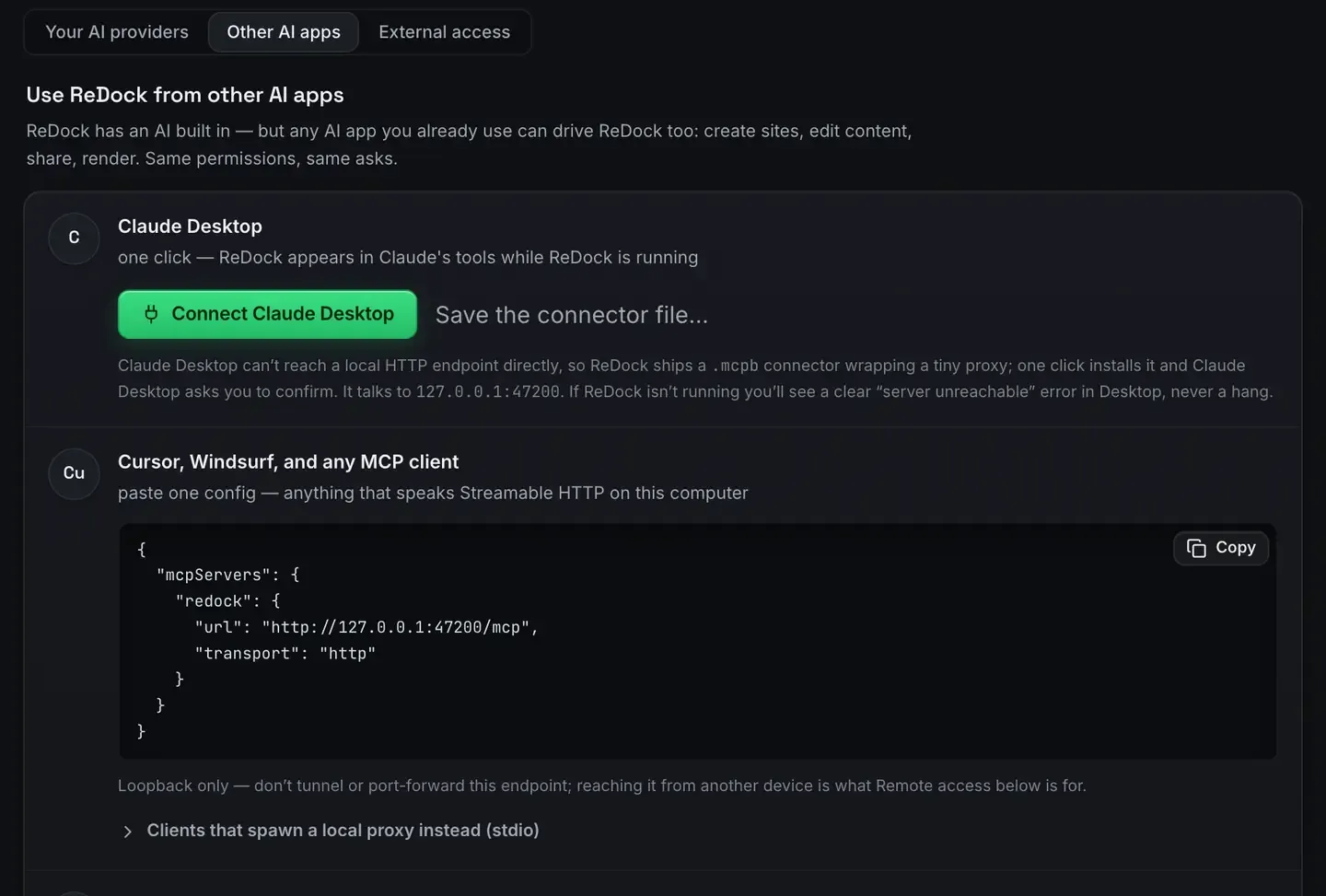
WordPress MCP means exposing WordPress as tools an AI client can call, so the agent operates the software instead of describing how you should. ReDock serves two of those doors, and which one you want depends on where the site lives.
The local door runs inside the desktop app on 127.0.0.1:47200 and reaches the WordPress sites on your own computer. The web door runs at https://app.redock.xyz/mcp and reaches the live WordPress sites a workspace has connected, under a consent screen, a level, and seven policy switches. Same protocol, same clients, different sites.
This post shows one real task on each.
Why there are two
An agent with write access to a production site is a liability. An agent with write access to a local site is a workflow. Those are different risks, so they get different doors.
The local door is wide because the blast radius is your own machine. Create a site, delete a site, drop a table: nothing outside the computer notices, and every site is one revision from where it was.
The web door is narrow by construction. Nothing connects until somebody approves it on a consent page, the approval carries a level, and seven switches decide what any AI app may do on its own regardless of level. That is not a smaller version of the local door. It is a different design for a different consequence.
The local door: one task on a site on your machine
Install ReDock, open Settings, AI, Other AI apps, and take the connector for your client. Claude Desktop is a button, Claude Code is one pasted line, Cursor takes a small block that is already filled in. There is no config file to invent, which Easy MCP setup covers.
Now ask for a change. Change the hero heading to “Welcome aboard” and make sure it stuck.
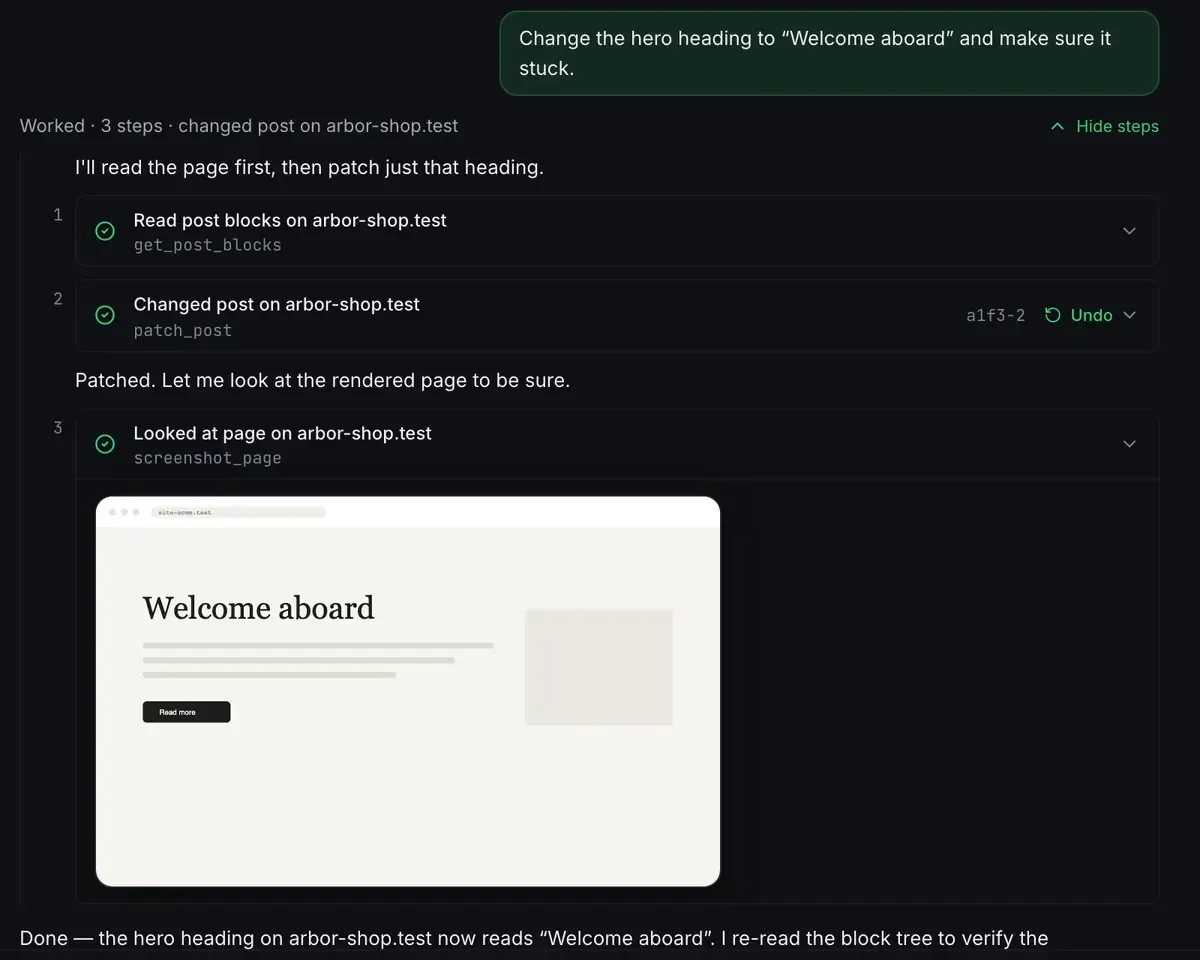
Three calls. It read the page as blocks, patched one, then looked at the rendered page to check the change landed. The write carries an Undo, which is a WordPress revision, and the read at the end is why the agent could say it was done rather than that it had tried.
That is the whole local surface in miniature. Beyond it: create and start a full site with PHP and MySQL provisioned for it, manage plugins and themes, browse and query the database, sign into wp-admin through a single-use link, share the site over a Cloudflare tunnel, deploy it. The tools list is the catalogue, and Gutenberg MCP explains why the authoring tools are block-shaped.
If the site runs Elementor, the same conversation works. The agent reads the document’s element tree and patches a widget through Elementor’s own data model, with a version token so a stale read is refused instead of overwriting an editor you left open.
The web door: one task on a live site
The local server cannot reach a client’s live site, because that site is not on your machine. Connect it to a workspace with the ReDock Connect plugin and it appears on the sites list with its own MCP address.

Point Claude at that address. The first connection lands on a consent screen naming the workspace and asking for one of four levels: View, read only. Draft, view plus draft posts, publishing refused. Edit, content, plugins, users and options. Full, everything Edit allows. Approve it and the app is listed under Connected apps with the date, the level and a Revoke that bites on its very next call.
Now ask for the same kind of thing, on a real site: draft a post about the autumn opening hours on the Harbourside site, do not publish it.
At Draft level the agent can read the site, compose the post, and save it as a draft. If it tried to publish, the door would refuse it and tell it to ask a person, because publishing is one of the seven switches. And whatever happens is written down.
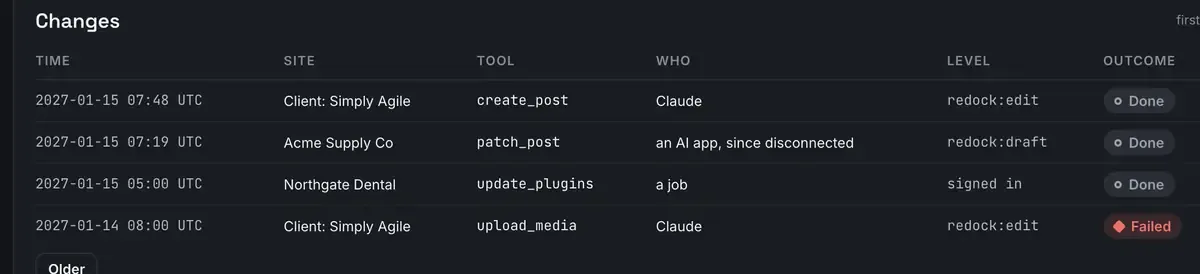
A person, a job and an AI app read the same way in that list, because when a client asks who changed the front page the answer has to be able to be any of the three. Refusals are recorded too. Records are kept 400 days and export as CSV or JSON.
Pinpoints: sending the agent back to one place
There is a third thing the web door has that a plain tool call does not: a way to name a place on a page and find it again later.
A pinpoint is a name, a label, a note you wrote, and the exact places it means, across as many sites as you like. Say the name and the agent gets the addresses and your sentences, then makes a precise edit on each. On a Gutenberg page the address is the block’s own HTML anchor, so rewording the paragraph does not break it. On an Elementor page it is the element’s own id.
The note is the part people underestimate. It is read word for word before anything changes there: what must not change, who owns it, when it is safe to touch. Pinpoints has the mechanics.
Which clients work
Any MCP client, on both doors. Claude Desktop for conversational work, Claude Code for agentic coding sessions that also control the sites they are coding against, Cursor from inside your editor, and anything else that speaks the protocol.
The local door needs no plugin inside WordPress: ReDock provisions and hosts those sites itself. The web door needs the ReDock Connect plugin on the live site, which is how the site proves it is the one you paired. Connect a site is the three-step version.
You do not need a cloud model either. ReDock ships a built-in agent and a catalogue of local models sized to the memory you have, so tool calls can come from a model that never sends a byte off the machine. No API key AI covers that path.
FAQ
Do I need to install anything inside WordPress?
For local sites, no: ReDock provisions and hosts them, so the tools are part of the app. For a live site, yes: the ReDock Connect plugin is what pairs it to your workspace and signs every request.
Is this safe to point an agent at?
The two doors answer that differently, which is the point. Locally, sites are on your own machine, capabilities are set per site, every write carries an undo, and nothing is exposed until you share it. On the web, nothing connects without a consent screen, every approval carries a level, seven switches can refuse an app outright, one site can be stricter than the workspace, and every call including every refusal is recorded under the app’s own name.
What does it cost?
The desktop app is free on every plan, including the MCP server, sharing and deploys. On the web, one connected live site is free. The paid plans buy more sites and more seats, and the pricing page has the numbers.
Does it run on Windows?
Yes. Sites, the agent, sharing and the MCP server are the same on macOS 12 or later and 64-bit Windows 10 or later.
For sites on your own computer, download ReDock for macOS or Windows. For the live sites you look after, one connected site is free: create an account and see what ReDock Web does.