WordPress magic login: getting into wp-admin without a password
A single-use link opens wp-admin without a stored password. ReDock mints one on your local sites, and ReDock Web does the same for the live sites you look after.
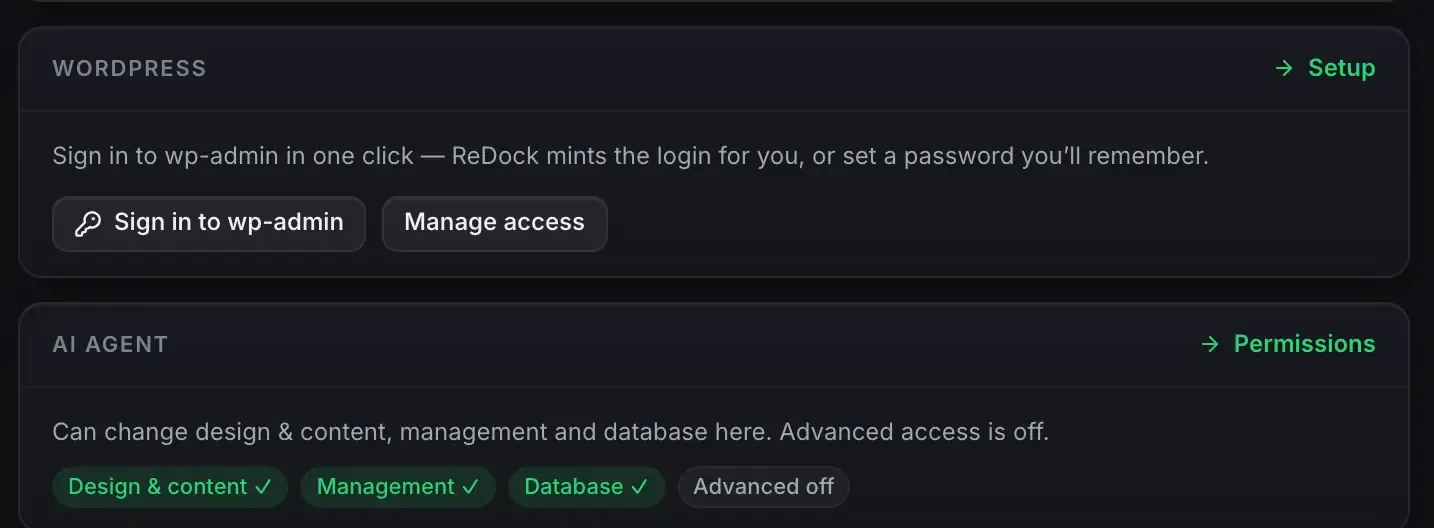
WordPress magic login is a way into wp-admin that does not involve typing or storing a password. The platform mints a single-use, short-lived link, you follow it once, and it cannot be used again.
ReDock does this in two places. On your own computer, the desktop app mints the link for a local site, and an agent driving that site can request one and hand it to you. On the web, ReDock Web signs you into a connected live site’s wp-admin as an administrator, from that site’s page, without you keeping its password anywhere.
The password problem
The obvious way to let software into WordPress is a username and password, or an application password. It works, and it means a secret sits somewhere: a config file, an environment variable, an agent’s memory. Secrets that sit around get leaked, committed to a repository, or reused across sites. A long-lived credential is exactly what you do not want an autonomous agent holding.
A single-use link removes the standing secret. There is nothing to store because the link is made on demand and dies after one use.
How the single-use link works
When a login is requested, ReDock generates a one-time token tied to that request. The token is stored with a short expiry. Following the link consumes it, signs the session in, and invalidates it. Follow the same link twice and the second attempt fails.
A few properties follow from that.
- No stored password. The site’s admin password is never read, never sent, never needed.
- One use. A link that leaks after you have used it is already dead.
- Short life. An unused link expires quickly, so a stale link in a chat log is not a standing risk.
- Fresh every time. Each request mints a new token. There is no shared secret to rotate.
On a site on your own computer
Every local WordPress site’s overview carries the button.

That is one click for you and one tool call for an agent. Ask Claude to set up the new blog and give you a way in: it creates the site, writes the first pages from the theme’s own block patterns, and finishes by requesting the link. You click, you land in wp-admin already signed in, and the link is spent.
From the agent’s side this is one call among many. It never sees your password, because there is nothing to see.
On a live site you look after
The same idea works on a site that is not on your machine. Once a live WordPress site is connected to a workspace with the ReDock Connect plugin, its page in ReDock Web carries the same door.

This is the one that changes an agency’s day. Twelve client sites means twelve admin passwords in a shared vault, or twelve accounts nobody has audited in a year. Here the site keeps its own key, every request between it and ReDock Web is signed with that key, and a request that is not signed correctly is refused. You get in from the site’s page, and the sign-in lands in the activity record with your name on it like everything else. Connect a site covers the pairing, and people and roles covers who is allowed to do it.
Deactivating the plugin ends every connection at once, which is the exit you want to be sure exists before you set one of these up.
Where it fits
Magic login is one part of a larger surface. The same endpoint that signs you in also creates the site, writes content and manages plugins. WordPress MCP is the picture of both doors. The authoring side is AI edits your WordPress site and Gutenberg MCP. If MCP is new, start at What is MCP.
FAQ
Is a magic link less secure than a password?
For this use it is more secure. A password is a standing secret that can leak and keep working. A single-use link is dead after one click and expires on its own, so there is nothing durable to steal.
What if the link leaks after I use it?
A used link is already invalid, and following it again fails. An unused link that leaks expires shortly on its own, so the window is small either way.
Does this work on sites I did not create in ReDock?
Yes, through ReDock Web. Install the ReDock Connect plugin on the live site, pair it with a code, and its page carries the sign-in. The desktop app’s version is for the sites it provisions itself.
Who in a workspace can use it?
It is a change to the site, so it follows the workspace’s roles. A viewer, the seat you give a client, opens every page and presses nothing. People, roles and client groups has the four roles.
For local sites, download ReDock for macOS or Windows. For the live WordPress sites you look after, one connected site is free: create an account or read what ReDock Web does.