What is MCP? The Model Context Protocol explained for people who just want things done
MCP is an open protocol that lets an AI assistant call real tools on your computer, so it creates the site, edits the content and deploys it instead of describing how.
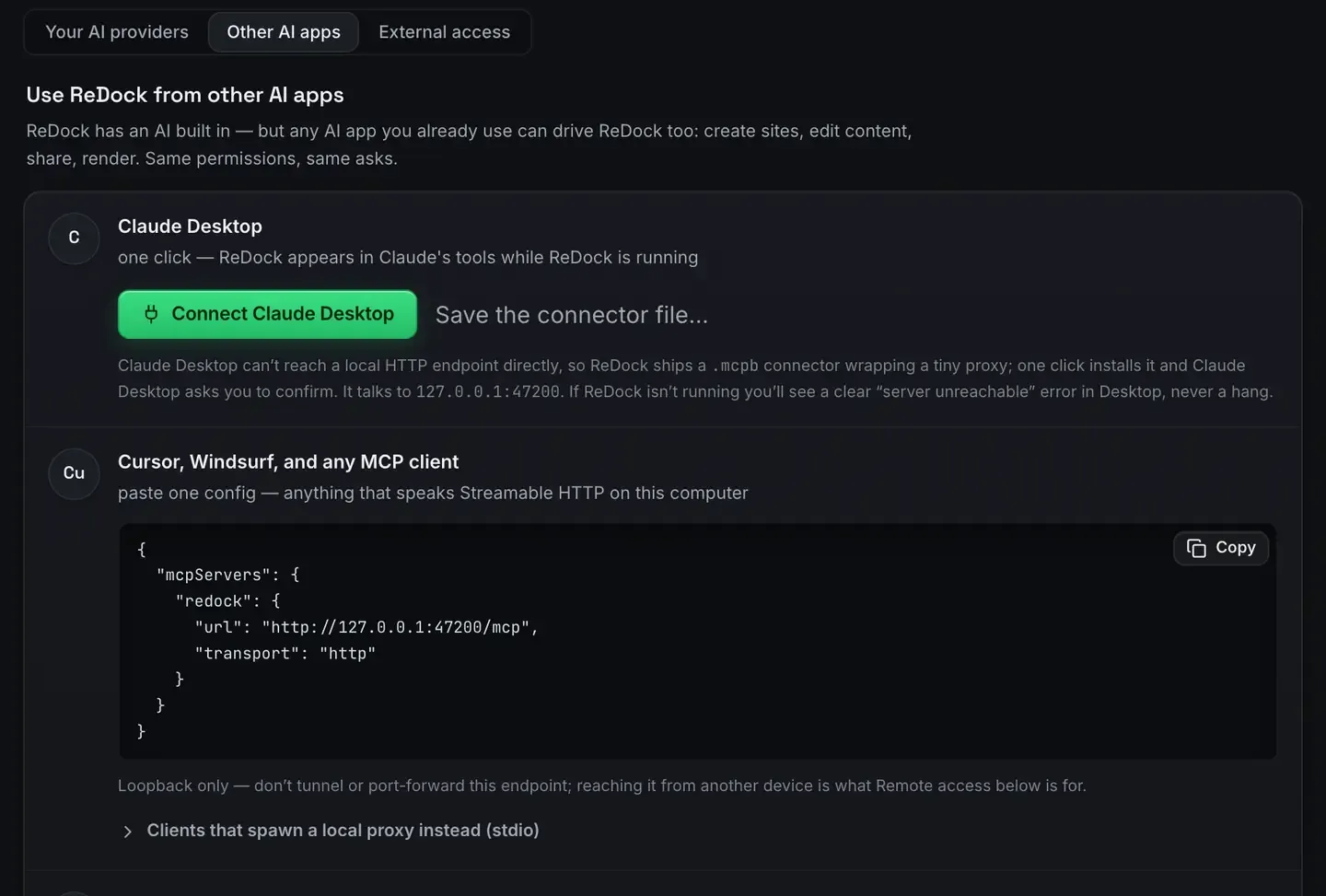
MCP, the Model Context Protocol, is an open standard that lets an AI assistant call real tools instead of only generating text. A program publishes a list of things it can do. The assistant reads that list and calls the tools directly. The model stops describing work and starts doing it.
If you have ever pasted a wall of instructions into a chat window and then run them by hand, MCP is the protocol that removes the “by hand” part. The specification is public and lives at modelcontextprotocol.io.
The problem it solves
Language models are good at deciding what should happen. They are bad at making it happen. A model can write you a shell command, a WordPress post or a deploy script, and you still have to run it, paste it, and fix it when the model guessed wrong about your machine.
Every vendor used to patch that with proprietary plugins. Each plugin worked with one assistant, one API shape, one login story. MCP replaces the pile with a single protocol. Any client that speaks it can talk to any server that speaks it. Write the server once and every assistant can use it.
How it works
An MCP server answers a few structured questions.
- What tools do you have? The server returns a list. Each tool carries a name, a description in plain language, and a typed schema for its inputs.
- Call this tool with these arguments. The server does the work and returns a result the model can read.
The transport underneath is unglamorous: JSON messages over a pipe or over HTTP. The contract is the interesting part. Because each tool describes itself, the model picks the right one and fills in the arguments on its own. No prompt engineering, no copy and paste. MCP over HTTP explained walks the wire.
One real task, start to finish
Abstract protocols are easier to hold once you have watched one do something. ReDock is a desktop app for macOS and Windows that runs local websites, and the whole app is an MCP server on 127.0.0.1:47200.
Here is one ask, in Claude, against a WordPress site running on the machine: change the hero heading to “Welcome aboard” and make sure it stuck.
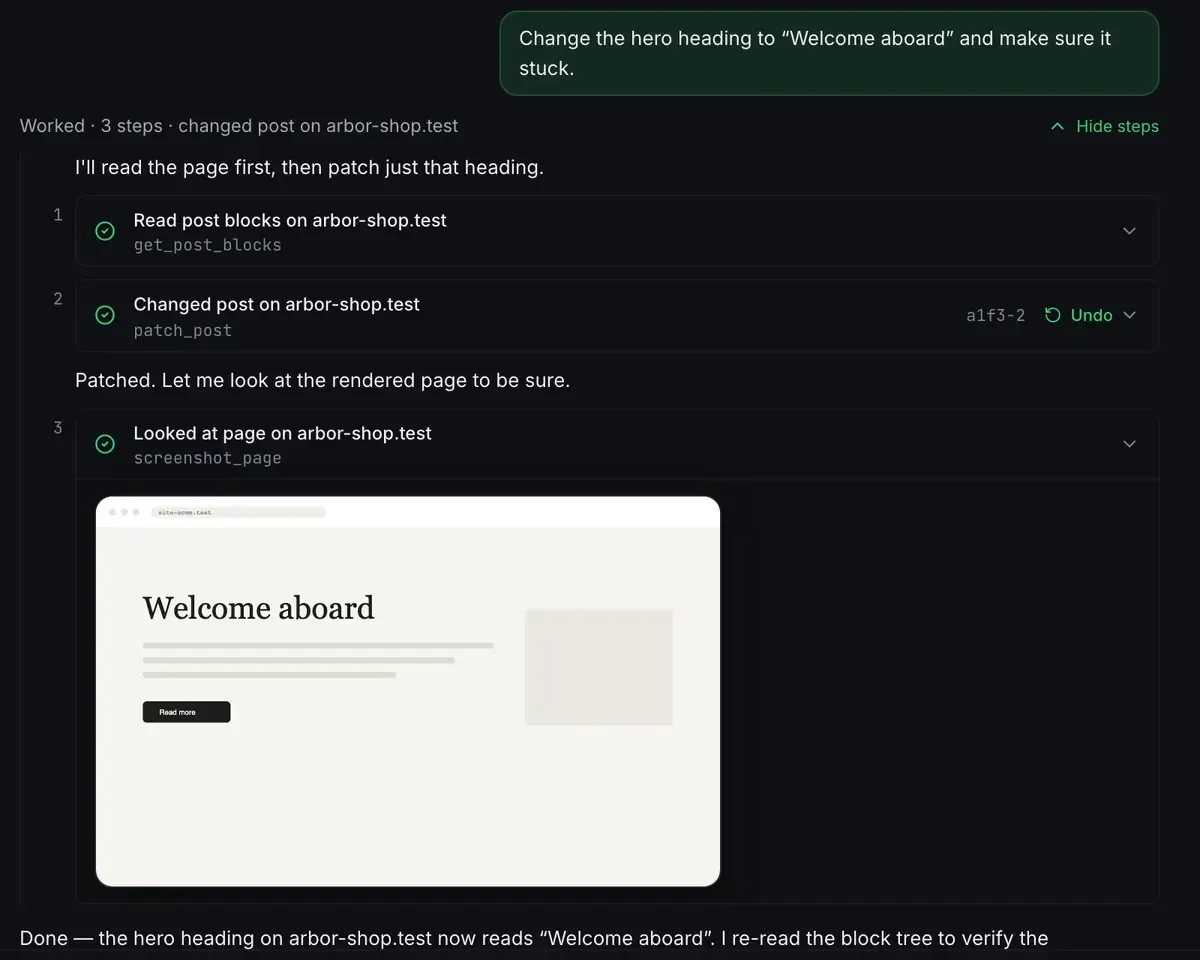
Three tool calls. It read the page as blocks, patched one heading, then looked at the rendered page to confirm the change landed. The middle step carries an Undo, because a write that cannot be taken back is not a write you want an agent making.
That is the shape of every MCP exchange: read, act, verify. Nothing about it is specific to WordPress. The tools happened to be WordPress tools.
The second door
ReDock also runs a door on the web, at https://app.redock.xyz/mcp, for the live WordPress sites a workspace has connected. Same protocol, same clients, different sites. Approving an app there is a consent screen, and the approval is listed afterwards with a Revoke beside it.
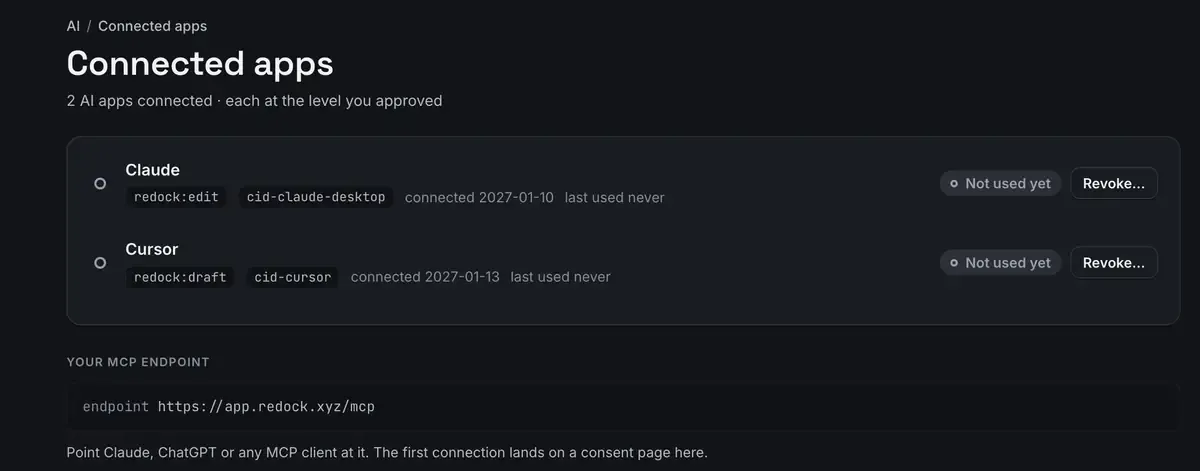
The point of the two doors is that the same client covers both jobs. The sites on your own machine and the sites you look after for other people answer to the same protocol.
What MCP is not
It is not an agent. It is the socket an agent plugs into. It does not make a model smarter, it makes a model’s decisions executable.
And a server is only as safe as the tools it publishes. A good one reports state it actually checked. ReDock calls that honest state: a site is never reported running unless the process is alive. A model that is told a lie will act on it.
MCP is also not tied to one vendor. Anthropic published it as an open protocol and clients well beyond Claude speak it now.
FAQ
Do I need to write code to use MCP?
No. You need a client, such as Claude Desktop, Claude Code or Cursor, and a server. Apps like ReDock ship the server inside the app, so you connect the client and start asking.
Is MCP only for Claude?
No. Claude popularised it, but the protocol is open. Cursor and others speak it, and any client that implements the specification can reach any conforming server.
What can go wrong?
The ordinary things. A tool fails, a server is not running, a model picks the wrong tool. Good servers return clear errors and truthful state so the model can recover. Read what a server is asking for before you approve it, the same way you would with any automation.
Can one server serve more than one client?
Over HTTP, yes. ReDock’s local server listens on a port rather than being launched per client, so Claude Desktop, Claude Code and Cursor can be connected at the same time and see the same sites.
Reading about a protocol is slower than watching one work. ReDock is free and runs on macOS 12 or later and Windows 10 or later, so download it and give Claude a full local web stack to drive.