Claude MCP tutorial: build and publish a website by chatting
Connect Claude to ReDock's MCP server and take a website from nothing to a public URL in one conversation, with no terminal and no config file surgery.
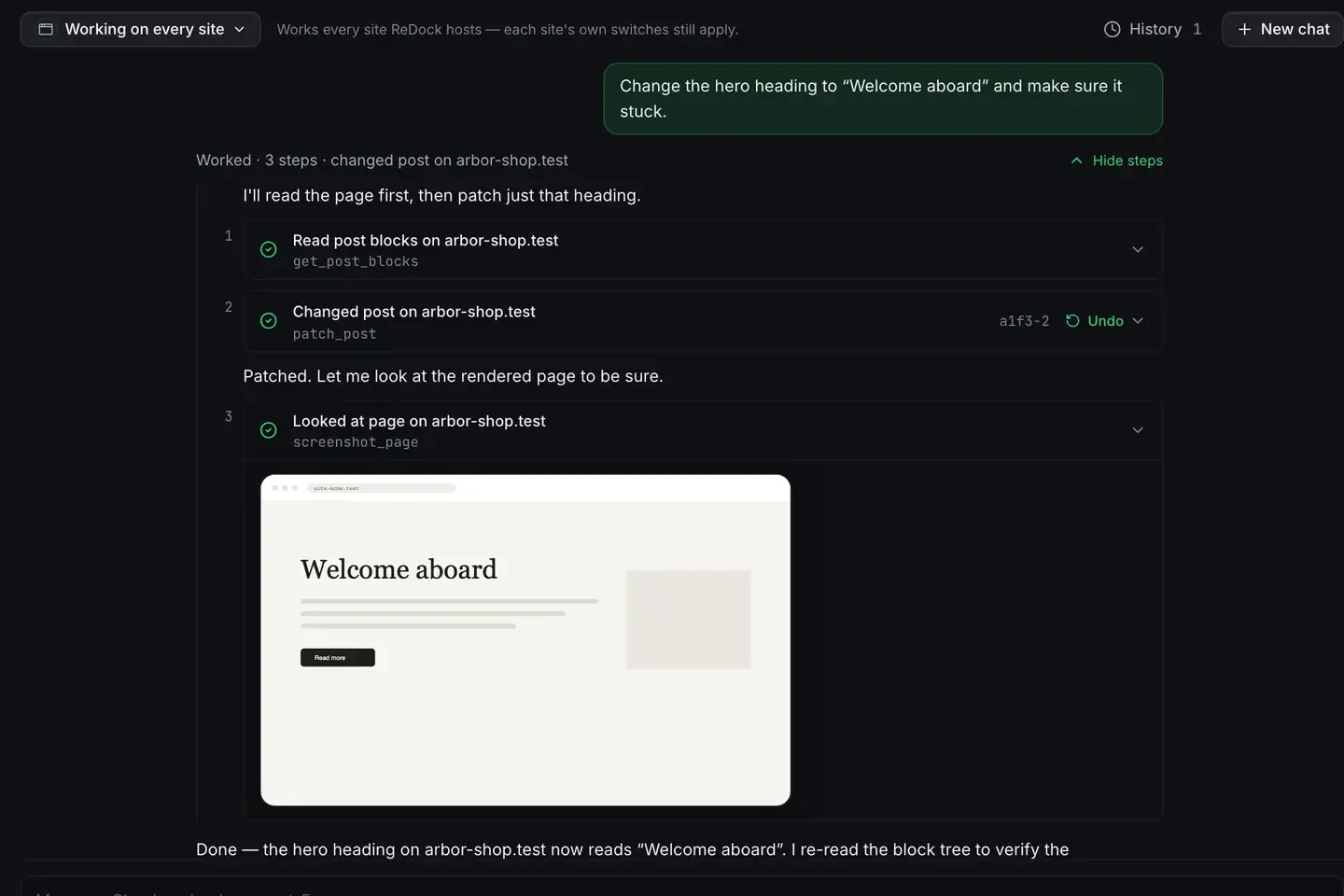
The fastest Claude MCP tutorial is the one that ends with something you can look at. Here you will connect Claude to ReDock, whose entire surface is an MCP server on 127.0.0.1:47200, and take a website from nothing to a public URL in one conversation.
You need a computer running macOS 12 Monterey or later on Apple silicon, or 64-bit Windows 10 or later. You need ReDock, and a client: Claude Desktop, Claude Code or Cursor. That is the whole bill of materials.
Step 1: install ReDock and connect Claude
Install ReDock from the install guide and open it. Neither build is signed yet, so the first open takes one extra click: right-click and Open on macOS, More info then Run anyway on Windows.
The app runs local websites, each at a trusted https://name.test address with a real padlock. The MCP server starts with the app. Nothing extra to launch.
Then connect your client. Settings, AI, Other AI apps holds a one-click connector for Claude Desktop, a config block for Cursor and friends, and one line for Claude Code. The per-client detail is in the MCP docs, and the Claude Desktop walkthrough covers that path on its own.
Once connected, Claude can list ReDock’s tools. That list is the whole integration.
Step 2: create a site by asking
In your client, try this.
Create a WordPress site called studio and start it.
Claude calls the site tool, ReDock provisions the site against its own toolchain, and the site comes up at https://studio.test. Under the hood that means a PHP version pinned for this site alone, a MySQL database created for the install, and the local web server fronting it with a certificate your system already trusts. None of it touches the PHP, Node or MySQL you have installed yourself.
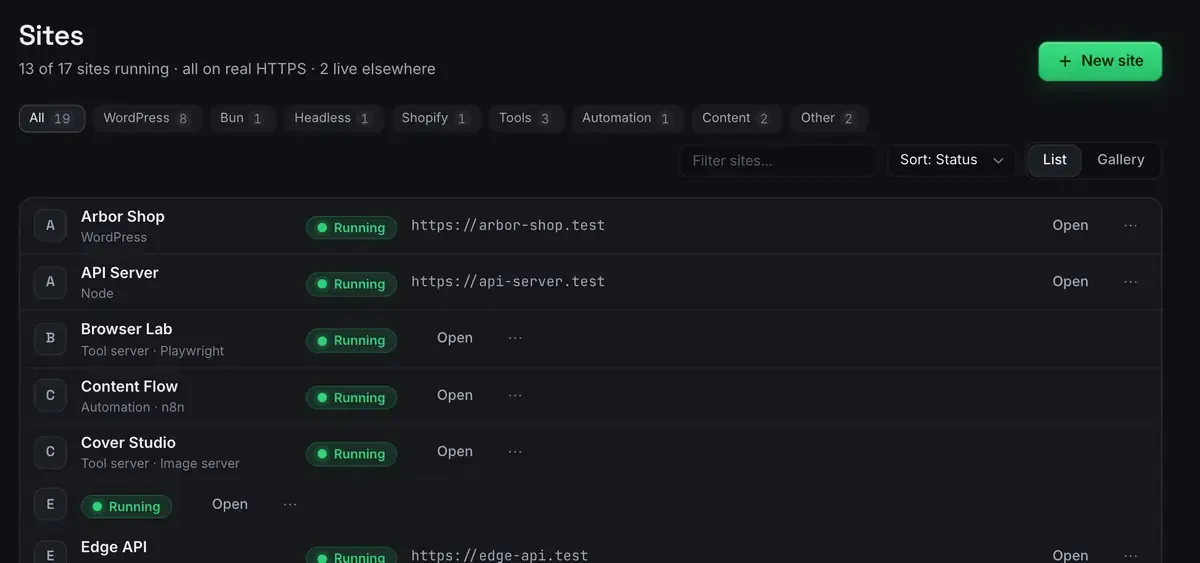
The status only reads Running when the process tree is actually alive. ReDock enforces that at the tool layer as well as in the window, so an agent cannot be told a site is up when it is not.
Open https://studio.test in a browser. Real site, real HTTPS, no terminal.
Step 3: author content with real blocks
This is where a server built for the job differs from a generic one. Ask for a page.
Write a homepage for a two-person design studio. Use a hero pattern, a services section and a contact section.
Claude writes through real Gutenberg blocks and the theme’s own block patterns, not a wall of HTML dropped into a field. That matters the moment a person opens the page in the editor: every block is selectable and editable, the way WordPress content should be. Claude can also sign itself into wp-admin through a single-use link, so reviewing its work never involves hunting for a password.
Iterate the way you would with a colleague. Make the hero shorter. Add a pricing page. Swap the services into three columns. Each request is a handful of tool calls, and each write carries an Undo. If the site runs Elementor instead, the same conversation works: the agent reads the element tree and patches a widget, with a version token so it never overwrites an editor you left open.
The first-site guide shows the same flow click by click if you want the manual baseline, and WordPress through MCP goes deeper.
Step 4: share a preview
Before publishing, get eyes on it.
Share this site so I can send someone a link.
ReDock opens a Cloudflare tunnel and hands back a link. Quick links are unlisted, need no account and expire in a day. A named link under redock.xyz keeps its name for as long as you use it, and there are three of those on every plan.
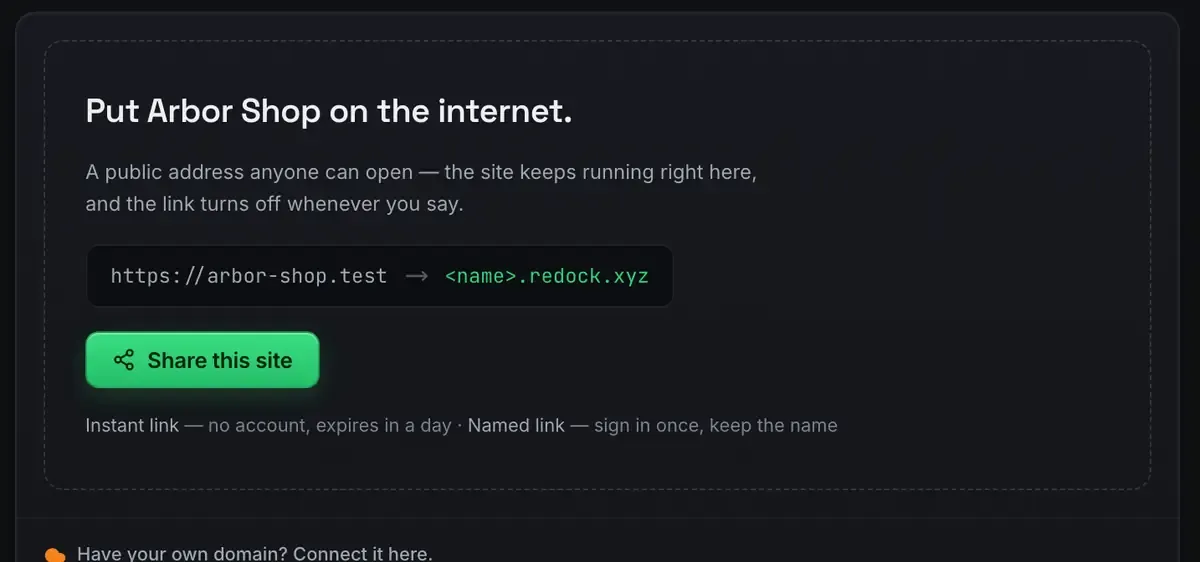
Stopping the link never stops the site. It just goes private again. The sharing docs have the rest.
Step 5: publish
For a static site, and ReDock runs Astro and Next.js too, publishing is one more ask.
Deploy this site.
ReDock builds on its own runtimes, pushes the output to Cloudflare, and reports the hash and the real duration. You can attach a domain you own from the site’s Ship tab, one at a time, on every plan. The deploy docs cover the token and the domain.
From the start of a conversation to a public URL, without leaving the chat.
The same conversation keeps going
Because n8n and Remotion dock the same way, the conversation that built the site can schedule the launch post and render the launch video. That is the part that still reads like a trick, and it is only tools, honestly reported. The stacks docs list what else is dockable.
What you actually learned
Strip the specifics and the tutorial teaches the loop. A server publishes tools. Claude picks one from its description, calls it with structured arguments, and reads a real result back. WordPress, tunnels and deploys are only what these particular tools happen to do. What is MCP is the grounding, and the tools list is the catalogue.
FAQ
Do I need to write any code for this tutorial?
No. Install two apps, connect them, and the rest is conversation. Claude writes the content and ReDock runs the infrastructure.
Which client should I use?
Any of them. Claude Desktop is easiest if you do not live in a terminal. Claude Code and Cursor fit if you do. All three speak the same protocol to the same endpoint, and they can be connected at once.
What does this cost?
Nothing. The desktop app is free, including sharing and Cloudflare deploys. The paid plans buy room in ReDock Web, the dashboard for live WordPress sites, and nothing here needs it.
Does it work on Windows?
Yes. Sites, the agent, sharing and the MCP server are the same on macOS and Windows.
The best way to understand a protocol is to ship one small thing with it. Download ReDock for macOS or Windows and run this for real.