Claude Desktop and your sites: connecting an MCP server that can ship
Connect Claude Desktop to ReDock's MCP server and it can create local sites, author WordPress, share a preview and deploy. Connect the web door too and it reaches your live sites.
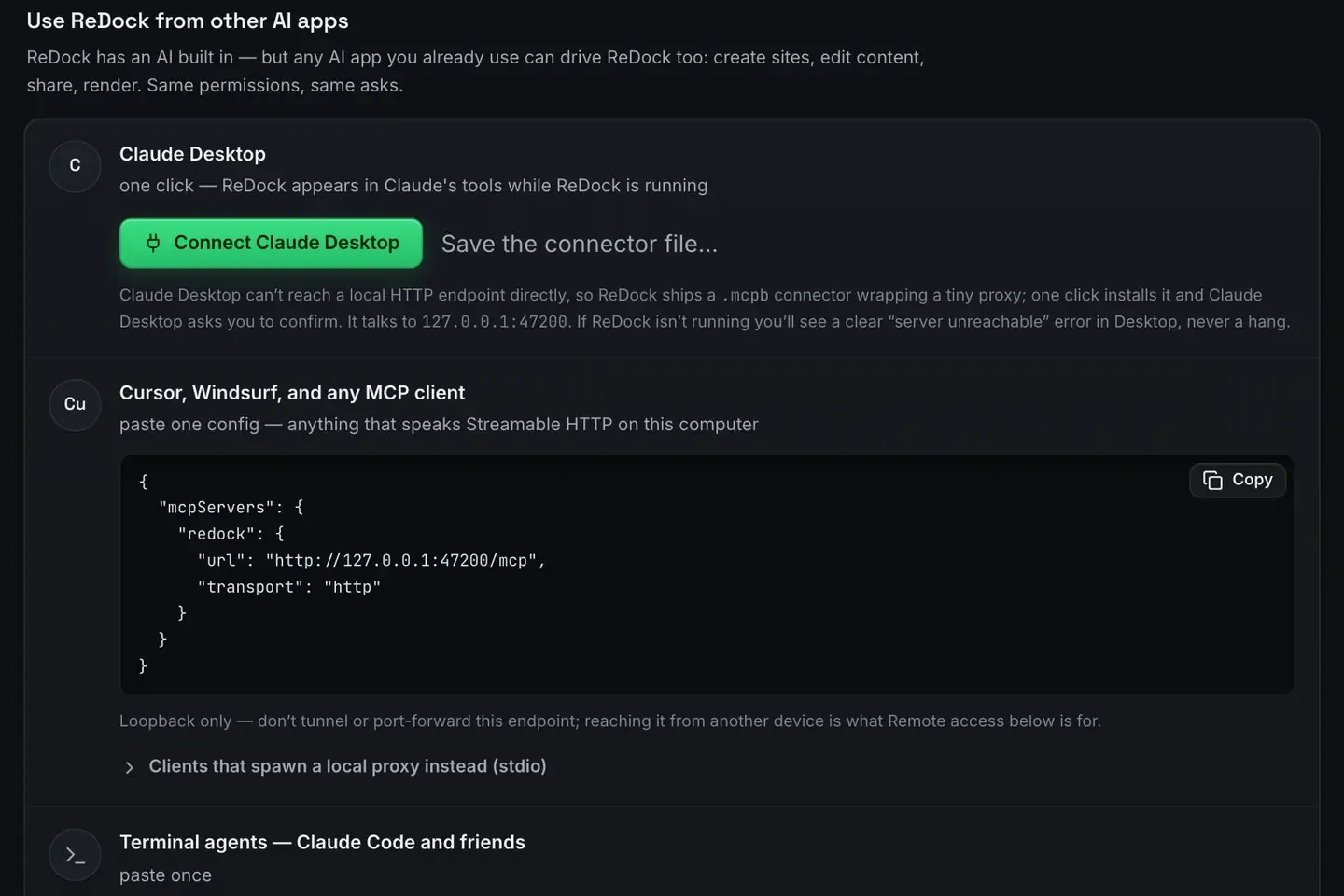
Claude Desktop is an MCP client. On its own it reasons and writes. It cannot touch your files or run your sites. A server is what supplies the hands.
Point it at ReDock and Claude can create a local site, start and stop it, author WordPress through real blocks, share it over a Cloudflare tunnel and deploy it. Point it at ReDock Web as well and the same app reaches the live WordPress sites you look after, at a level you approved. Two doors, one client.
The local door, in one click
ReDock runs on macOS 12 Monterey or later and on 64-bit Windows 10 or later. It hosts your local sites and serves its whole surface as MCP tools on 127.0.0.1:47200.
Claude Desktop cannot reach a local HTTP endpoint directly, so ReDock ships a connector file that wraps a tiny proxy. Settings, AI, Other AI apps has the button.

One click installs it and Claude Desktop asks you to confirm. If ReDock is not running you get a clear “server unreachable” message in Desktop rather than a hang. Easy MCP setup covers why there is no config file to edit.
Then create a site, WordPress or Astro or Node or whatever you are building. It comes up at https://name.test with a certificate your system trusts. The first-site walkthrough has the steps and the install guide has the app side.
One real task
Here is the sort of ask that shows the difference between a chat that talks about your site and one that can change it: change the hero heading to “Welcome aboard” and make sure it stuck.
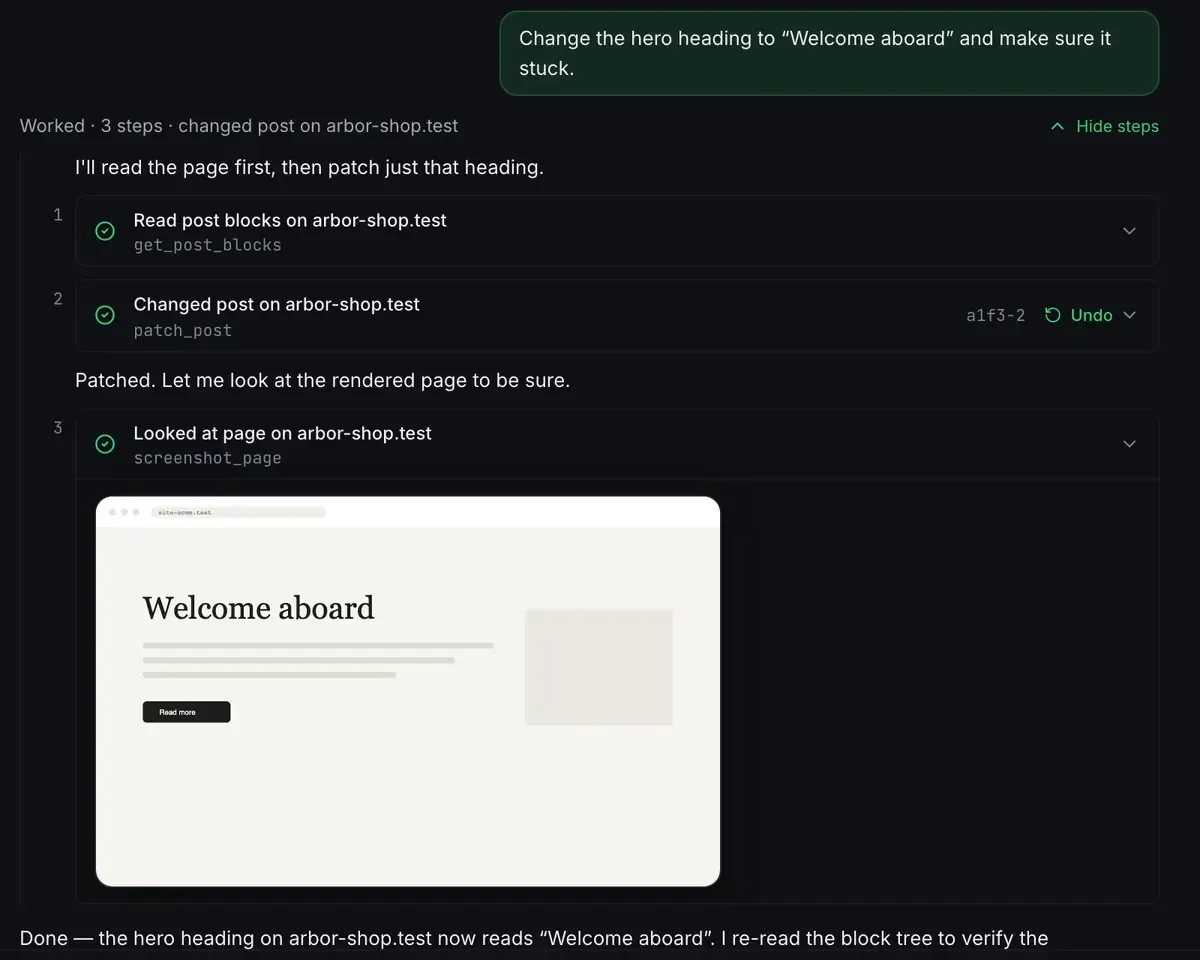
Read, act, verify. Three steps, each one visible, the write carrying an Undo. When you are chatting in Claude Desktop you cannot see a terminal, so the tool results are your only window on what is real. ReDock maps every status from the actual process, so a failed start says so and Claude reacts instead of narrating a success that did not happen.
What Claude can reach once connected
- Sites. Create, start, stop, delete, read real status.
- WordPress. Author with real blocks and the theme’s own patterns, manage plugins, sign into wp-admin through a single-use link. See WordPress through MCP.
- Elementor. On a site running Elementor, read the element tree and patch a widget, with a version token so it never overwrites an open editor.
- Ship. Quick links for a throwaway URL, a named redock.xyz subdomain for a stable one, one-click Cloudflare deploys with a domain you own attached. Deploy a website for free covers it.
- System. Services, runtimes, databases, logs.
The tools list is the full catalogue.
The web door, for the sites you look after
The local server reaches sites on your own machine. It cannot reach a client’s live site, because that site is not there. ReDock Web serves a second MCP door at https://app.redock.xyz/mcp for the live WordPress sites a workspace has connected.
The first connection lands on a consent screen that names the workspace, lists the sites it would reach, and asks for one of four levels.
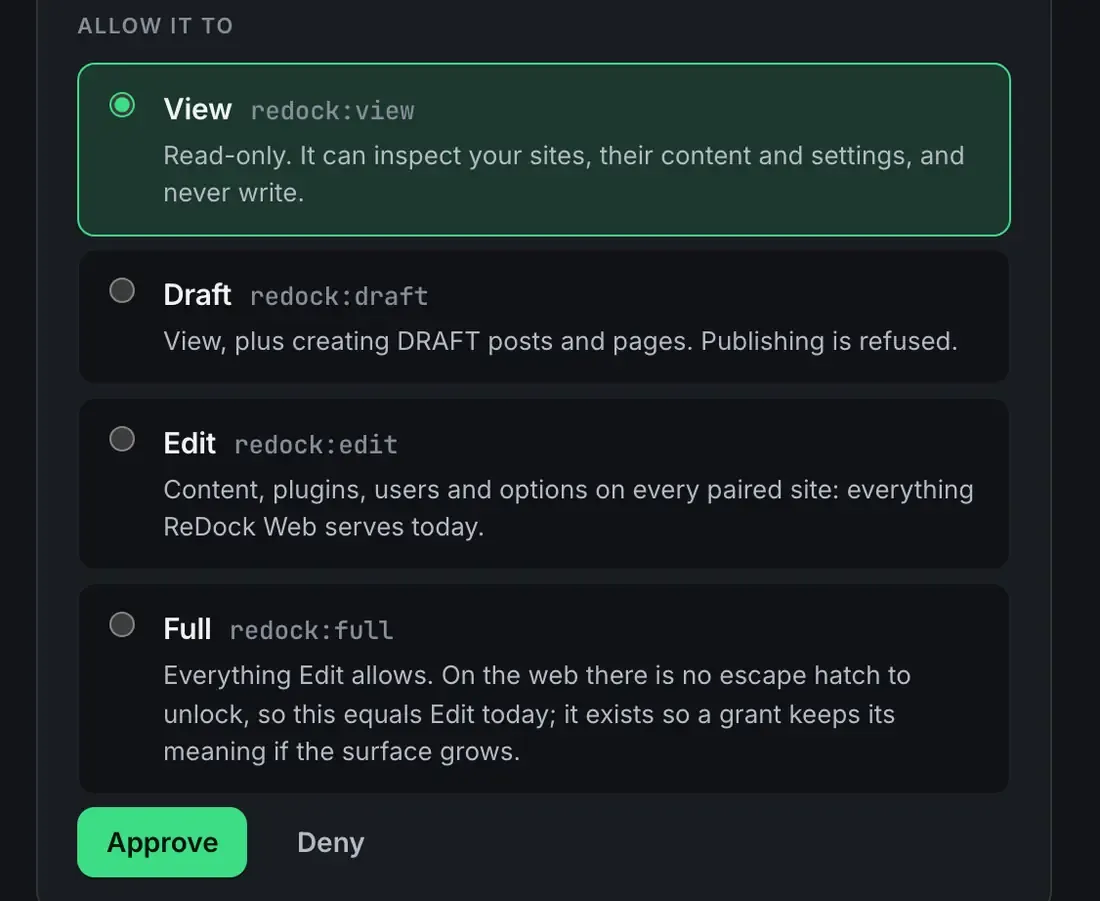
Approve it and the app is listed under Connected apps with the date, the level and a Revoke that takes effect on its very next call. Seven policy switches decide what any AI app may do on its own, and one site can be made stricter than the workspace. Every refusal is on the activity page. The detail is in AI access on ReDock Web.
If you look after live WordPress sites for other people, that is the door you want. One connected site is free, so you can try it with a real site before deciding anything: create a free account.
FAQ
Does Claude Desktop need the terminal to use ReDock?
No. Sites, certificates and the MCP server come up without one, and the connector is a button.
Can Claude Desktop actually deploy a site, or only edit it?
Both. The local tools include sharing over Cloudflare tunnels and one-click Cloudflare deploys, so Claude can take a site from nothing to a public URL.
Do I need an API key?
Not for the local path. ReDock’s own agent will use a cloud key if you give it one, or a model from the local catalogue if you would rather nothing left the machine. Claude Desktop drives the same tools either way.
Can it be connected to both doors at once?
Yes. The local server and the web door are separate connections with separate permissions, and nothing stops one client holding both.
Give Claude Desktop a stack it can run and ship. Download ReDock for macOS or Windows.