Easy MCP setup: zero config, no terminal, no JSON files
Easy MCP setup means pointing a client at a server that is already running. ReDock serves its whole surface at 127.0.0.1:47200, with a one-click connector or one line to paste.
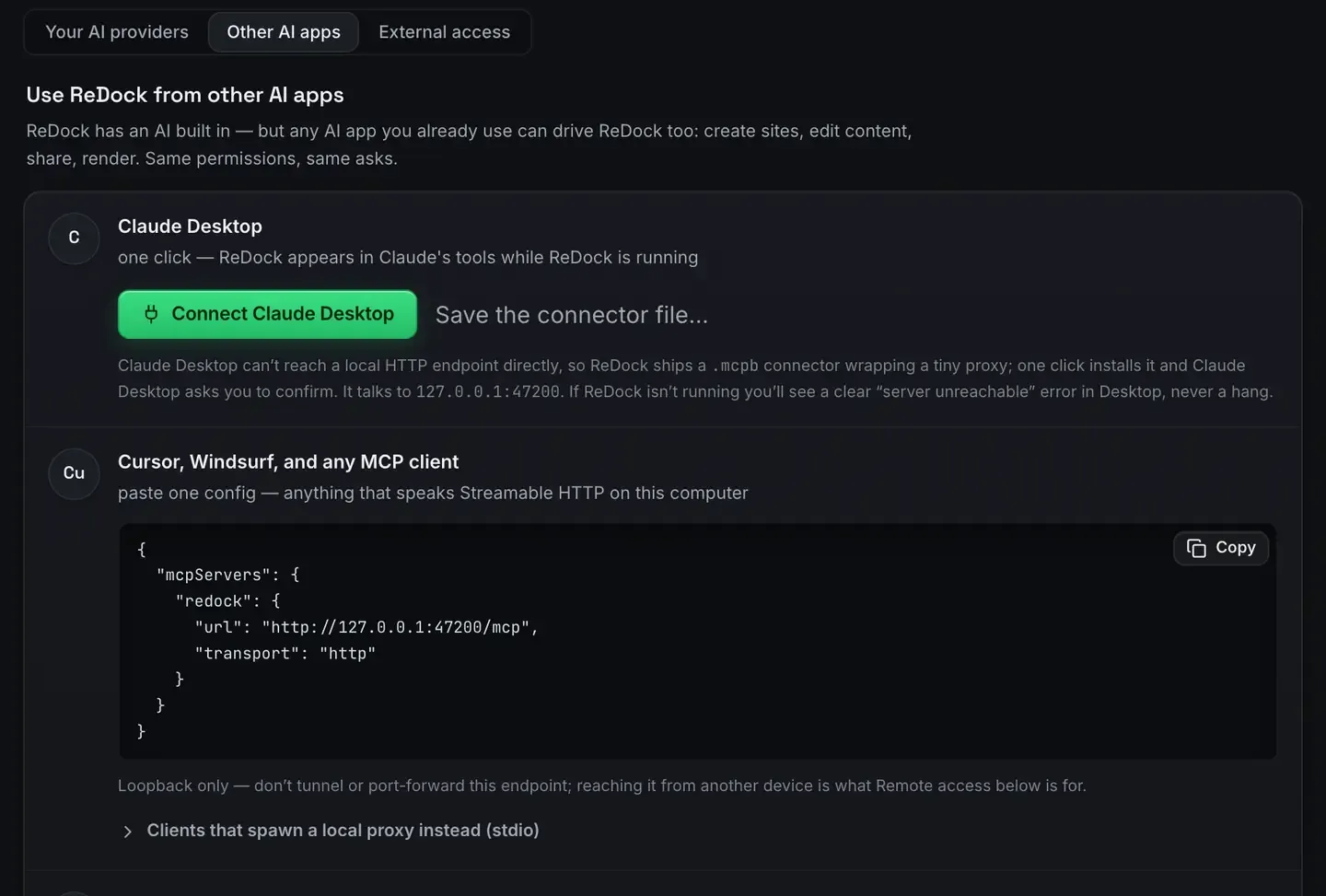
Easy MCP setup means pointing an AI client at a server that is already running and getting to work. No config file to hand-edit, no terminal command, no JSON to get wrong. The server publishes its tools, the client discovers them, you go.
ReDock takes that shape. Install the app and its whole surface is served as MCP tools at 127.0.0.1:47200 for any client to connect to. Most MCP friction comes from setup rather than from the protocol, and this is the version without that step.
Why MCP setup gets hard
On the wire the protocol is simple. The pain is usually in one of three places.
Hand-edited config. Many servers expect you to write a JSON block naming a command, its arguments and its environment. One misplaced comma and nothing loads.
Subprocesses. When a client launches the server as a child process, you own the command line, the working directory and the environment it inherits.
No feedback. If the server fails to start, you often get silence instead of a reason.
None of that is inherent to MCP. It is what happens when the server is a script you are expected to wire up yourself. A running application with an HTTP endpoint sidesteps all three. MCP over HTTP explained has the wire-level picture.
The zero-config path
ReDock is a desktop app for macOS 12 Monterey or later on Apple silicon, and for 64-bit Windows 10 or later. It runs your local sites, WordPress, headless WordPress, Astro, Next.js, Node, Bun, PHP, MySQL, PostgreSQL, Redis, n8n and Remotion, each at a trusted https://name.test address, with no terminal involved.
Because the app is running, its MCP server is too. There is nothing to spawn.
- Install ReDock and open it.
- Go to Settings, AI, Other AI apps.
- Press the connector for your client, or copy the block it hands you.
Claude Code is one line, which is as close to nothing as setup gets.

Claude Desktop is a button, because Claude Desktop cannot reach a local HTTP endpoint directly and ReDock ships a small connector file that wraps a proxy. One click installs it and Claude Desktop asks you to confirm. Cursor, Windsurf and anything else that speaks Streamable HTTP take the JSON block, which is already filled in with the right URL.
The install guide covers the app side and your first site has a real site running in a few clicks.
One endpoint, every client
Because ReDock listens on a port rather than being spawned per client, more than one client can be connected at the same time. Claude Desktop, Claude Code and Cursor can all point at 127.0.0.1:47200 and see the same sites, the same tools, the same state. Configure once, use everywhere.
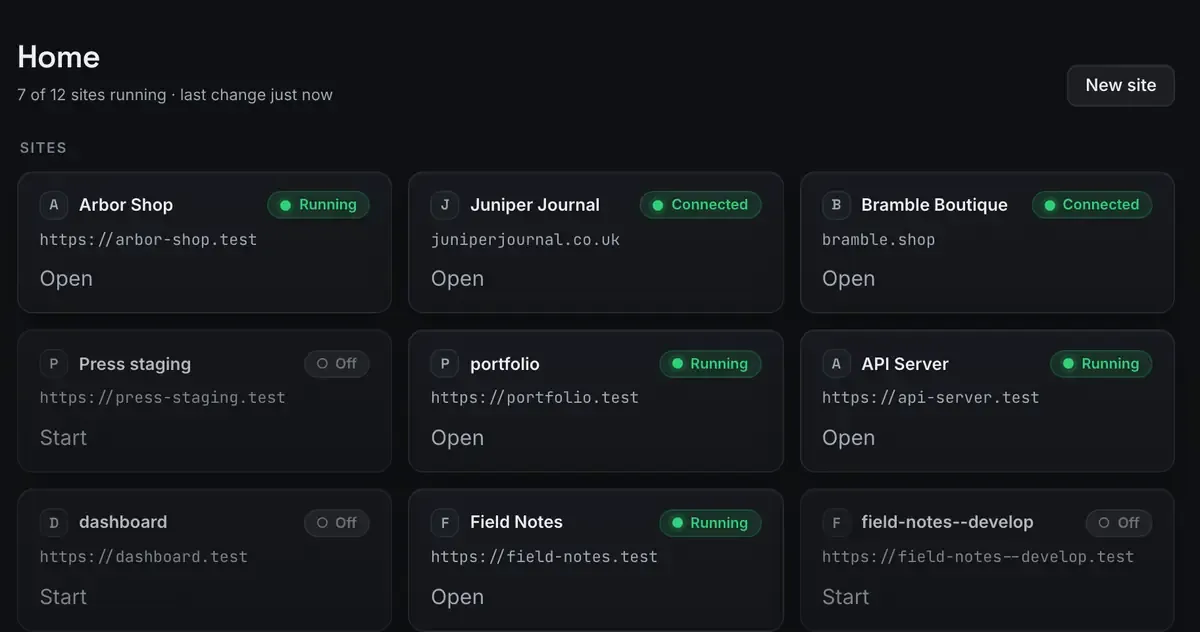
That is a practical difference day to day. You can author WordPress content from Claude Desktop while your editor’s agent runs the same site’s dev server, and neither had to launch its own copy of anything. There is a client-by-client walkthrough for Claude Desktop and for Cursor.
What connected actually gets you
Setup is the boring part. Once the tools are listed, an agent can create sites and start or stop them, author WordPress through real blocks and patterns, patch an Elementor widget on a site that runs Elementor, sign into wp-admin through a single-use link, share a site over a Cloudflare tunnel and deploy to Cloudflare. The tools list covers the surface and the MCP docs document each group.
One habit makes it trustworthy. When a tool says a site is running, that comes from the real process, not from “we sent the start command”. For an agent recovering from a hiccup, that is the difference between fixing a problem and inventing one.
The app is free, and no API key is required: the built-in agent will use a cloud key if you give it one, or a model from the local catalogue if you would rather nothing left the machine.
FAQ
Do I need to edit a JSON config file to use ReDock’s MCP server?
No. The server runs with the app and the settings screen hands you the exact block or command your client wants, already filled in. There is no ReDock config file to hand-edit.
Do I need the terminal at any point?
No. Sites, certificates and the MCP server all come up without one. Claude Code takes a single pasted line, which is the closest anything here comes.
Can more than one AI client connect at the same time?
Yes. The server listens on a port, so Claude Desktop, Claude Code and Cursor can all be connected at once and share state.
Is the endpoint reachable from another device?
No, and do not tunnel it. It is loopback only. Reaching your machine from elsewhere is what the separate remote access setting is for.
ReDock gives your agents a whole local web stack behind one endpoint, with nothing to configure. Download it for macOS or Windows.