Easy hosting for side projects: from a folder to a real address to the world
The easiest hosting for a side project is none until you need it. Run it locally at https://name.test, share it over a link when somebody asks, deploy it when it is real.
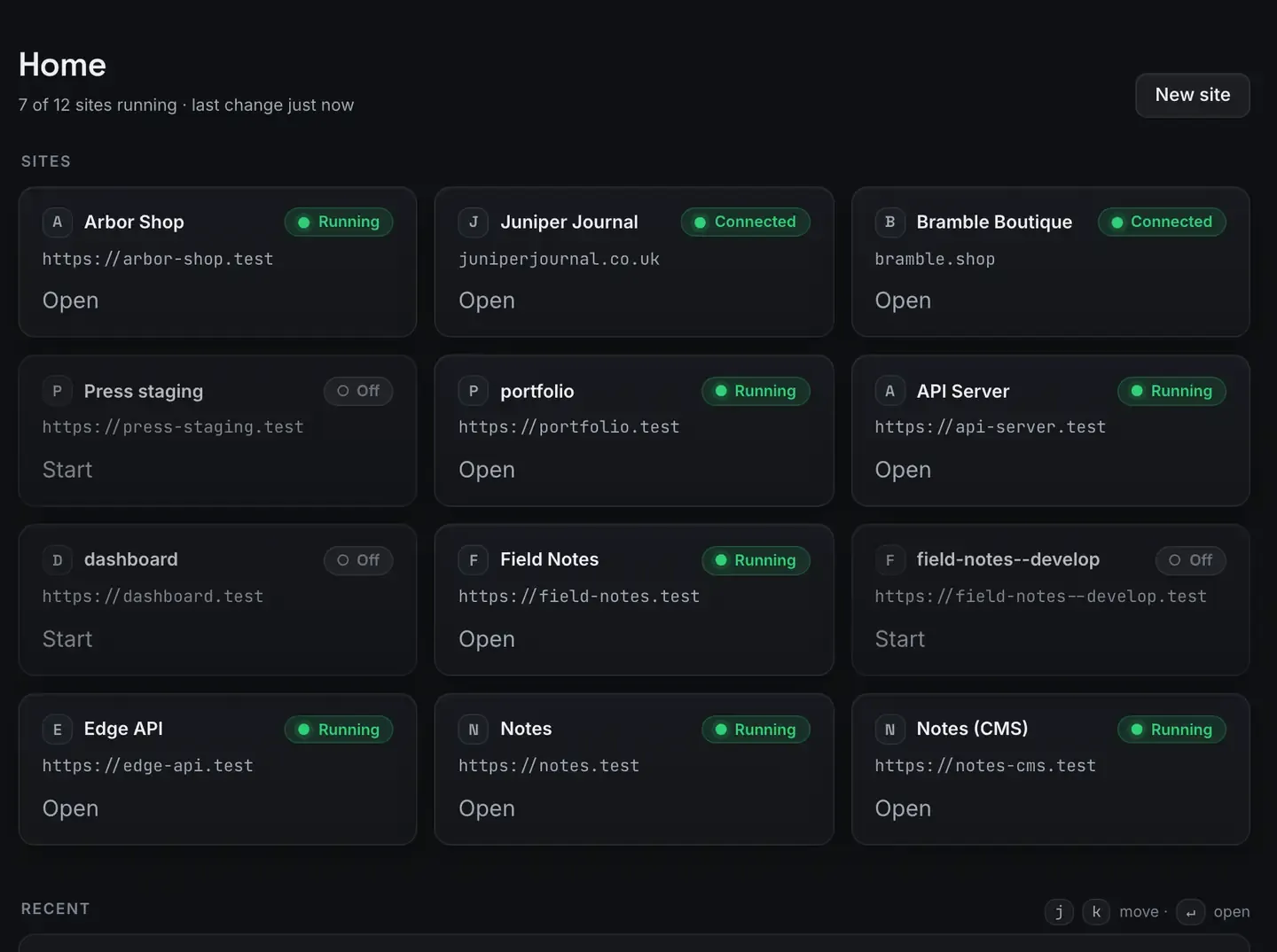
The easiest hosting for a side project is no hosting at all until you actually need it. Run the project on your own computer at https://name.test, share it over a link when somebody has to see it, and deploy it, free, only when it deserves to live on its own.
ReDock does all three stages without a terminal, on macOS and Windows.
The side-project hosting trap
The usual failure mode: you have an idea, and the first evening goes on hosting rather than on the idea. Comparing providers. Setting up containers. Wiring a pipeline for a project with no users. Then a few dollars a month accumulate across four abandoned projects and the fifth idea feels heavy before you have written a line of it.
The fix is to defer the hosting decision until the project earns it. Local first. Shared when needed. Deployed when real. Each stage costs nothing.
Stage one: a folder becomes an address
Point ReDock at a project and it works out the runtime, provisions it, and serves the site at https://name.test with a certificate your machine already trusts. WordPress, headless WordPress, Astro, Next.js, Node, Bun, plain PHP, MySQL, PostgreSQL, Redis, n8n and Remotion.
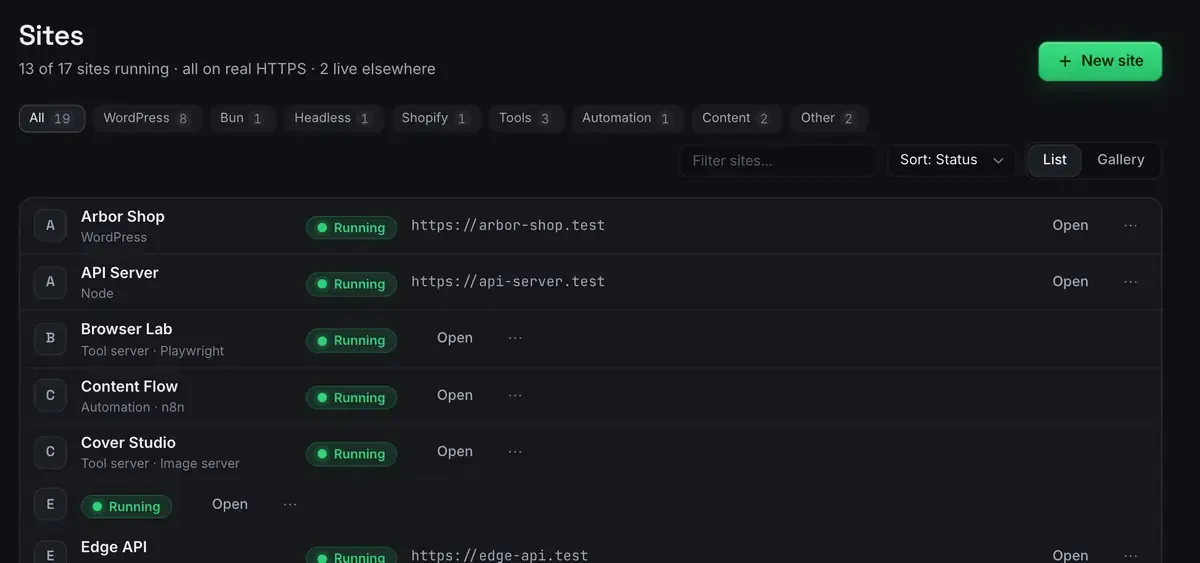
Real HTTPS locally matters more than it sounds. Secure cookies, service workers, OAuth callbacks and modern browser APIs behave differently on a plain HTTP port than they do in production. And the names are memorable, notes.test and tracker.test, rather than a heap of port numbers you look up every time.
The first-site guide has the setup and the stacks docs have the list. No package manager archaeology, no version manager to install.
Stage two: an address becomes a link you can send
At some point you want an opinion from somebody who is not at your desk. That is a tunnel, not a deploy.
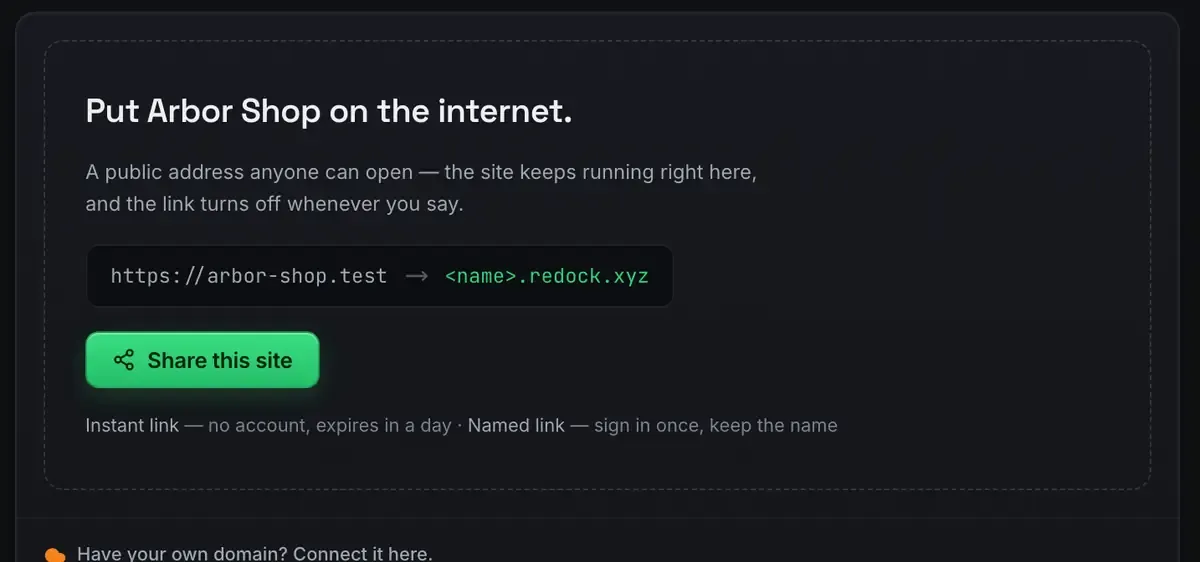
A quick link is unlisted, needs no account and expires in a day. Your friend opens it and sees the site running on your computer right now. For a project you share repeatedly, claim a named link and keep the name; there are three of those on every plan. Stop the site and the tunnel parks with it, then comes back when the site does.
This stage covers a surprising share of a side project’s life: feedback rounds, demos, testing a webhook, showing a group chat. The sharing docs have the mechanics, and free hosting on your own computer goes deeper.
Stage three: the link becomes a deploy
When the project deserves to be up while your machine is asleep, deploy it. ReDock runs the real build on its own runtimes, pushes the output to Cloudflare, and reports the hash it built from and how long it took.
Want a name of your own? Attach a domain you own from inside the app, one at a time, on every plan. That domain is the only money in this whole pipeline, and it is optional. The deploy docs and deploy a website for free walk it.
The part where an agent does the boring bits
One more thing that makes a side project lighter. The whole app is published as MCP tools on 127.0.0.1:47200, so Claude Desktop, Claude Code or Cursor can create sites, read their real state, and run the parts you would otherwise click through. For a WordPress side project that includes content and plumbing: WordPress MCP has what it unlocks.
FAQ
What does this actually cost?
Nothing. The desktop app is free on every plan, the links ride Cloudflare’s own infrastructure through your account, and static hosting sits on Cloudflare’s free tier. The only optional cost is a domain from a registrar.
What stacks can I run?
WordPress, headless WordPress, Astro, Next.js, Node, Bun, PHP, MySQL, PostgreSQL, Redis, n8n and Remotion, each with the runtime it wants, pinned per site. The stacks docs have the table.
Do I need to know Docker or a web server?
No. Runtimes, certificates and routing are handled in the app, and nothing installs onto your system. There is no terminal step in the folder-to-link path.
Does it work on Windows?
Yes. macOS 12 Monterey or later on Apple silicon, or 64-bit Windows 10 or later, with sites, the agent, sharing and the MCP server the same on both.
Your next side project deserves a first evening spent on the idea. Download ReDock for macOS or Windows.