Docker for local web dev: when it is overkill and what is lighter
Docker earns its keep on parity and reproducibility. For running one site on your own machine it is a team-scale tool doing solo-scale work.
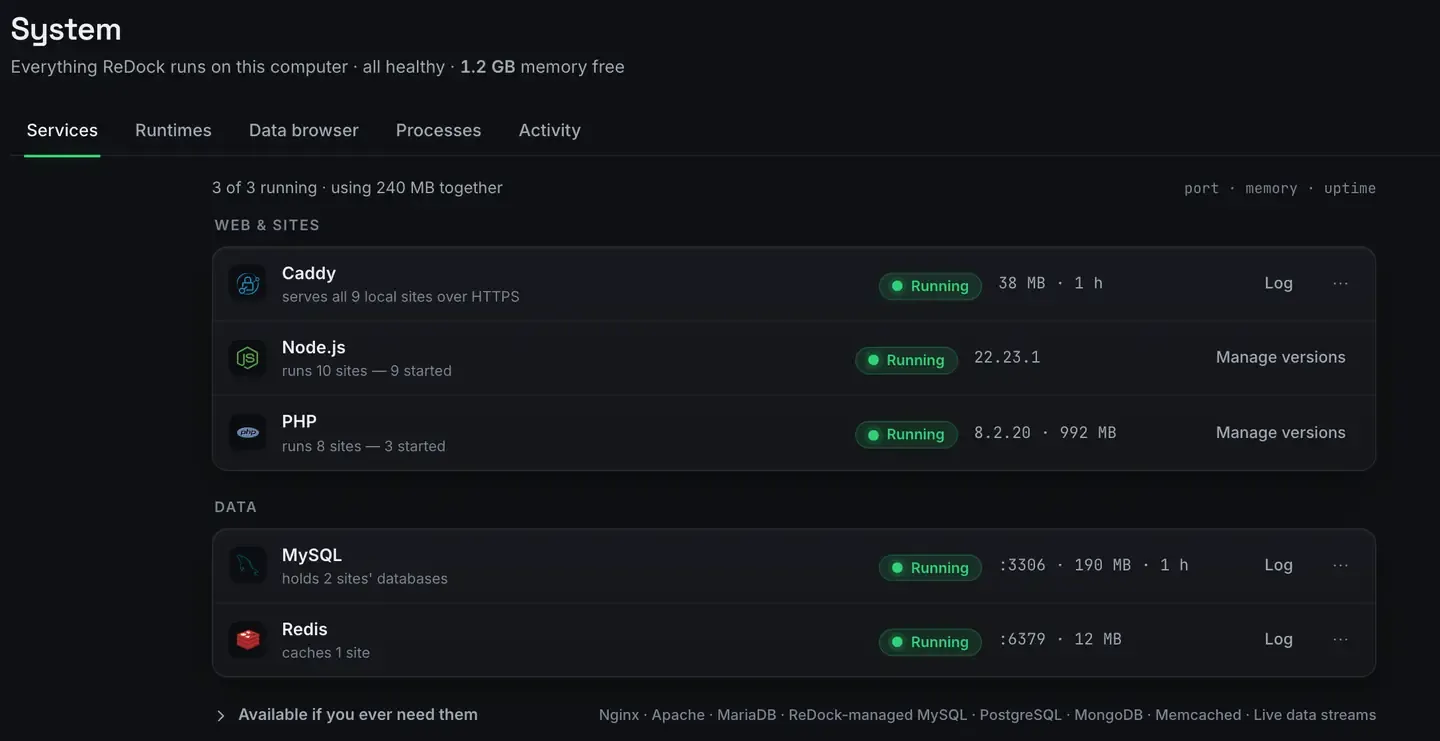
Docker is the right tool when you need production parity or an environment a team can reproduce. It is often more than a solo local site requires.
If your goal is to run a WordPress or Astro site on your own machine and get to work, Docker asks you to write a Dockerfile, manage a compose file and keep a daemon running, for a level of fidelity you may not be using. This post is fair to Docker where it earns its keep and honest about when something lighter gets you there faster.
What Docker genuinely does better
Production parity. A container can match your production environment closely: same base, same library versions, same everything. Nothing else gets you as faithfully to “it behaves the same there”.
Reproducibility. A committed compose file reproduces an environment byte for byte on any machine. New colleague, new laptop, same setup, no drift.
Ecosystem and portability. The image ecosystem is enormous, and containers run wherever the runtime does. For continuous integration, for many-service systems, for teams, this is the tool.
If any of those describe you, use Docker. This is not an argument against it.
When it is more than you need
One local site. Running a single WordPress or Astro site does not need orchestration. The Dockerfile is overhead you maintain for parity you are not using.
Weight. The daemon and the containers use real processor and memory, and mounted-volume performance has historically been a friction point.
Cognitive load. Volumes, networks, ports, image versions, all to reason about when what you wanted was an address that serves a site.
For a lot of everyday work that is paying a team-scale tool’s tax for solo-scale work.
The lighter path
ReDock runs the site directly. There is no daemon to babysit and nothing to author.
Those are real services, supervised, reporting their own state. And the versions they run sit side by side rather than one global stack.
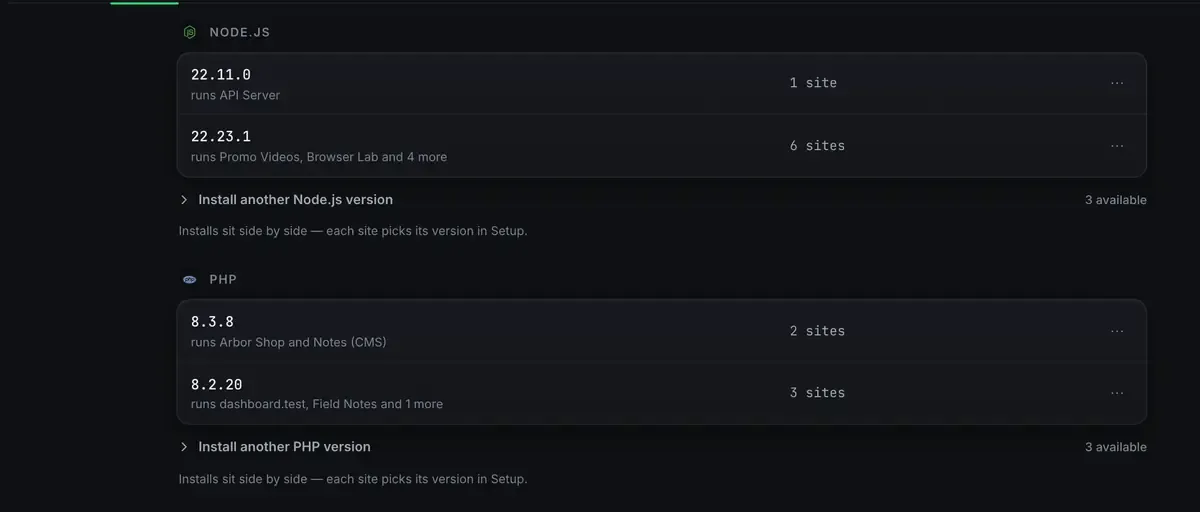
Every one lives in ReDock’s own folder, per version, per site, never on your system. That is most of what people were using containers for on a solo project: isolation, without the machinery.
And the things you would have reached for an image to get are already there, waiting to be switched on.

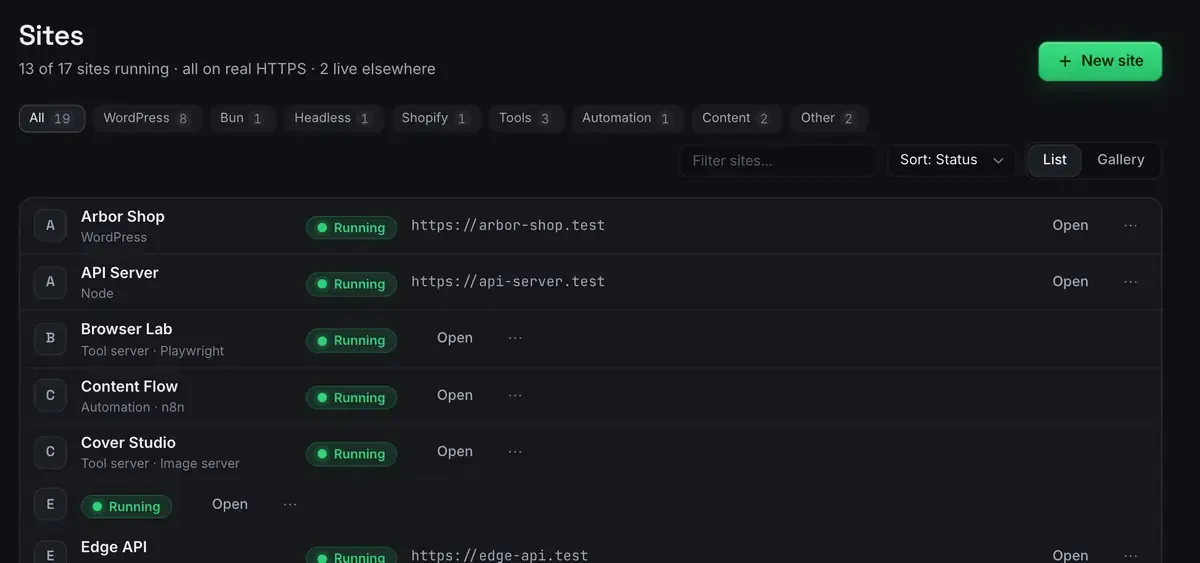
Each site gets a trusted address with a real padlock, provisioned for you. The whole app is also MCP tools on 127.0.0.1:47200, so an agent can operate the sites, which what is MCP explains.
What this does not give you is Docker’s parity guarantee. It runs your site well on your machine; it does not reproduce your exact production container. That is the honest trade, and it is the whole trade.
How to decide
Need production parity or a team-reproducible environment? Docker. That is what it is for.
Running local sites and want to skip the container overhead? Something native.
Both? Common and sensible. Docker for the service that needs parity, something lighter for quick local sites and the WordPress, JavaScript and automation side.
They are not enemies. Plenty of people keep Docker installed for the one app that needs it and reach for something lighter for everything else.
The install guide, first-site guide and stacks list cover getting going. The wider field is MAMP alternatives and the no-command-line angle is the no-terminal dev environment.
FAQ
Can ReDock replace Docker entirely?
Not for everyone. If you rely on Docker for production parity or a team-reproducible environment, keep it. It replaces Docker for the case where you were only using it to run local sites and did not actually need container-level fidelity.
Does ReDock use containers underneath?
No. It provisions runtimes into its own folder and serves sites natively with real HTTPS. No daemon, no images, no files to maintain.
Is mounted-volume performance still an issue?
It has improved over the years and it is still a common friction point for local work. A native tool avoids that layer entirely.
Does it run on Windows?
Yes, on 64-bit Windows 10 or later as well as macOS 12 Monterey or later, with sites, the agent, sharing and the MCP server the same on both.
Want local sites without writing a single Dockerfile? Download ReDock for macOS or Windows.