MAMP alternatives: what replaced the classic local stack
There is no single replacement. The local stack split into tools that each do one thing well, and the right pick depends on what you build.
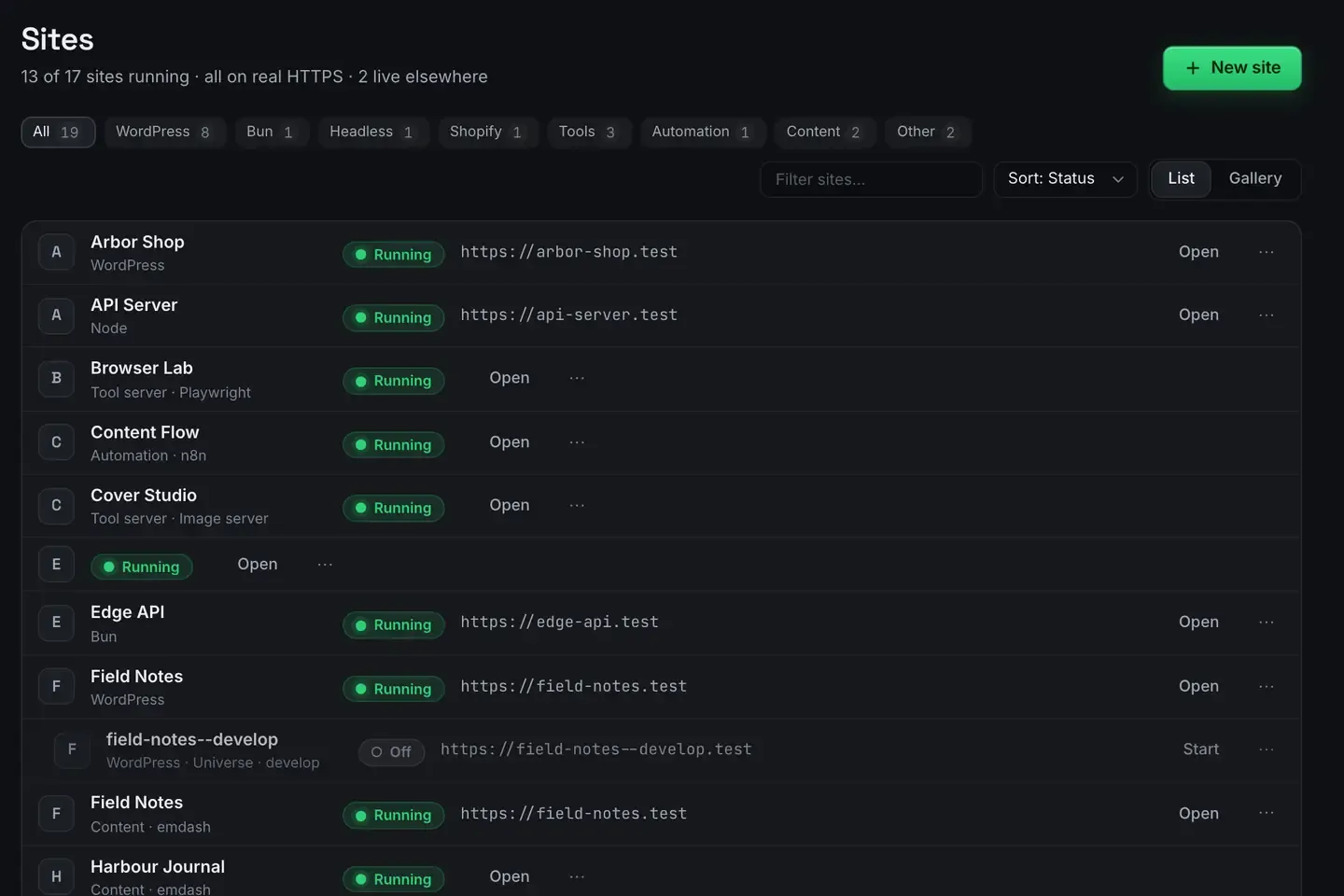
If you are looking for a MAMP alternative, the honest answer is that there is no single replacement. The local stack split into tools that each do one thing well.
MAMP bundled Apache, MySQL and PHP into one installer and was, for years, the default way to run a local site. The alternatives worth your time are LocalWP, Laravel Herd, Docker and ReDock, and the right pick depends on what you build.
Start by being fair to MAMP: it is mature, stable, cross-platform, and it does what it says. If your setup works there is no emergency. People move off it for a native feel, per-project isolation, or workflow features MAMP was never trying to offer.
The field
LocalWP is the most polished WordPress-specific option. One-click installs, blueprints, live links, a mature workflow, and it runs on Linux as well as macOS and Windows. If your work is entirely WordPress and you want the most refined experience, it is hard to beat. Local versus ReDock is the head to head.
Laravel Herd is the fast, PHP-first choice. Multiple PHP versions, first-class Laravel ergonomics, and speed as a deliberate selling point. If you live in PHP and Laravel, it is built for you. Herd versus ReDock covers where each fits.
Docker wins on parity and reproducibility. Nothing else matches a production environment as faithfully, and a committed compose file reproduces byte for byte across a team. It is also often more than a solo local site needs: Docker for local dev covers when.
ReDock is native, multi-stack and agent-operable, on macOS 12 Monterey or later and 64-bit Windows 10 or later.
What multi-stack looks like in practice
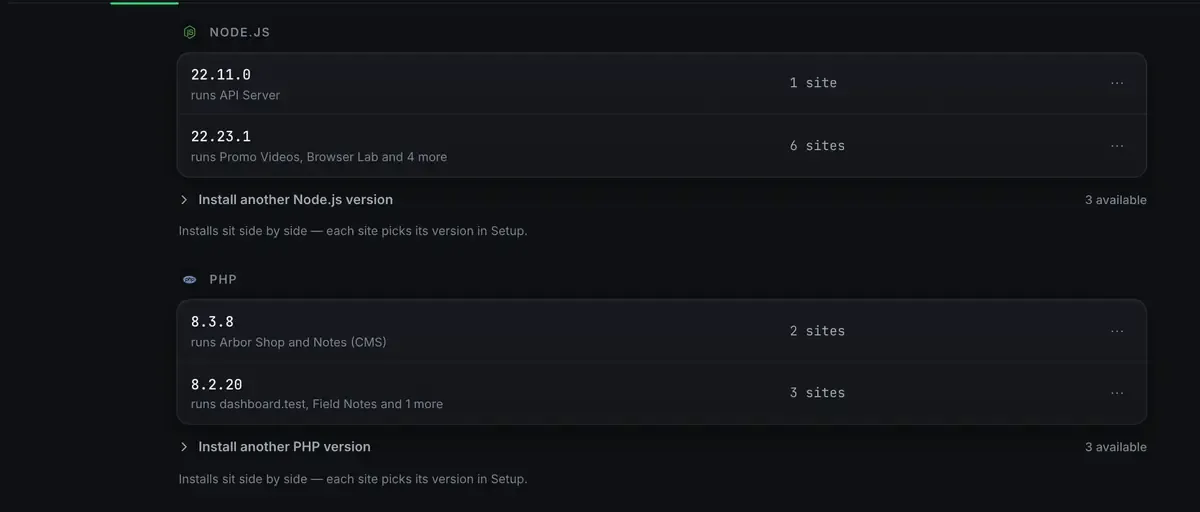
The difference is easiest to see in two screens. Runtimes sit side by side rather than one global stack.
And the services those sites run on are visible and honest about their own state.
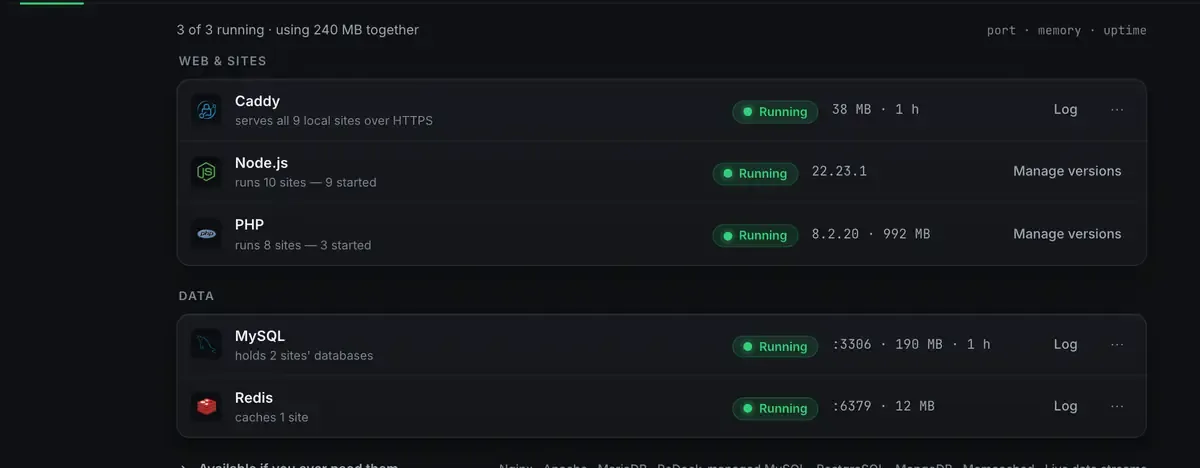
Every one of those lives in ReDock’s own folder rather than on your system, pinned per site. Uninstalling removes what it added, after showing you the list. That is the per-project isolation people usually leave MAMP looking for.
The honest limit: neither build is code-signed yet, so the first open takes one extra click. Right-click and Open on macOS, More info then Run anyway on Windows.
How to choose
All WordPress, want the most refined WordPress-first tool, or need Linux? LocalWP.
All PHP and Laravel, speed matters most? Herd.
Need production parity or an environment a team reproduces exactly? Docker.
Several stacks in one window, want an agent to drive them, value sharing and deploys built in? ReDock.
Have a working MAMP setup and no pain? Stay.
These are not exclusive. Plenty of people run Docker for the one service that needs parity and something lighter for everyday local sites.
What agent-operable actually changes
The axis MAMP never addressed is whether a machine can drive the environment. ReDock publishes its whole surface as MCP tools on 127.0.0.1:47200, so Claude Desktop, Claude Code, Cursor or any MCP client can create a site, install a plugin, draft content or wire a flow. There is a built-in agent and a catalogue of local models too, so no key is required.
That is a difference in kind rather than polish: the local stack becomes something you can direct in words. What is MCP explains it.
Where ReDock is honestly weaker
Fairness cuts both ways. If your entire life is Laravel, Herd’s depth and speed are purpose-built in a way a multi-stack tool is not. If you need to hand somebody an environment that reproduces exactly, Docker is the answer. If you need Linux, ReDock does not run there.
Its bet is breadth plus a native feel plus agent control. Good if that is the shape of your work, not a fit for every case.
The install guide, the first-site guide and the stacks list cover getting going.
FAQ
Is MAMP dead?
No. It still works and is still maintained across platforms. People move for a native feel, per-project isolation or workflow features, not because it stopped functioning.
Which alternative is free?
LocalWP has a free tier, Docker’s engine is free, Herd has a free tier, and the ReDock desktop app is free on every plan. Match the tool to your stack rather than to price alone.
Can I use more than one?
Yes, and many people do. Docker for the service that needs parity, a lighter native tool for everyday sites. They coexist fine.
Does ReDock run on Windows?
Yes. macOS 12 Monterey or later on Apple silicon, or 64-bit Windows 10 or later, with sites, the agent, sharing and the MCP server the same on both. The Studio, for docs, video and images, is macOS only for now.
Want a native, multi-stack local environment? Download ReDock for macOS or Windows.