LocalWP versus ReDock: two takes on local WordPress
One is a WordPress specialist with years of polish. The other treats WordPress as one stack among several and makes the whole thing agent-operable.
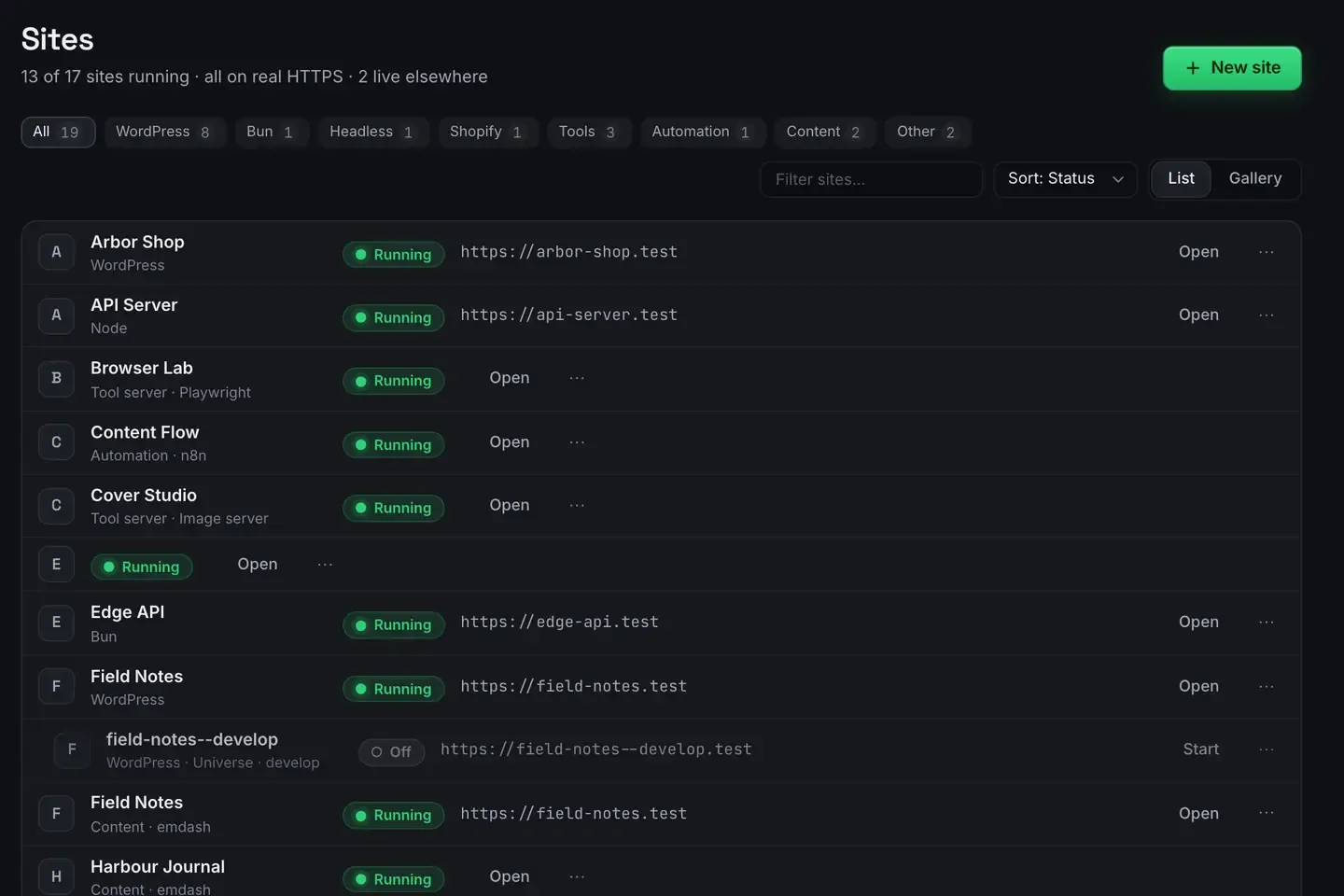
LocalWP and ReDock both run WordPress on your own machine, and they are aimed at different people.
LocalWP is a WordPress specialist with years of polish. ReDock treats WordPress as one stack among several and makes the whole thing drivable by an agent. If your work is purely WordPress and you want the most refined WordPress-first tool, LocalWP is likely your answer. If you work across stacks and want to direct things in words, read on.
This is a fair comparison, not a takedown.
What LocalWP does better
WordPress polish. One-click installs, easy version switching per site, blueprints for reusable setups, and a workflow refined over years. It shows.
Linux. LocalWP runs on macOS, Windows and Linux. ReDock runs on macOS and Windows, so if your team includes Linux that alone can decide it.
An established ecosystem. Live links, a large user base, plenty of tutorials, and integrations built up over time. When you hit a problem, somebody has written about it.
If those are your priorities, LocalWP is a genuinely good tool and you should use it. This is not a case of an incumbent coasting.
What ReDock does differently
Several stacks at once. WordPress, headless WordPress, Astro, Next.js, Node, Bun, PHP, MySQL, PostgreSQL, Redis, n8n and Remotion, side by side. If a project pairs a WordPress backend with an Astro front end, both live in one window.

Nothing on your system. Every runtime lives in ReDock’s own folder, per version, per site.
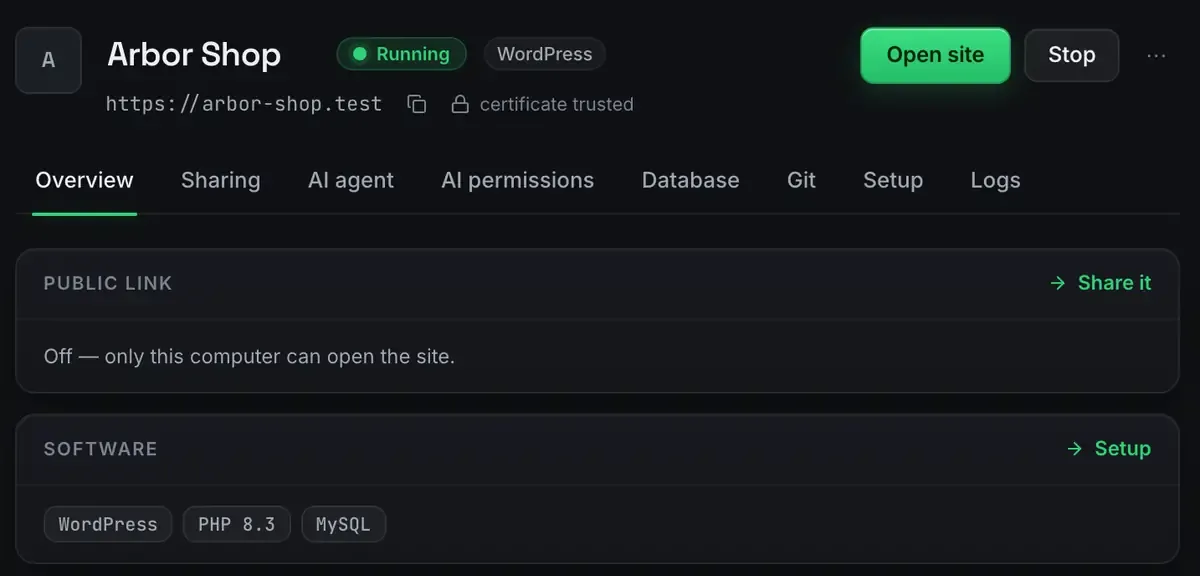
Honest state. What the window says is running is running, mapped from the process tree rather than from a command that was sent.
Sharing and deploys built in. Unlimited unlisted links plus three named redock.xyz subdomains that keep their name, and one-click Cloudflare deploys with one domain you own attached at a time.
The sharpest difference
Both run real WordPress with real HTTPS. Where they diverge is who operates the site.
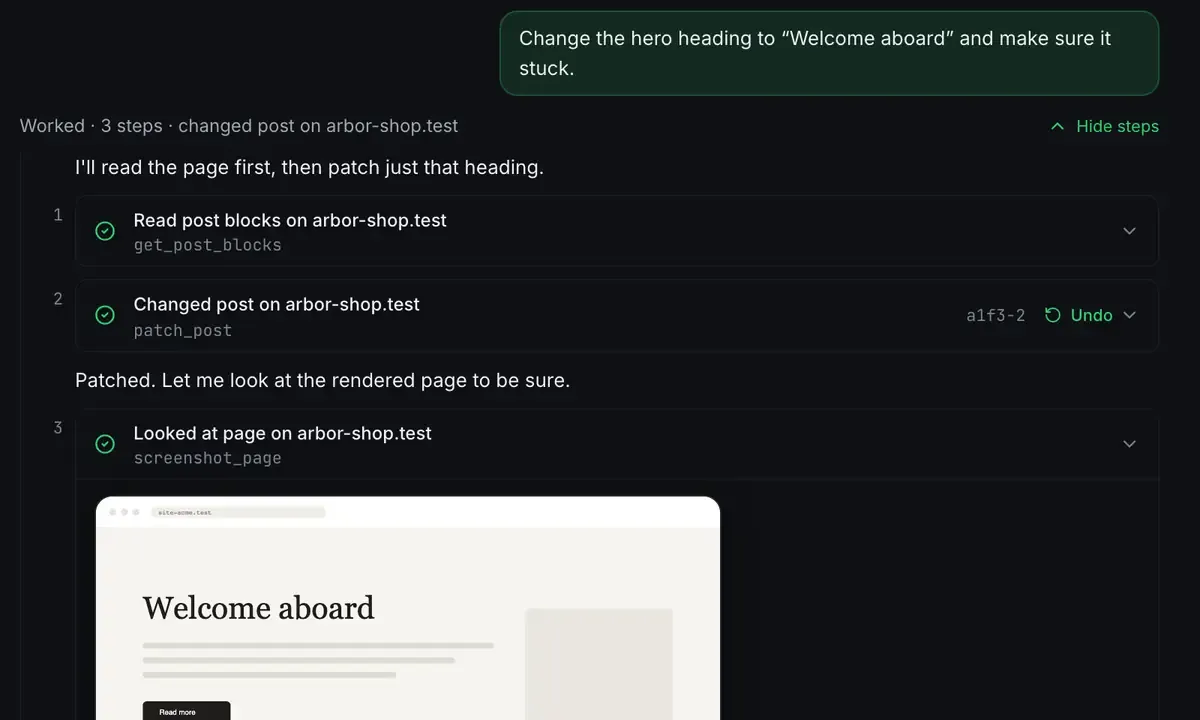
Through MCP, an agent can operate a ReDock-hosted site directly: content, plugins, options, with every change visible and reversible. LocalWP is operated by hand through wp-admin, which is exactly what many people want.
Neither is wrong. Agent operation suits people who like directing work in language. Hands-on suits people who like clicking through the admin. And ReDock does both: the wp-admin button is right there in the picture above it.
Two smaller WordPress differences worth naming. ReDock has site-level git and one-click plugin branch switching, which is handy for trying a change and putting it back. And on a site running Elementor the agent reads the element tree and patches widgets, not just blocks.
Choosing
Pure WordPress, need Linux, want the most refined WordPress-first tool? LocalWP.
Several stacks, want agent control and built-in sharing and deploys? ReDock.
Happy with LocalWP today? No reason to switch.
The desktop app is free on every plan. LocalWP has its own free tier. Price is not the deciding factor here; fit is.
The install guide and first-site guide get you going. The wider field is MAMP alternatives and the PHP angle is Herd versus ReDock.
FAQ
Can ReDock import an existing LocalWP site?
It runs standard WordPress, so a normal export and import moves content between them. There is no lock-in on either side; it is real WordPress in both.
Does ReDock run on Windows like LocalWP?
Yes, on 64-bit Windows 10 or later, with sites, the agent, sharing and the MCP server the same as on macOS. LocalWP also runs on Linux, which ReDock does not.
Which is better for a WordPress-only freelancer?
If you want an agent to help build and version sites, and you want the live client sites in the same family of tools, ReDock fits. If you want the most mature WordPress-specific ecosystem, LocalWP is the safer call.
What happens after the site goes live?
Neither of these looks after a live site, and that is worth knowing before you pick. ReDock Web is the separate product for that: health checks, plugin updates with a snapshot taken first, and a monthly report per client. One connected site is free.
Want native, multi-stack local WordPress? Download ReDock for macOS or Windows.