Free local WordPress environment with real HTTPS, one click, no Docker
One click provisions PHP, MySQL and a full WordPress install at a trusted https://name.test address, on macOS or Windows, with no Docker and no terminal.
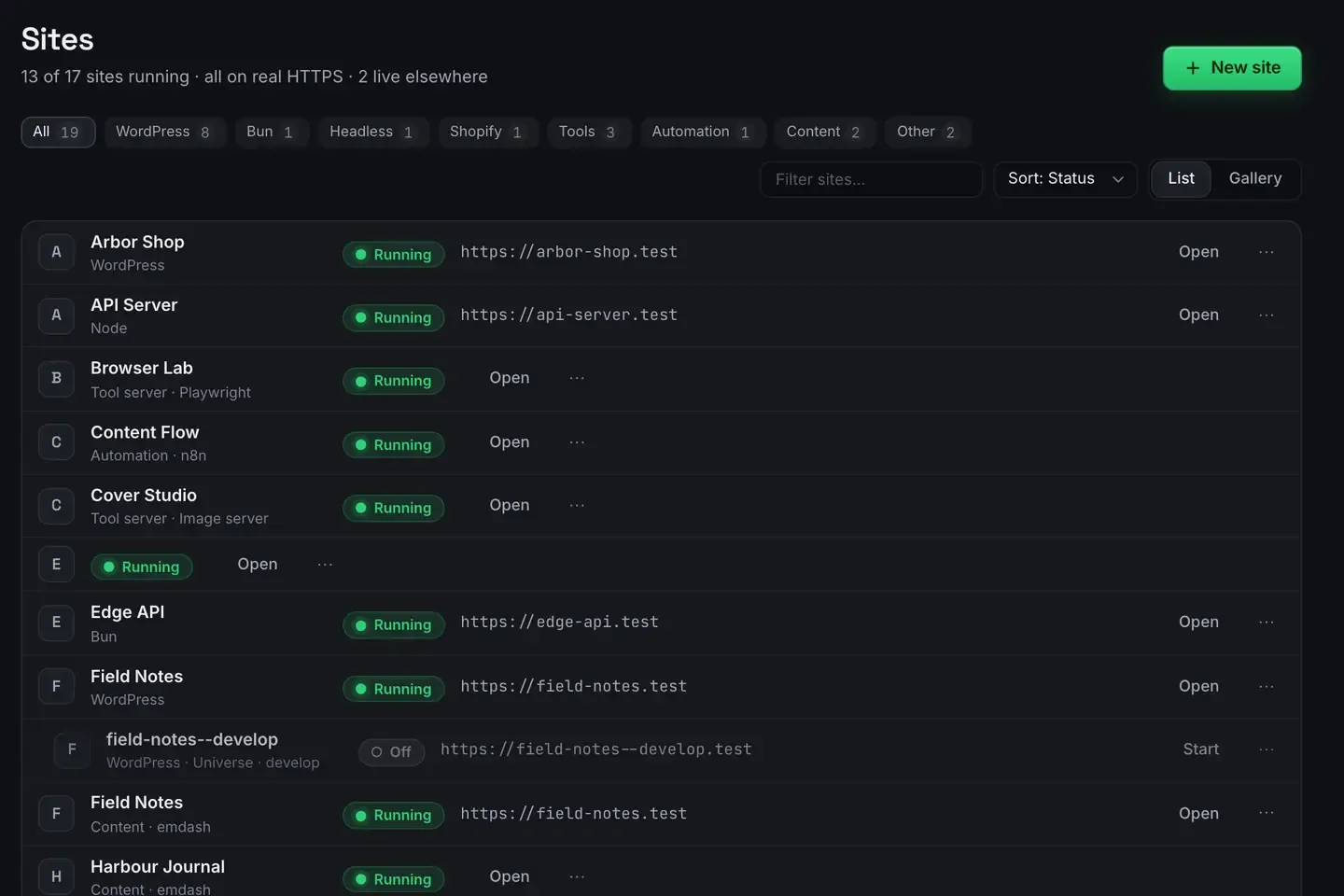
The fastest free local WordPress environment is one click. ReDock provisions a PHP version pinned to that site, a MySQL database, and a complete WordPress install, then serves it at a real https://name.test address with a certificate your machine already trusts. No Docker, no compose file, no terminal, no editing a hosts file.
It runs on macOS 12 Monterey or later on Apple silicon, and on 64-bit Windows 10 or later. It is free.
What one click actually provisions
Local WordPress setups fail on the plumbing rather than on WordPress. ReDock does the plumbing as one step.
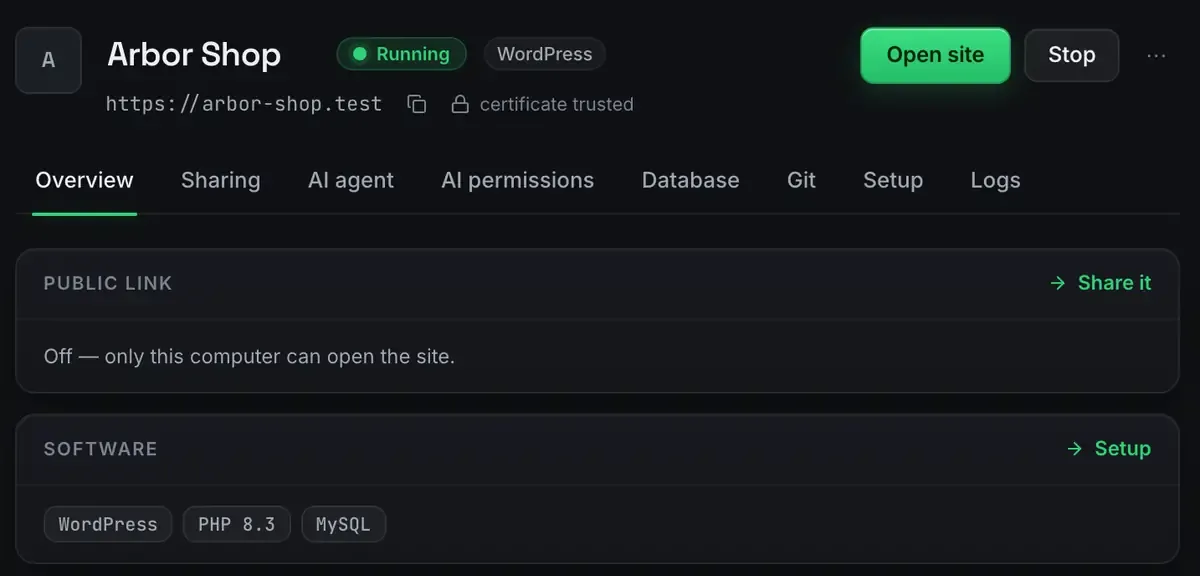
- PHP, pinned per site. Each site declares its version and keeps it. A legacy client site on one and a new build on another sit side by side without arguing.
- MySQL, one database per site. Created for you, wired into the config, isolated from every other site. The databases guide covers browsing and querying it.
- A real HTTPS address.
https://yoursite.testwith a trusted certificate. No browser warnings, no clicking through a scare page. - The install itself. Core downloaded, database connected, site running.
The status is honest. Running means the process tree is alive, not that a container claims to be healthy.
Why real HTTPS locally is worth the trouble
Plenty of local tools stop at a plain HTTP port on localhost. That breaks more than looks.
Secure cookies and anything gated on a secure browser context behave differently over plain HTTP. Mixed-content bugs stay invisible until staging. OAuth callbacks and webhooks often insist on HTTPS. And hardcoded-URL problems surface early when your local address looks like a real one.
A trusted local certificate means the environment behaves like production from the first request. When you later share the site over a tunnel or deploy it, there is no protocol surprise waiting.
Runtimes that live in their own folder
ReDock never installs a runtime onto your system. Every PHP, Node, Bun and MySQL version lives in ReDock’s own toolchain directory, per version, per site.
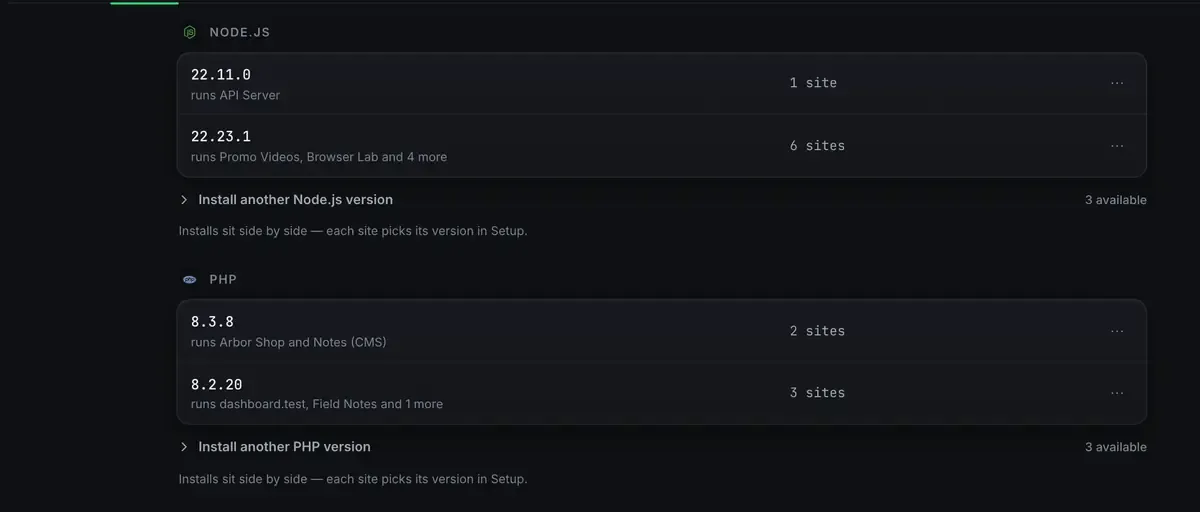
Two PHP versions can be installed at once, and each site picks its own. Whatever you have installed yourself is untouched, and uninstalling ReDock removes what ReDock added, after showing you the list.
Why no Docker is a feature
Container-based WordPress environments work, and they tax you continuously: a virtual machine layer, image pulls, port collisions, volume-permission puzzles, and a daemon eating memory in the background. For one person running websites on a laptop, that is a lot of machinery for “run PHP and MySQL”.
ReDock runs native processes. Sites start fast, idle cheap and stop cleanly when you quit. There is no daemon left humming after you close the window. If the app is not running, nothing is.
More than WordPress, and more than a window
The same one-click flow covers headless WordPress, Astro, Next.js, Node, Bun, plain PHP, PostgreSQL, Redis, n8n and Remotion, each at its own .test address. The stacks guide lists them, and Headless WordPress with Astro shows two of them working as a pair.
The part that makes ReDock unusual is that the whole app is published as MCP tools on 127.0.0.1:47200. Claude Desktop, Claude Code, Cursor or any MCP client can create sites, start and stop them, author real block content, patch an Elementor widget, and sign into wp-admin through a single-use link. The environment is not only clickable, it is drivable. WordPress MCP is the full tour.
Local sites carry real workflows too: site-level git, one-click plugin branch switching, Cloudflare-tunnel sharing with named redock.xyz subdomains, and one-click deploys with a domain you own attached. A local environment that dead-ends at localhost makes you rebuild everything elsewhere to ship. This one does not.
Getting started
Download the app, open it, and create a site. Neither build is signed yet, so the first open takes one extra click: right-click and Open on macOS, More info then Run anyway on Windows. The install guide covers requirements and the first-site walkthrough goes from an empty window to a running WordPress in a few minutes.
FAQ
Is it actually free?
Yes. Local sites, HTTPS, the MCP server, sharing over quick links and Cloudflare deploys all cost nothing, on every plan. The paid plans buy room in ReDock Web, which looks after live WordPress sites rather than local ones.
Does it work on Windows?
Yes. macOS 12 Monterey or later on Apple silicon, or 64-bit Windows 10 or later. Sites, the agent, sharing and the MCP server are the same on both. The Studio, for docs, video and images, is macOS only for now.
Can I use an existing database or import a site?
Each site gets its own MySQL database, and you can browse it, query it and export from the app, or connect to it with any client you like. The databases guide has the details, and normal WordPress import and export works from there.
Does it touch my system PHP, Node or MySQL?
Never. Every runtime installs into ReDock’s own folder, versioned per site, and WordPress’s own requirements page is a good check on what version a given site actually needs.
If your current setup involves a terminal, a YAML file or a whale, try the one-click version. Download ReDock for macOS or Windows.