Headless WordPress with Astro: the free, fast way to ship a WP-backed site
Keep WordPress as the editor and render the front end with Astro. Both halves run on your own computer, each on its own trusted https://name.test address.
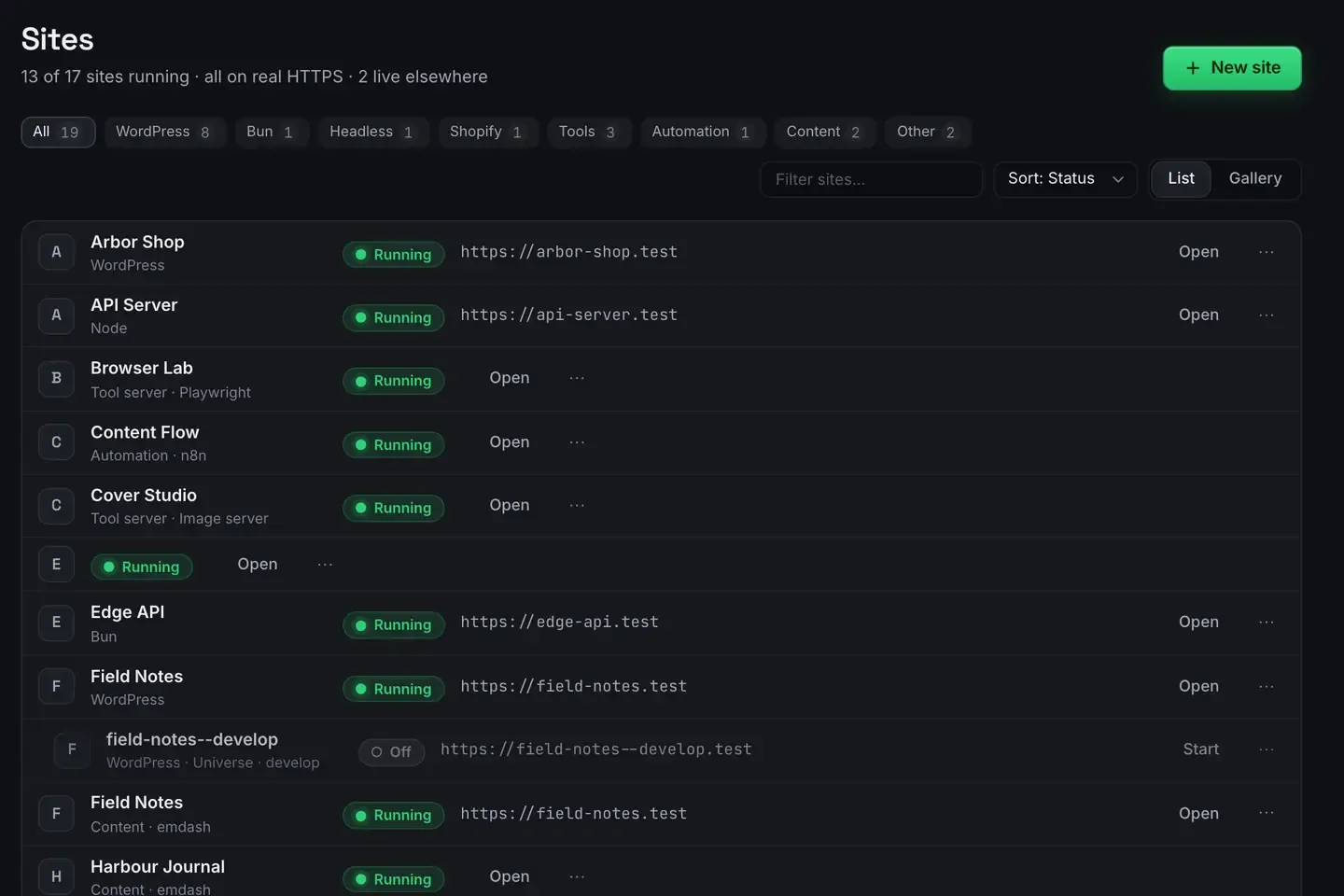
Headless WordPress with Astro means keeping WordPress as the editor your team already knows, while a separate Astro front end fetches that content and renders fast pages. You keep the admin experience and get a quick site, decoupled.
The hard part is usually not the code. It is running both halves at once, locally, without a mess of ports and certificates. ReDock provisions each with one click, on macOS or Windows, and gives each its own trusted address.
Why go headless
A traditional WordPress site couples the editor and the front end: the same PHP that stores your posts renders every visitor’s page. Headless splits them. WordPress becomes a content API and Astro becomes the presentation layer that reads from it.
The trade is real on both sides. You gain a fast, framework-native front end and freedom to build the interface however you like. You give up plugins that assume they control rendering, and you take on a build step. For content-heavy marketing sites, docs and blogs where speed and control matter, it is usually worth it.
Why Astro fits WordPress content
Astro renders to static HTML by default and ships little or no JavaScript unless you ask for it. That suits WordPress content, which is mostly text, images and structured pages. You fetch posts from the WordPress REST API at build time, render them as pages, and serve plain HTML.
Astro is also happy to be framework-agnostic where it matters. Drop a React or Svelte island where you actually need interactivity and leave the rest static. The result is a WordPress-backed site that loads fast without dragging a heavy client runtime along.
Both halves, side by side, locally
Two projects, two runtimes, two sets of ports and certificates is the usual friction. ReDock removes it: the CMS and the front end are two sites in the same window, each with its own address.

That means:
- a real WordPress site with a pinned PHP version, its own MySQL database, and the install done in one step
- an Astro site beside it, each on its own
https://name.testaddress with a trusted certificate - no terminal, because the runtimes, the ports and the HTTPS are handled
The runtimes sit side by side rather than fighting. PHP for the CMS, Node for the front end, each pinned to what that site wants.
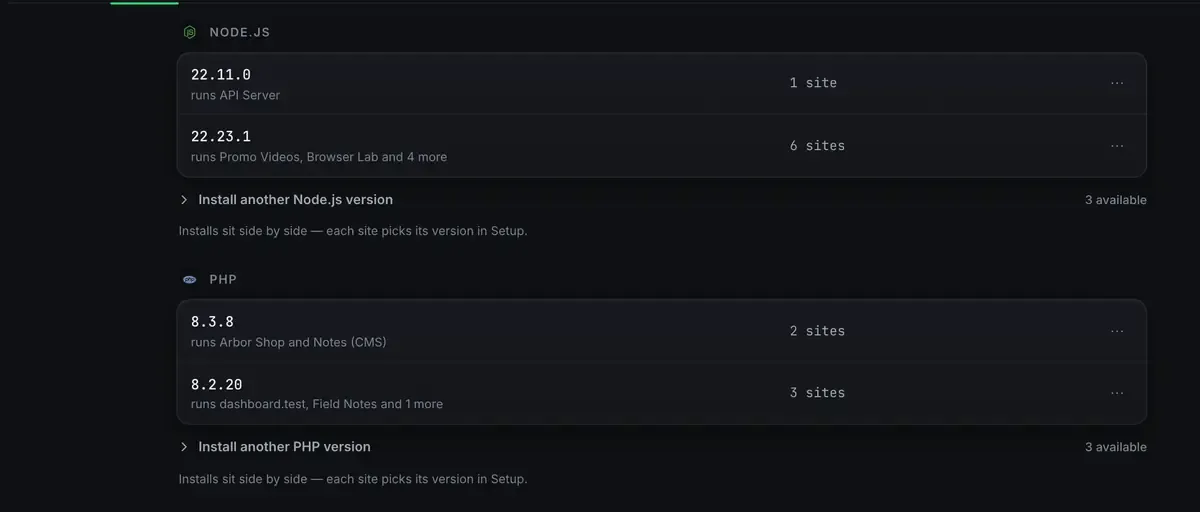
Nothing here touches the PHP or Node you installed yourself. The stacks docs list every runtime and the first-site guide provisions one.
One real task
Both sites are drivable over MCP, so the whole pairing can be one ask.
Create a WordPress backend for the blog and an Astro front end that renders its posts.
The agent creates the WordPress site, writes a few posts from the theme’s own block patterns, then creates the Astro site and points its content fetch at the WordPress REST endpoint on that site’s .test address. You open the Astro site over real HTTPS and the posts are there as static pages. When you are ready, a one-click Cloudflare deploy with a domain you own takes the front end live.
The reason that works is the same reason the content is worth having: the agent writes real blocks, so the REST API returns structured content rather than a wall of markup, and a person can open any post in the editor afterwards.
Where this fits
Headless is one shape among several. For the classic coupled setup see local WordPress with real HTTPS. For driving content with an agent, WordPress MCP and AI edits your WordPress site. Database access for the WordPress half is in the databases docs.
FAQ
Do I need to run two dev servers myself?
No. ReDock runs both, each on its own trusted .test address, with no port or certificate juggling.
Can I use Next.js instead of Astro?
Yes. Next.js, Node and Bun all run alongside Astro, so pair a headless WordPress backend with whichever front end you prefer. The stacks docs have the list.
Is this free?
Yes. The desktop app is free on every plan, on macOS 12 Monterey or later and 64-bit Windows 10 or later.
What happens when the front end needs to go live?
Build and deploy it to Cloudflare from the site’s Ship tab, with a domain you own attached, one at a time, on every plan. The CMS can stay wherever it is.
If you want a fast headless WordPress site without the local setup headache, download ReDock for macOS or Windows.