Local MCP vs remote MCP: where should your agent's hands live?
A local MCP server reaches your files, processes and ports. A remote one reaches a hosted service. ReDock runs both, and the honest comparison is about reach and consequence.
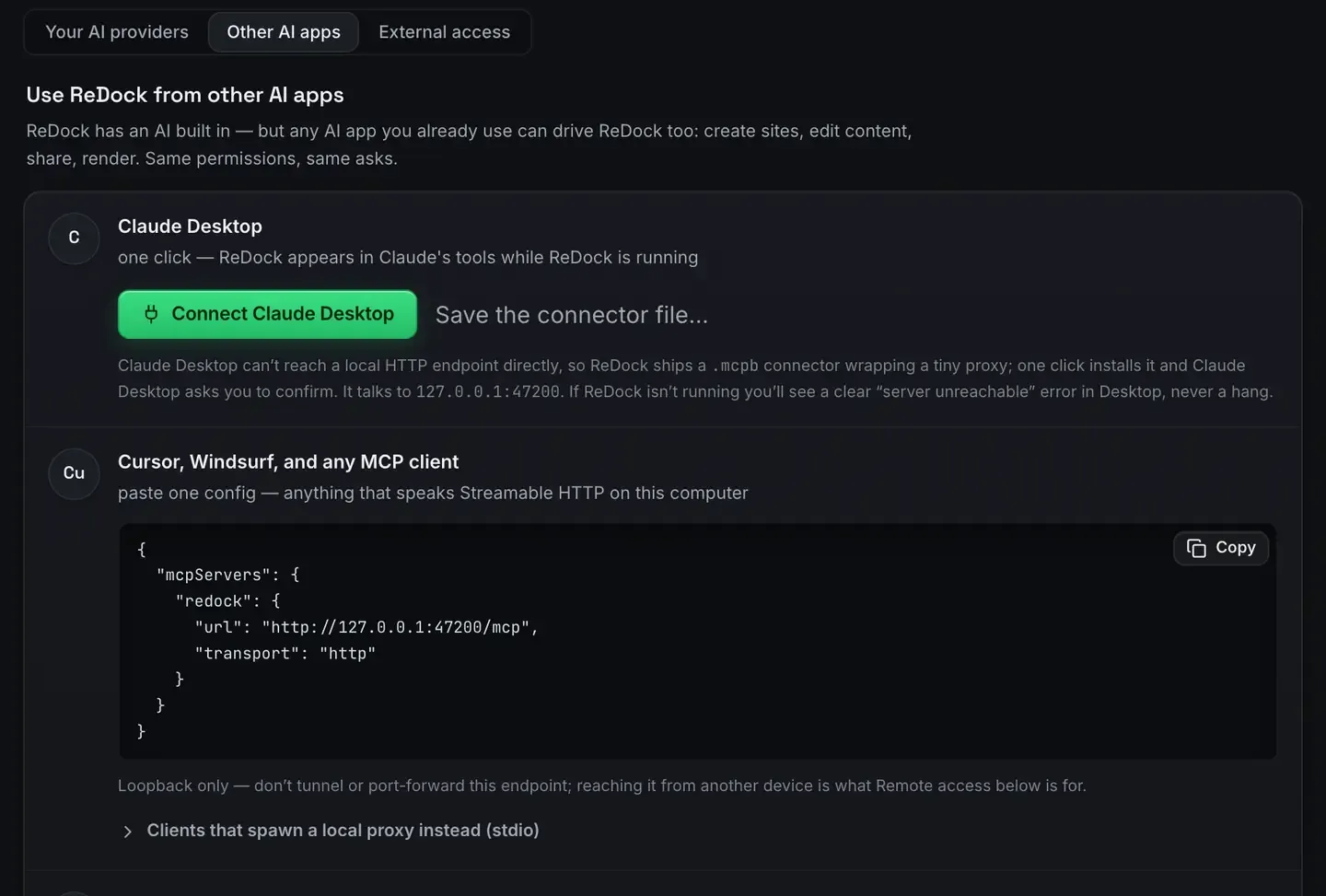
A local MCP server runs on your own machine and reaches the things only your machine has: your files, your processes, your ports. A remote one runs somewhere else and reaches a hosted service, the same way for everybody who connects.
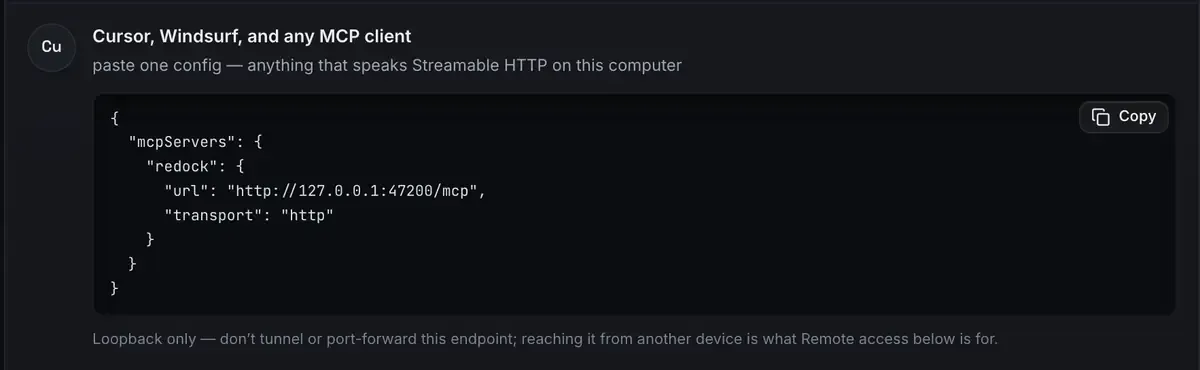
ReDock has both now, so this is not a pitch for one of them. The local door runs inside the desktop app on 127.0.0.1:47200. The web door runs at https://app.redock.xyz/mcp. Here is where each belongs.
What a local server reaches
Local is not about speed. It is about access. A server on your machine can do things no hosted service can.
- Touch the filesystem. Read and write real project files.
- Run and control processes. Start a dev server, a database, a site.
- Bind ports. Serve
https://name.testwith a certificate your system trusts.
That is ReDock’s local shape. The app hosts your sites, WordPress, headless WordPress, Astro, Next.js, Node, Bun, PHP, MySQL, PostgreSQL, Redis, n8n and Remotion, and publishes the whole surface as tools on one loopback address.
A hosted server simply cannot run a site that lives on your laptop. If the agent’s job is your local environment, the server has to be there.
What a remote server reaches
The mirror image. A hosted server is right when the resource is genuinely somewhere else and shared: a live site on somebody’s host, a team’s records, a service that should look the same to everyone.
ReDock Web’s door is that. The live WordPress sites a workspace has connected are not on your machine and never will be, so the server that reaches them sits with them.

There is also a per-site address that reaches one site and nothing else in the workspace, which is what you hand an app you want near one client only.
The real difference is consequence, not distance
The reach question is the easy half. The harder half is what happens when the agent is wrong.
On a local site, wrong is cheap. Nobody else can see the site, every write is a revision, and the worst case is deleting something you can recreate in a minute. So the local door is wide: it will create a site, drop a table, install a plugin, deploy.
On a live site, wrong is expensive, so the web door is narrow by design. Nothing connects until somebody approves it on a consent screen. The approval carries one of four levels, from read-only up. And on top of the level, seven switches decide what any AI app may do on its own.
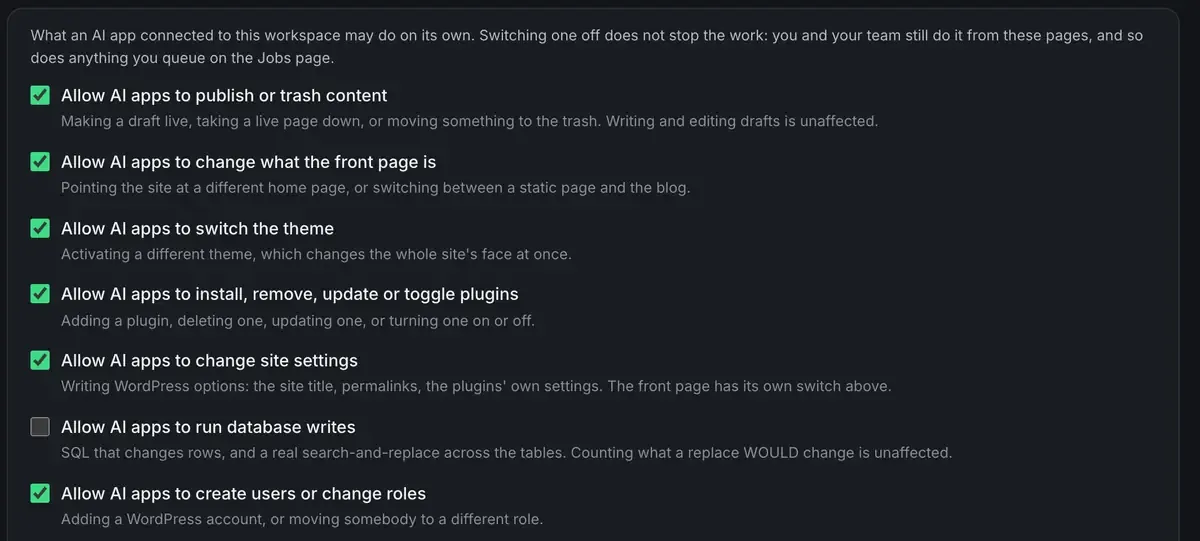
Switch one off and an app is refused it at the door and told to ask a person. It does not stop you: your team still does it from the pages, and so does anything you queue as a job. A single site can be stricter than the workspace. Every refusal is on the activity page. AI access on ReDock Web is the whole thing.
That asymmetry is the honest answer to “which one should I use”. The local door is permissive because the consequences are contained. The web door is restrictive because they are not.
Local does not mean exposed
A common worry: if a server on my machine speaks HTTP, is my machine open? No. 127.0.0.1:47200 is loopback only, reachable from that computer and nowhere else. The HTTP transport is there so several local clients can share one server, not to open a door. Do not tunnel or port-forward it. MCP over HTTP explained covers the transport.
When you do want the outside world to see something, that is a separate act: sharing a site over a Cloudflare tunnel, or a one-click deploy. Exposing a site is a choice per site, and the MCP port stays where it is.
Use both
Most people who run both end up with both connected. The local door for the sites they are building, the web door for the sites they look after. One client, two connections, two sets of permissions.
There is one habit that makes either worth trusting. When a tool says a site is running, that has to come from the process rather than from “we sent the command”. ReDock maps status from real state on both sides, which is what makes recovery possible instead of narrated.
FAQ
Is a local MCP server slower or less capable than a remote one?
Neither, for local work. It is more capable there, because it can reach files, processes and ports. It is entirely incapable of reaching a site hosted somewhere else, which is what the other door is for.
Does running a local HTTP MCP server expose my machine to the internet?
No. A server bound to loopback answers only on your own machine. Sharing a site is a separate, deliberate step over a Cloudflare tunnel.
Can I use local and remote servers together?
Yes, and it is the normal setup. Point your client at both and match each to where the resource lives.
Does the web door give an agent as much power as the local one?
No, on purpose. The local door is wide because the consequences stay on your computer. The web door is gated by a consent screen, a level per app, seven policy switches and a per-site option that can be stricter still.
For the sites on your own computer, download ReDock for macOS or Windows. For the live sites you look after, one connected site is free: create an account or read what ReDock Web does.