Local models on an 8 GB Mac: what fits, and what it can actually do
Memory is the hard constraint. A small model that fits and stays responsive beats a large one that swaps, and for driving tools it is genuinely enough.
On an 8 GB Mac, a local model means a small one in a compact quantisation, with a modest context window. It will not match a large cloud model at deep reasoning. It is genuinely useful for driving tools, short edits and structured tasks: the work where a capable-enough model calling reliable tools beats a brilliant model you have to copy and paste for.
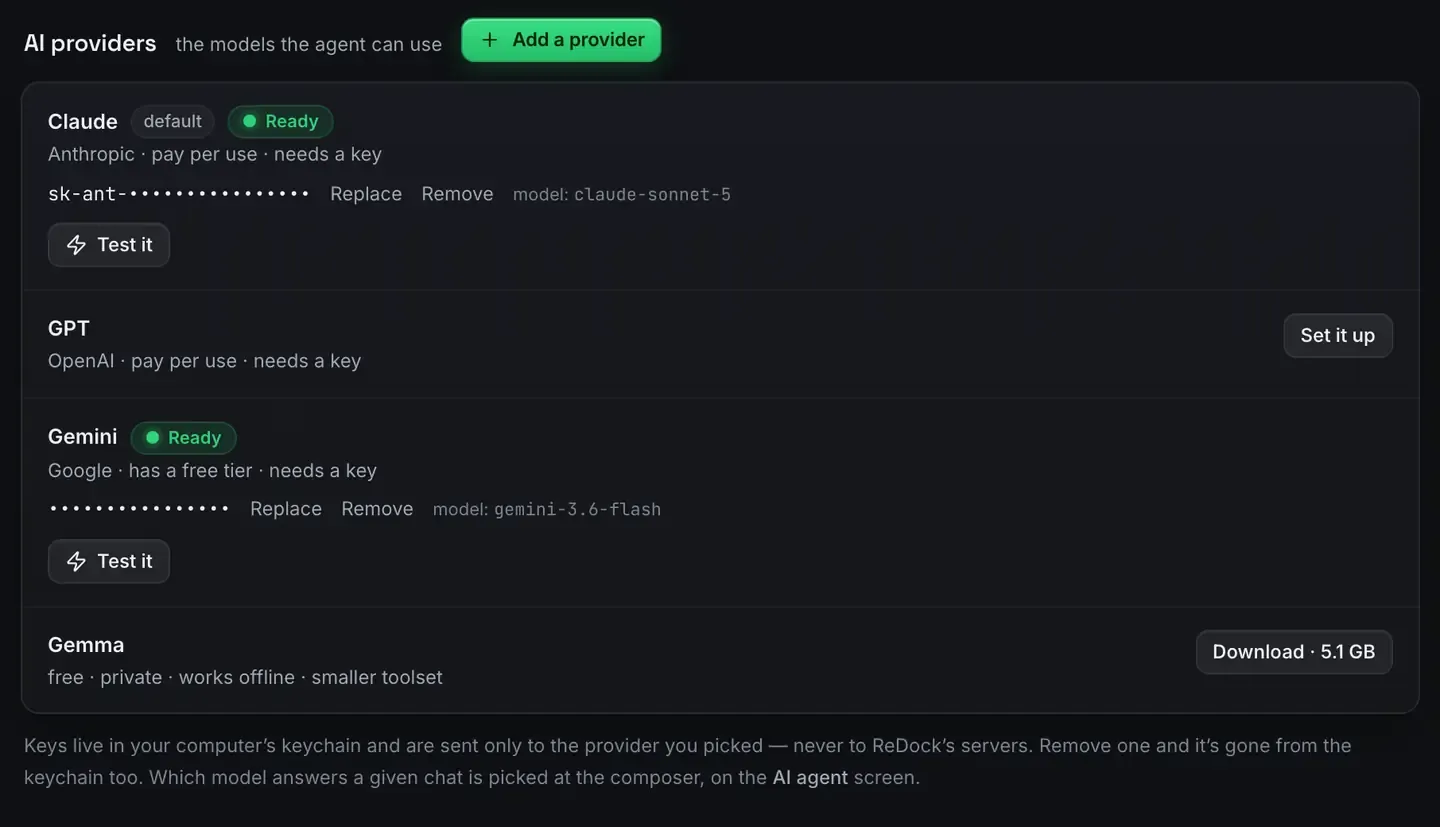
ReDock ships a catalogue sized to the memory you actually have, with no key and nothing leaving the machine.
What fits
Memory is the hard constraint. macOS needs some, your browser needs a lot, your editor needs some, and the sites you are running need theirs. The model gets what is left, and on an 8 GB machine that is tight.
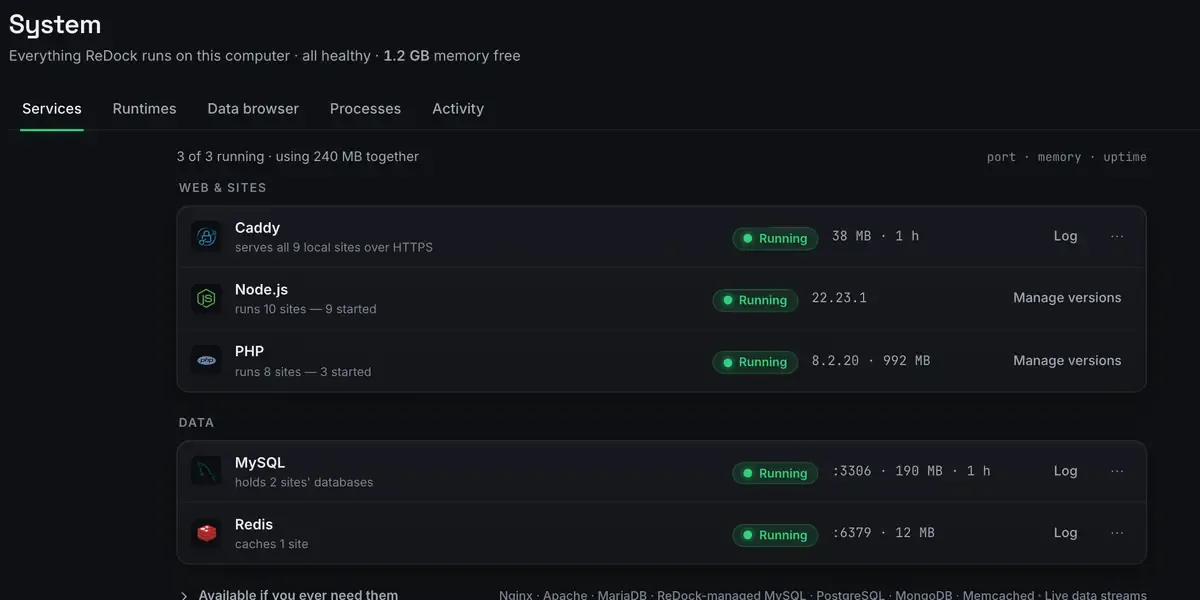
That header is the number that decides this. Not the number on the box: the number free right now, with everything else you have open. macOS reclaims and compresses memory constantly, so a machine reporting a gigabyte or so free is ordinary rather than alarming, and it is the honest budget to plan against.
What that rules out is the largest local models, which want far more than you have spare. What it does not rule out is useful work. A small model that fits and stays responsive is worth more in practice than a large one that swaps to disk and stalls.
The catalogue handles the sizing rather than making you guess at parameter counts and quantisation levels.

Note the size on the button and the words beside the name. Free, private, works offline, and a smaller toolset than the cloud models above it. That is the trade, stated before you download rather than discovered afterwards.
What a small local model is good at
Be honest about the ceiling and the floor.
Driving tools. Deciding which tool to call with which arguments is a narrower task than open-ended reasoning, and small models handle it acceptably, especially against a surface designed for them.
Short, structured edits. Renaming, reformatting, filling a template, drafting a paragraph.
Routine site work. Inserting a pattern, creating a page, activating a plugin. The model chooses the call, the platform does the work and reads the result back to check.
The pattern that works is a modest model plus reliable tools. The tools carry the correctness; the model picks the right one.
What to expect it not to do
A small local model will sometimes lose the thread on long, multi-step reasoning, especially as the context fills. It is weaker at nuance, at code it has effectively not seen, and at holding a lot of state at once. Give it a big ambiguous task and it will disappoint.
So scope accordingly. Hand it bounded tasks with clear success criteria and let it verify through tools. When you need deep reasoning, that is when a cloud model earns its keep: Claude versus a local model is the comparison.
What driving it looks like
You pick a model sized for the machine. It downloads once and runs on the device. You tell the agent to add an about page to the demo site. It reads the site’s patterns, chooses the calls, and the page is inserted and read back to confirm. No key, no network round trip, no meter.
For what keeping everything local buys you, private AI for client work, and for the wider idea, AI with no API key. If the tool layer is new, what is MCP.
FAQ
Will a local model on 8 GB feel slow?
It depends on the model and on what else is open. One sized to fit stays responsive; one too big for your free memory will swap and stall. The catalogue picks one that fits so you avoid that.
Can it really run WordPress tasks?
For bounded ones, yes. The model picks the call and the platform executes and verifies it, so correctness does not rest on the model’s raw ability. Big ambiguous jobs are where you reach for a cloud model.
Do I need any keys?
No. A local model runs on the device with no key and no account, and nothing leaves the machine when you use one.
Does this work on Windows too?
The app runs on 64-bit Windows 10 or later, with the same sites, agent, sharing and MCP server. This post is about an 8 GB Mac because that is the machine people most often ask about, and the memory arithmetic is the same anywhere.
If you want a model sized to your machine that can actually drive tools, download ReDock for macOS or Windows.