Client code that never leaves your machine: private AI for agency work
A local model means the client's code, content and credentials never leave the device. And when the work goes live, the same rules can follow it to the live site.
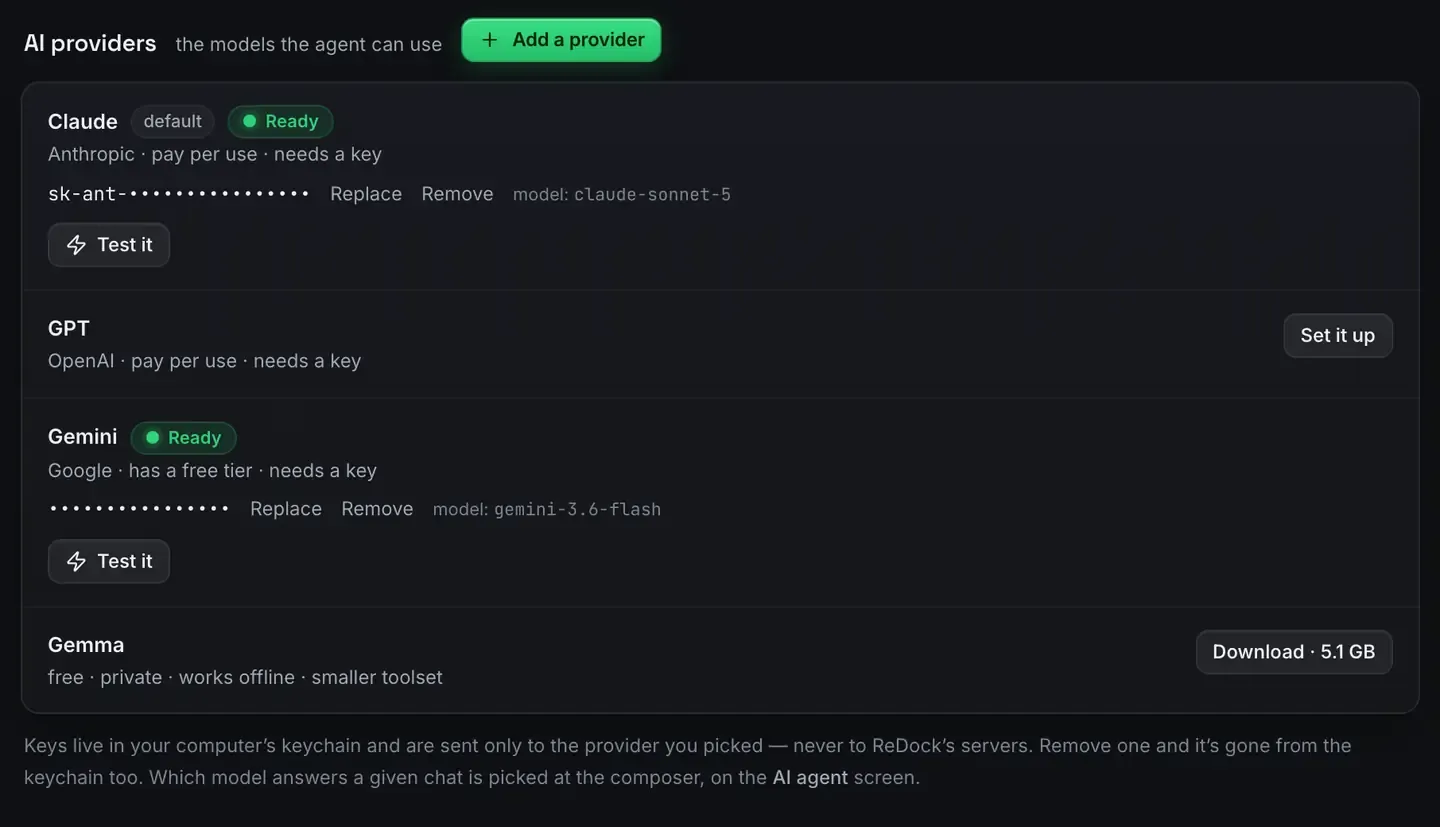
Private AI for client work means running the model on your own machine, so the client’s code, content and credentials never leave it. If you build for clients under an agreement that restricts where their data goes, that is the difference between using AI and being contractually unable to.
ReDock makes it practical: a built-in agent, a catalogue of local models sized to the memory you have, and a full local site platform. It is free, on macOS and Windows.
The problem with cloud AI on client code
Cloud models are capable, and using one means your inputs leave the machine to be processed on somebody else’s servers. For a lot of work that is fine. For client work it often is not.
Contracts frequently restrict where code and data can go. “We send the client’s proprietary codebase to a third-party API” is a sentence that ends engagements. Even where it is permitted, it is a disclosure you have to reason about. And it is not only source: it is database contents, customer data in a staging copy, keys in a config file. Anything the agent can see is something that would be transmitted.
The safe move for sensitive work is not to transmit it.
What nothing leaves the machine actually means
With a local model, inference happens on your own hardware. The weights are on disk, the computation runs there, and the prompt and the response never touch a network. There is no endpoint in the loop because there is no API.
ReDock builds the workflow around that. The models run on the device with no key and no account. The sites run there too, WordPress, headless WordPress, Astro, Next.js, Node, Bun, PHP and MySQL, each on a trusted https://name.test address. The agent reaches them over a loopback MCP endpoint. And nothing is public until you deliberately open a tunnel or deploy.
Permission is per site, in plain words
Local does not mean unbounded. Each site says what the AI may do on it.
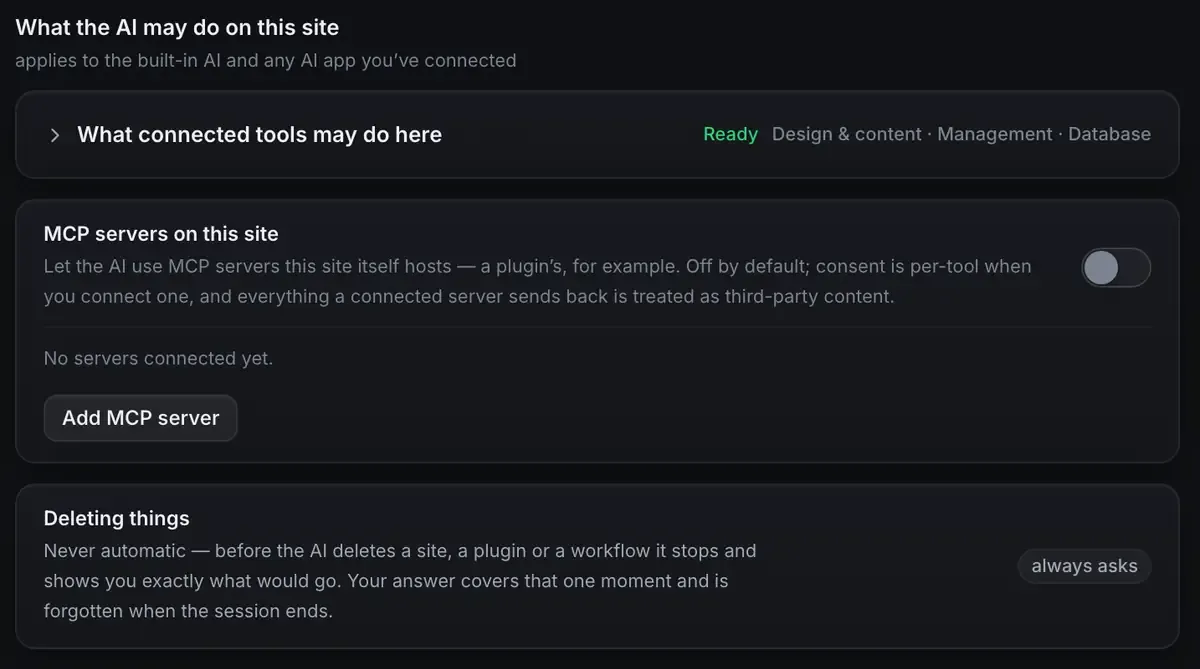
Design and content, management, database, and advanced access which is off by default. Deleting anything always asks first, and the answer covers that moment rather than the session, so an agent cannot be granted permission once and then quietly reuse it.
That is worth having even when nothing leaves the machine, because the risk you are managing on a client’s build is not only disclosure. It is also an agent doing something confidently wrong at eleven at night.
When the work goes live, the rules can follow it
The local half covers the build. The awkward part has always been afterwards, when the site is on the client’s host and an AI tool that reaches it has whatever access somebody pasted into a config.
ReDock Web answers that with the same shape, at a distance. Nothing connects without a consent screen naming the workspace. Each approved app carries a level. And on top of the level, seven switches decide what any AI app may do on its own.
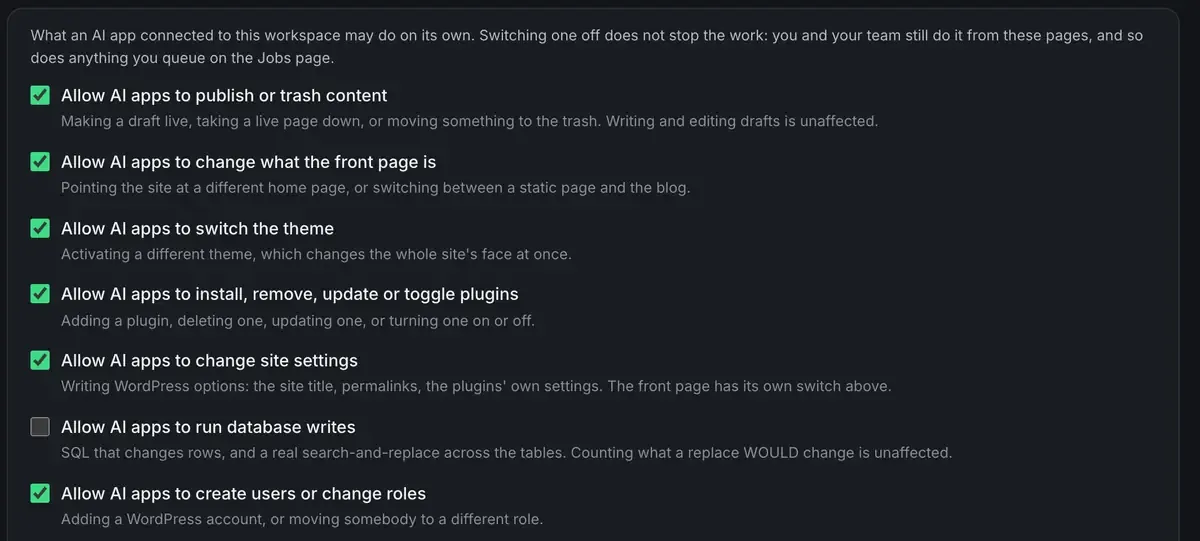
Switch one off and an app is refused it at the door and told to ask a person, and the refusal lands on the activity page under that app’s name. Your team is unaffected, and so is anything you queue as a job. A single site can be stricter than the workspace.
That is the sentence an agency wants to be able to say to a client: the AI could not have published that, because publishing is off, and here is the log of it being refused. AI access on ReDock Web has the seven, and the security page has what is stored.
Where the trade is honest
Local models do not match large cloud ones on the hardest reasoning. Claude versus a local model says so plainly and local models on an 8 GB Mac covers what fits on a modest machine.
For client work the calculus is different from a personal project. For anything covered by an agreement, “runs locally” can outweigh “reasons slightly better”, because the cloud option is not on the table at all.
And a lot of client work is exactly what a local model does well: bounded, tool-driven tasks where the tools carry the correctness and the model picks the call.
FAQ
Does a local model guarantee nothing is sent anywhere?
When you use one, inference runs on your machine and the prompt and response do not touch a network. Connecting a cloud model or sharing a site later is a deliberate step you take.
Is a local model good enough for real client work?
For bounded, tool-driven tasks, yes, and every change is executed and checked by the platform. For the hardest reasoning you would want a cloud model, and for work under an agreement the local option is often the only one available.
Do I need to configure keys or accounts?
No. A local model runs with neither. A cloud key, if you add one, lives in your computer’s keychain and goes only to that provider.
What about the client’s live site after launch?
That is ReDock Web: a consent screen before anything connects, a level per app, seven policy switches, and a record of every call including the refused ones, kept 400 days. One connected site is free: create an account.
If you want AI on client code that stays on your machine, download ReDock for macOS or Windows.