Claude versus a local model for agent work: an honest comparison
Claude is stronger at deep reasoning. A local model is private, free and offline, and good enough at picking tool calls. Use both, matched to the task.
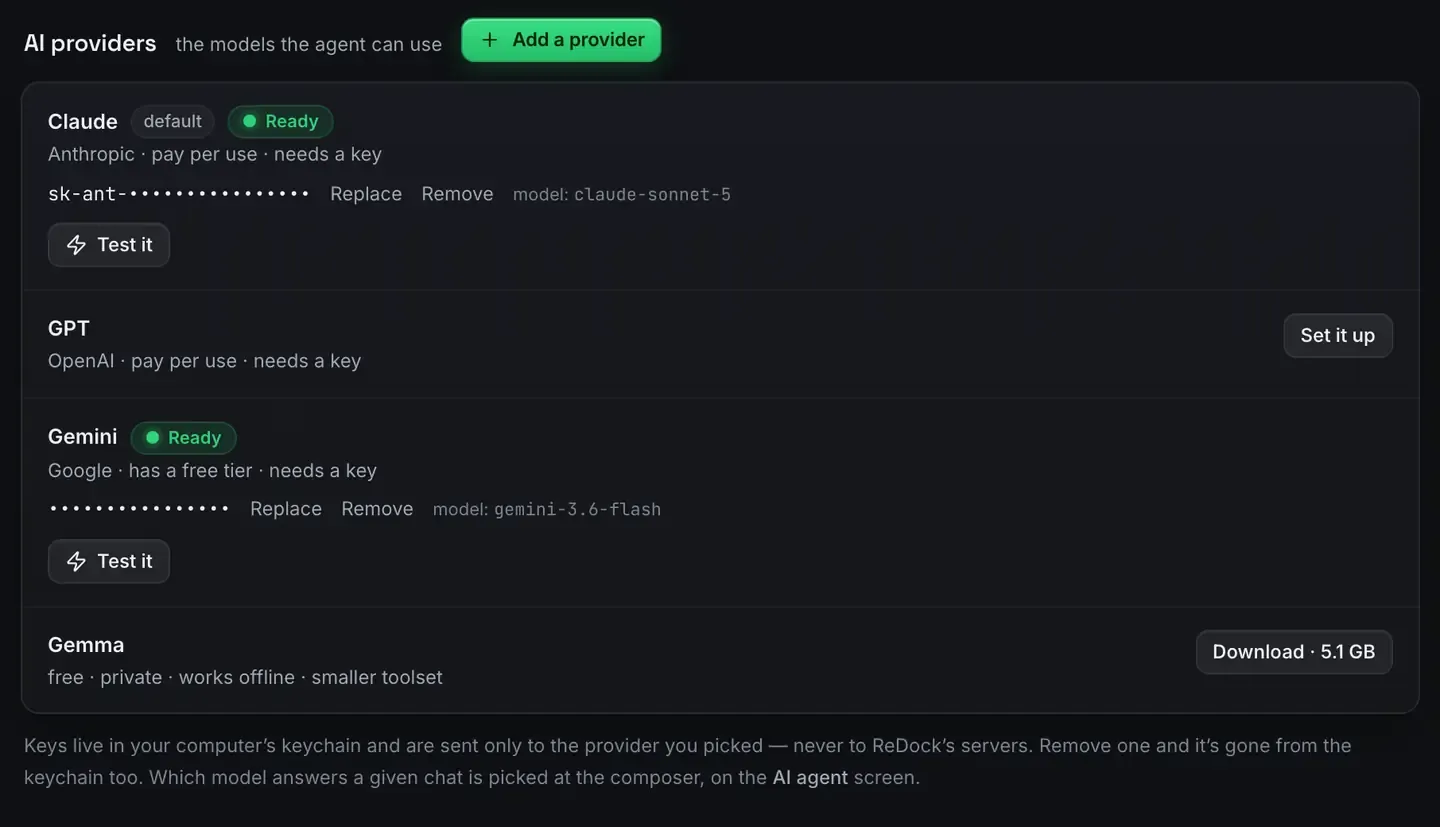
For agent work, a large cloud model and a local one solve different problems. Claude is stronger at deep reasoning, long multi-step tasks and nuanced code. A local model is private, free to run, works offline and needs no key, and for driving tools it is often good enough.
The honest answer is not that one is better. It is that you match the model to the task. ReDock lets you do exactly that against the same sites.
They sit on one screen, on purpose
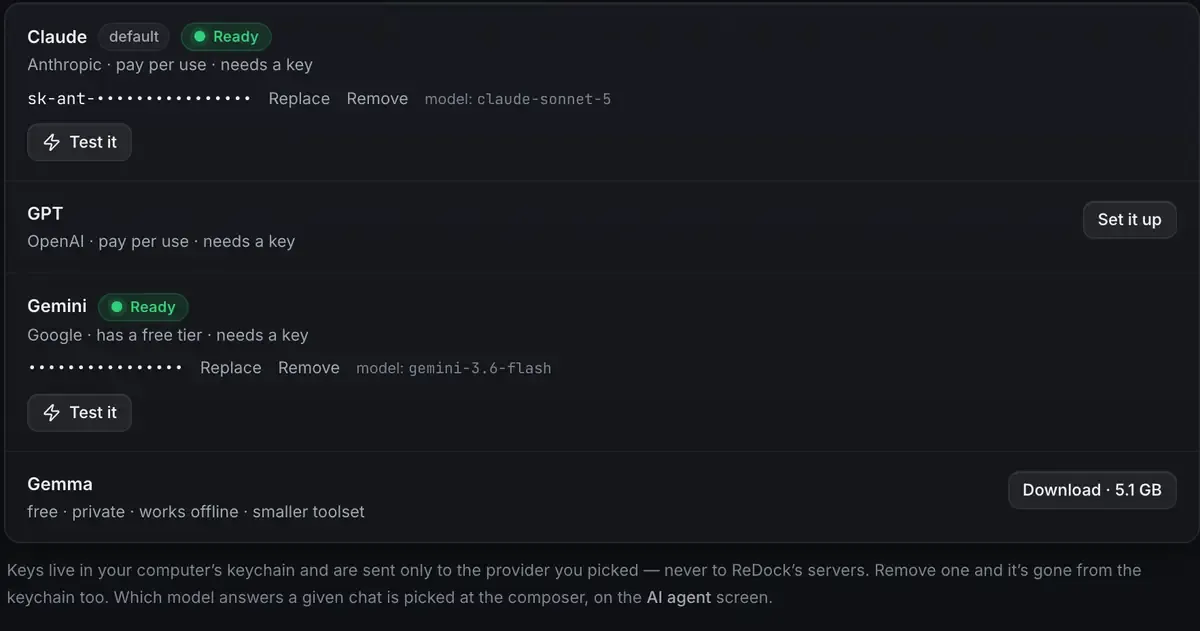
Four rows, each labelled with what it costs you and what it gives up. Claude is pay per use and needs a key. Gemma is free and private and offline, with a smaller toolset. Nobody has to read a comparison table to see the trade; it is in the interface.
Which model answers a given conversation is picked at the composer, so switching is per task rather than per install.
Where the cloud model is stronger
A large model has capabilities a small on-device one does not. If the task is genuinely hard, reasoning through a subtle bug, planning a multi-stage refactor, writing code in a domain that needs judgement, holding a lot of context coherently, the cloud model will do it better. It handles ambiguity, keeps the thread across many steps, and produces better prose and code.
For agent work specifically that shows up when the task is not “call the right tool” but “work out what should happen, then call several tools in the right order and adapt when one fails”. That planning-heavy loop is where the larger model pulls ahead.
The costs are the obvious ones: an account, a network, your inputs leaving the machine to be processed, and a bill that grows with use. Anthropic publishes its own pricing, and it is worth reading before you leave an agent running overnight.
Where the local model is stronger
Its advantages are structural rather than about raw capability.
Privacy. Nothing leaves the machine. For client code under an agreement that says so, that is not a nicety, it is the requirement. Private AI for client work is that case.
No key, no meter. It runs on the device. Nothing to manage and nothing to watch.
Offline. On a plane, on bad hotel wifi, or somewhere with no network at all, it keeps working.
Good enough at picking calls. Choosing the right tool is narrower than open-ended reasoning, and small models handle it acceptably against a surface that carries the correctness.
The trade is the ceiling. A model sized to your machine’s memory will not match a large one on the hard, long, nuanced tasks. Local models on an 8 GB Mac is honest about what fits.
The same tools either way
This is the part that makes switching cheap.
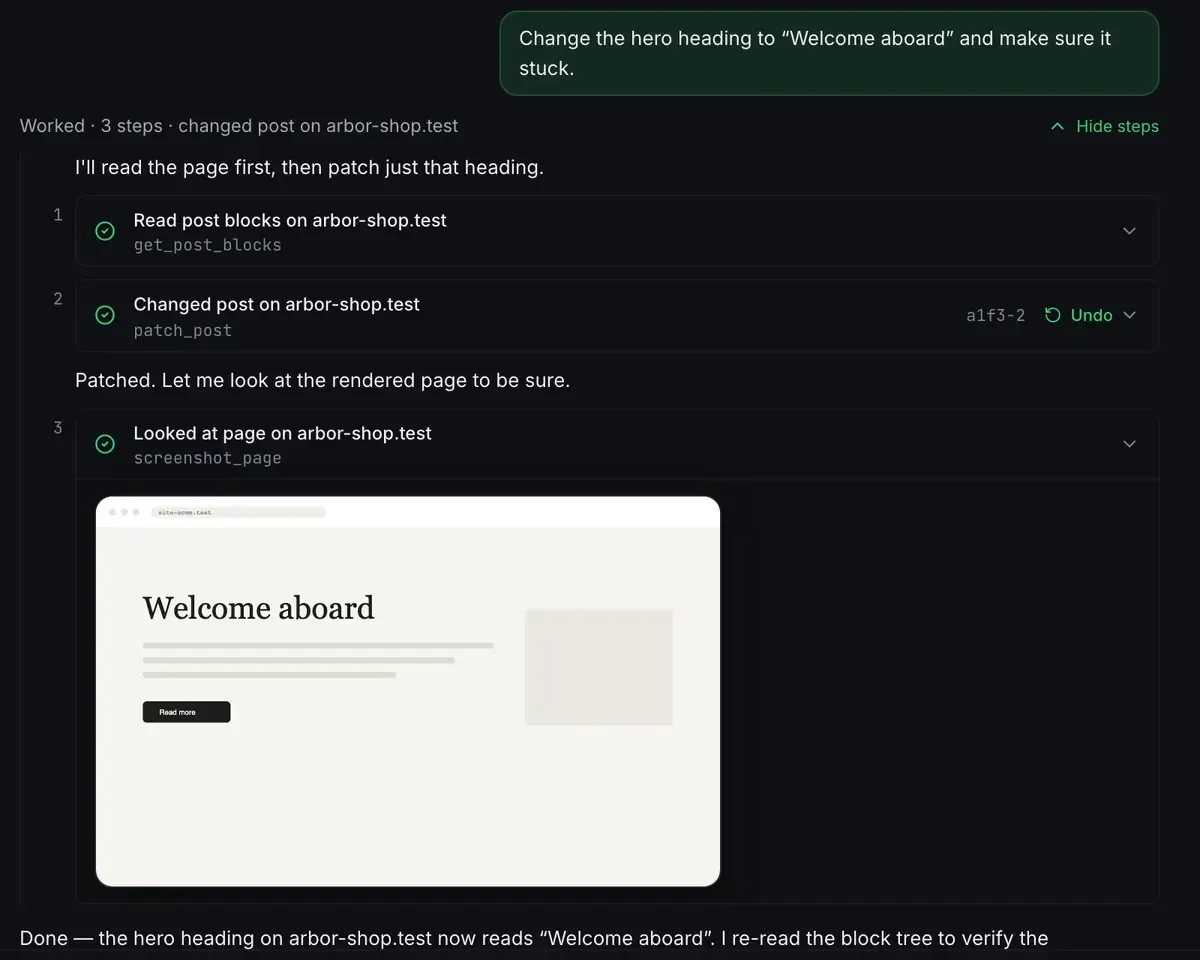
That loop is identical whichever model is driving. Read, act, verify. The tools execute and check, so the difference between models shows up in how well they plan, not in whether the change actually landed.
The recommendation
You do not choose once and forever. Use a local model for the bounded, repetitive, privacy-sensitive work: routine site edits, structured content, tool-driven WordPress tasks. Reach for the cloud model when the task needs real reasoning or you are stuck.
The deciding questions are short. How hard is the reasoning? How sensitive is the data? Do I need to be offline? Am I watching the cost?
Point Claude Desktop, Claude Code or Cursor at the MCP endpoint, or run a local model from the catalogue. WordPress MCP is the cloud path, AI with no API key the local one, and the MCP docs have the client setup.
FAQ
Is a local model a replacement for Claude?
Not for hard reasoning. It is a complement: it covers the private, offline and routine work, and you bring in the larger model when a task needs depth. Most workflows use both.
Does using a cloud model send my data off the machine?
Yes. A cloud model processes your inputs on its own servers. If that is a problem for the work, use a local model, where nothing leaves. You pick per task rather than per install.
Do I need different tools for each?
No. The same tool surface serves whichever model is driving, so switching does not change how the sites are operated.
Where does a cloud key live?
In your computer’s keychain, and it is sent only to the provider you picked, never to ReDock. Remove it and it is gone from the keychain too.
If you want to run both against the same sites, download ReDock for macOS or Windows.