One-click WordPress plugin branch switching: test a feature on a living site
Point a WordPress plugin at another git branch and test it against a site with real content and real other plugins, with no zip files and no reinstall dance.
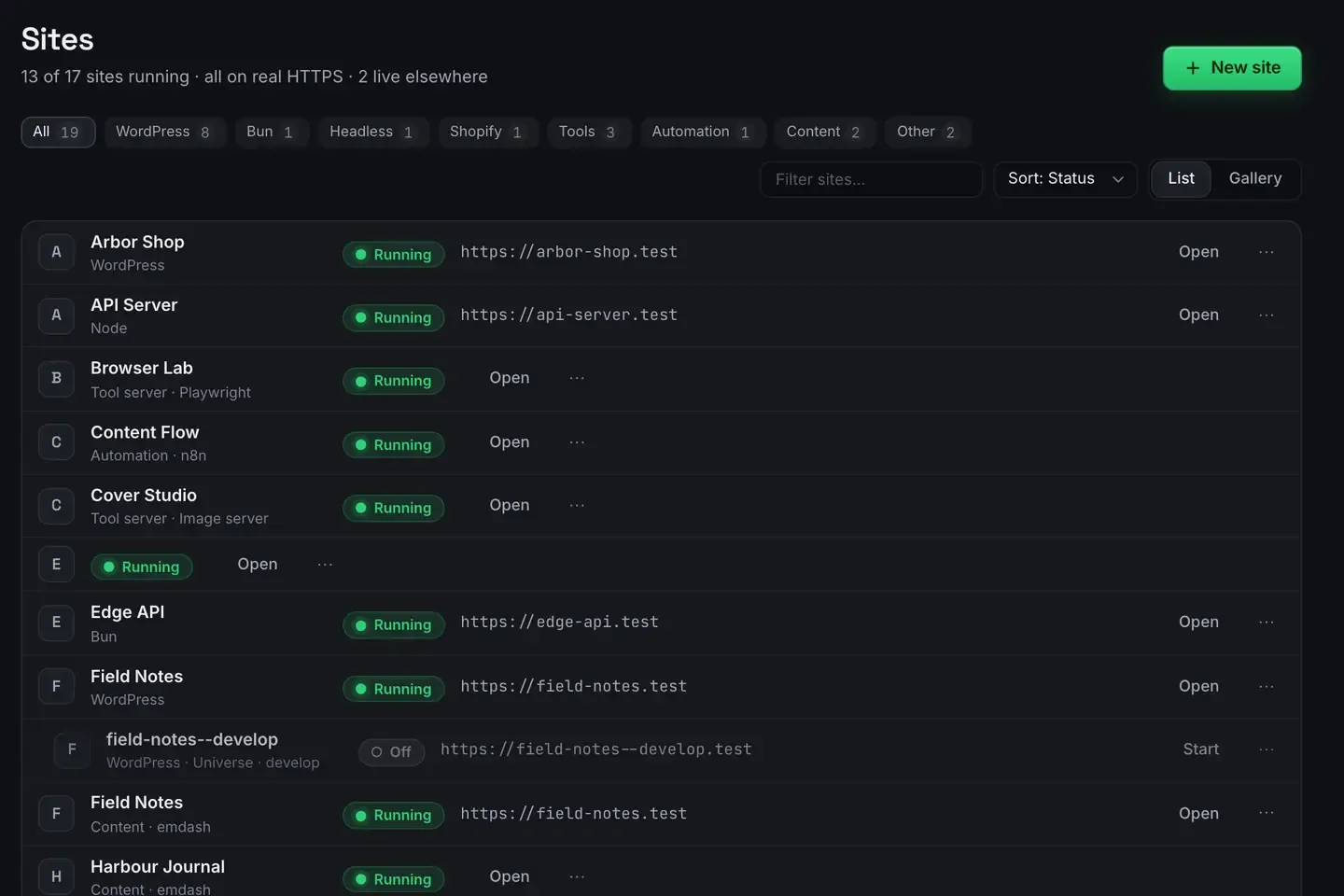
Plugin branch switching means pointing a WordPress plugin at a different git branch and immediately testing that version against a live, running site. Instead of stashing changes, rebuilding zips and reinstalling, you flip the branch and the running WordPress picks it up.
ReDock builds this in. Sites have site-level git, and a plugin under version control switches branches from the window. It is free, and it runs on macOS and Windows.
The old way
If you develop or evaluate plugins, you know the dance. To try a feature branch you pull it, build the plugin, zip it, deactivate the old version, upload the new one, activate, test. To go back you reverse all of it. Every switch is a handful of steps and each one is a chance to leave the site half updated.
That friction discourages the thing you actually want: comparing branches quickly on a site that has real content, real settings and real other plugins. Testing in isolation misses interactions. Testing by hand is slow.
Switching against a living site
Each site has its own git, and a plugin under version control switches branch in place. The plugin lives in the running install, so changing branches swaps the working tree the site is executing. The database, the settings and every other plugin stay exactly where they were.
That means you can flip between main and a feature branch with one click, see the change against the site’s actual content, switch back just as fast if the branch misbehaves, and keep the site’s state constant across the whole comparison.
Because the site is local, on its own https://name.test address with a trusted certificate, you are testing in a realistic environment that is still safe to break. Nothing is exposed until you deliberately share or deploy it.
When you want both branches at once
Sometimes you do not want to switch. You want to look at the two side by side. A universe is a linked copy of a site on another branch: same content, different code, its own address.

Open https://field-notes.test and https://field-notes--develop.test in two tabs and compare live. Merge from the Git tab when the experiment wins, delete the universe when it does not, and the original never moved. It is a git worktree underneath, and you never have to see that.
Why a living site matters
A plugin rarely fails in isolation. It fails when it meets a specific theme, a particular set of other plugins, or real content at real volume. Branch switching on a living site puts the branch into exactly that context without you rebuilding the context each time. Everything except the plugin version stays constant, which is what makes the comparison honest.
One real task
You are reviewing a plugin pull request. Open the site, switch the plugin to the branch, and reload the front end over HTTPS. The new behaviour is there, against your real content. Click through the affected pages, find a layout regression, switch back to main to confirm it is branch-specific, and report it. No zip files, no reinstall.
When something breaks, the log is where you find out why.
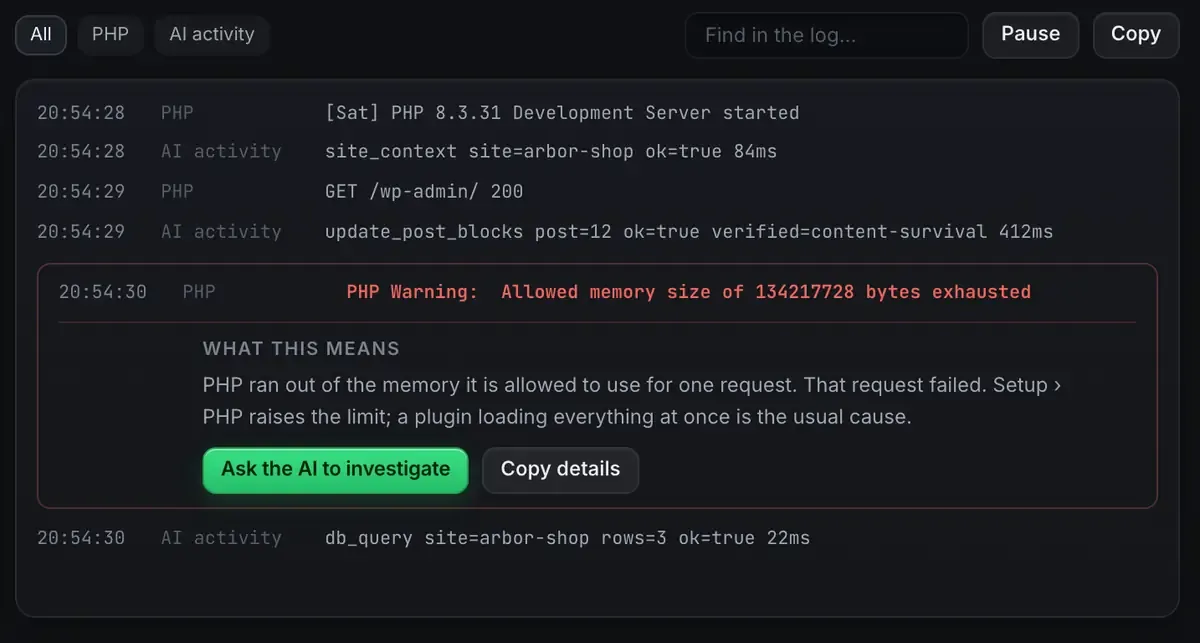
A PHP warning is usually a wall of text. Here it is a sentence about what happened and a button that hands it to the agent, with the file it came from.
An agent can drive the surrounding work too. Over ReDock’s MCP tools it can install plugins, activate and deactivate them, and author test content to exercise the branch. WordPress MCP covers that side and the MCP docs list the groups.
Where this fits
Branch switching pairs with a solid local setup, so local WordPress with real HTTPS is the companion piece. If you are testing authoring changes, AI edits your WordPress site covers the block side, and the GitHub integration page has what the git surface does.
FAQ
Does switching branches wipe my site’s data?
No. The switch changes the plugin’s working tree. The database, the settings and the other plugins stay in place. You are swapping code against the same site state.
Do I need the terminal for git?
No. Site-level git, plugin branch switching and universes are in the window. The repository underneath is an ordinary git repository if you want to use git elsewhere on it.
Is it safe to test unfinished branches this way?
Yes. The site is on your own computer, on a trusted .test address, and not exposed until you choose to share or deploy it. Breaking a local site costs you a branch switch back.
How is a universe different from switching?
Switching moves one site between branches. A universe is a second site on another branch with its own address, so you can have both open at once and compare. Databases stay linked; the code diverges.
If you would rather test plugin branches than reinstall zips, download ReDock for macOS or Windows.