XAMPP today: a respectful retirement guide
XAMPP still works, and it shows its age on per-project isolation and automatic HTTPS. Here is what a modern local stack does differently, fairly.
If you are looking for a XAMPP alternative, start by giving XAMPP its due. It is one of the most durable pieces of developer tooling ever shipped, it is genuinely cross-platform, and it bundled Apache, MySQL, PHP and Perl into one installer back when that was hard.
This is a respectful retirement guide rather than a hit piece. For plenty of people XAMPP still works fine.
What XAMPP still does well
Cross-platform simplicity. One package on Windows, macOS and Linux with a straightforward install-and-it-runs promise. That consistency is a real strength, especially for teaching and mixed teams.
Familiarity. Decades of tutorials, forum answers and muscle memory. If you learned local development on XAMPP, everything is where you expect it.
It just runs. A classic stack that does what it always did. If your setup works, it keeps working.
If you need one tool across Windows, macOS and Linux, or you are teaching a class that spans all three, that reach is still a legitimate reason to reach for it.
Where the friction is
One global stack, no isolation. XAMPP runs a single shared Apache, MySQL and PHP. Per-project versions or isolated databases mean manual juggling, and one site’s configuration can affect another.

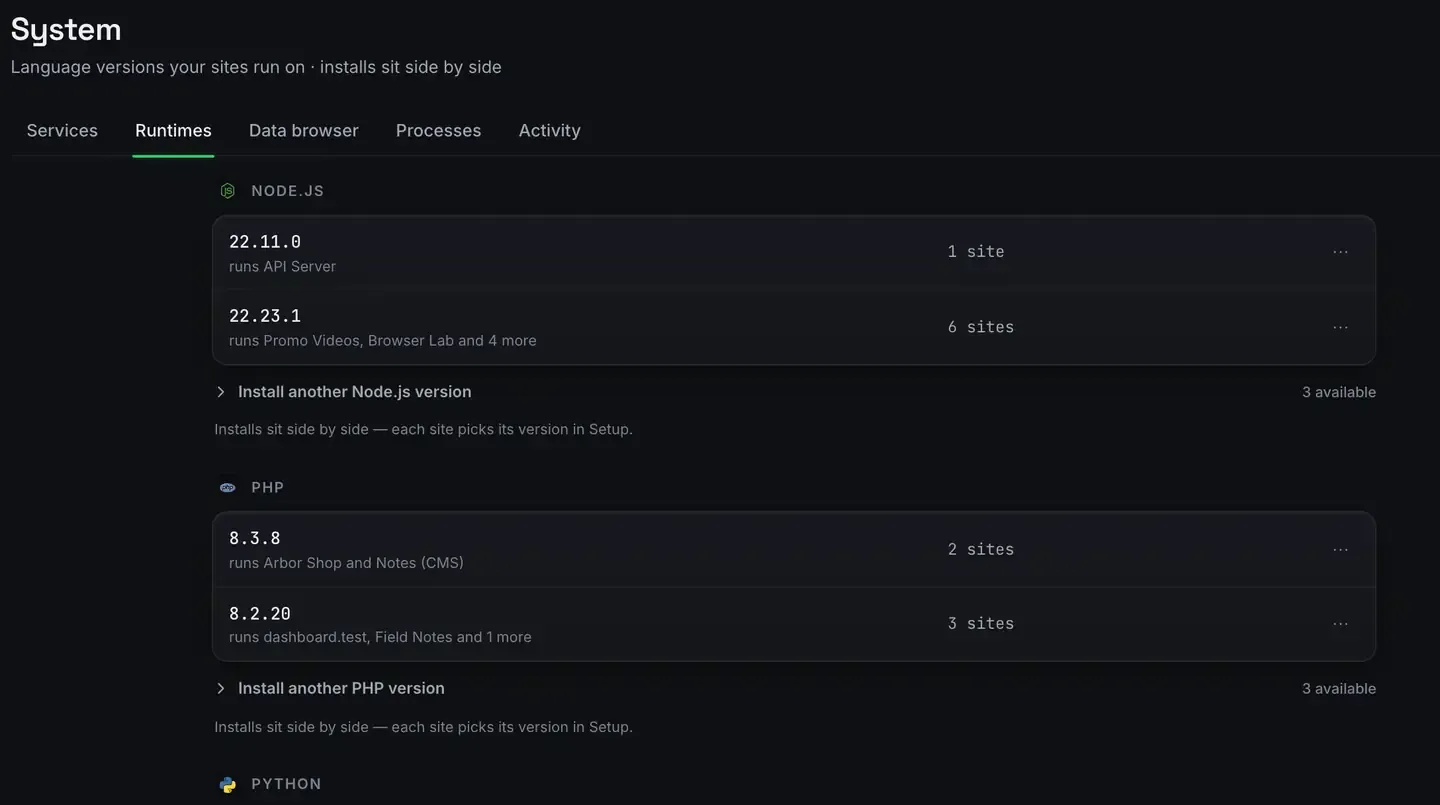
That is the modern shape: versions side by side, each site picking its own, and none of them installed onto the system. Uninstalling removes what was added after showing you the list.
HTTPS is manual. Development now assumes a trusted address locally. Setting that up in XAMPP is a chore.
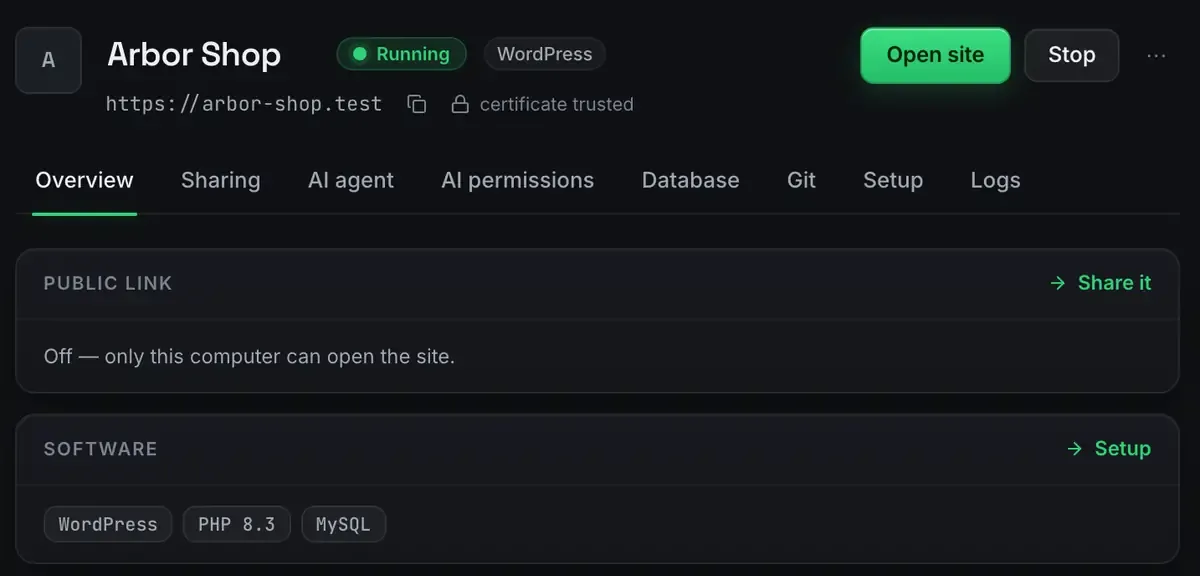
Every site gets a trusted certificate as part of being created, which matters more than aesthetics: secure cookies, service workers, OAuth callbacks and modern browser features all behave differently on plain HTTP than they will in production.
Manual everything else. Provisioning a site, wiring a database, managing versions: all hand work.
None of that makes XAMPP broken. It makes it a tool from a different era of expectations.
The modern path
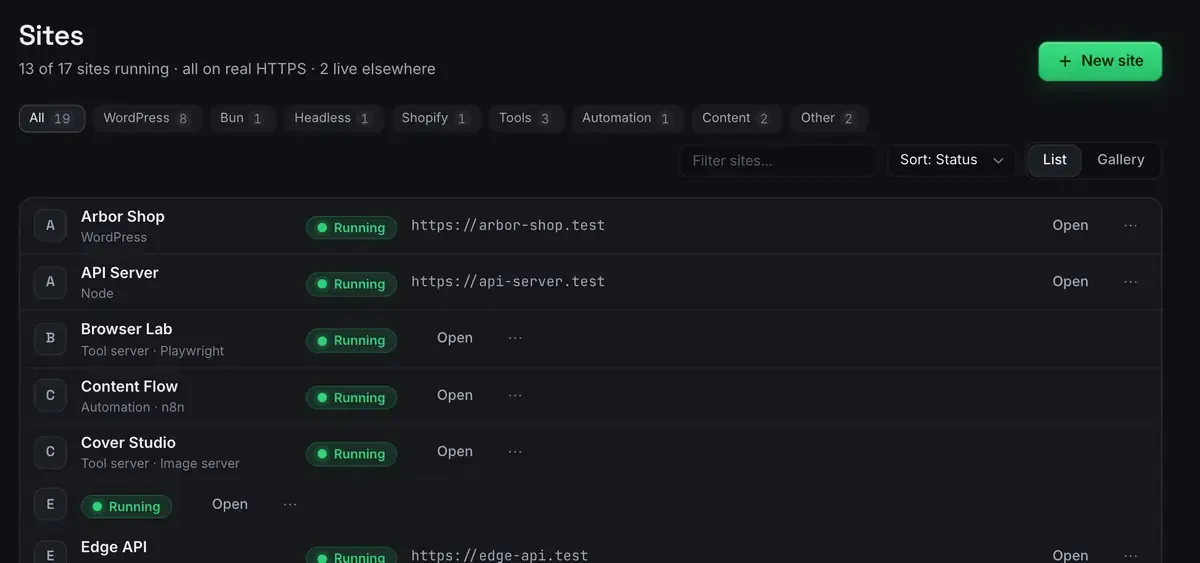
Per-site isolation with real HTTPS, provisioned automatically. No shared global stack, no certificate wrangling.
More than one stack. WordPress, headless WordPress, Astro, Next.js, Node, Bun, PHP, MySQL, PostgreSQL, Redis, n8n and Remotion side by side. XAMPP is PHP-centred; this spans modern stacks too.
Agent-operable. The whole app is MCP tools on 127.0.0.1:47200, so Claude Desktop, Claude Code, Cursor or the built-in agent can create and operate sites, with a catalogue of local models if you would rather not hold a key. What is MCP explains it.
Honest state, clean uninstall. The window reflects what is actually running, runtimes live in ReDock’s own folder rather than scattered across your system, and uninstalling leaves the machine as it was.
Sharing and deploys built in. Unlimited unlisted links plus three named redock.xyz subdomains that keep their name, and one-click Cloudflare deploys with one domain you own attached at a time.
The honest catch: ReDock runs on macOS 12 Monterey or later and 64-bit Windows 10 or later. XAMPP also runs on Linux, which is a real advantage if you need it.
Choosing
Need one tool across Windows, macOS and Linux, or teaching a mixed class? XAMPP still fits.
Want per-site isolation, automatic HTTPS, modern stacks and agent control? Something native.
Have a working XAMPP setup and no pain? No obligation to move.
The wider field is MAMP alternatives, the no-command-line angle is the no-terminal dev environment, and setup is the install guide and the stacks list.
FAQ
Is XAMPP obsolete?
No. It still works and is still cross-platform. It shows its age on per-project isolation and automatic HTTPS, and as a simple stack across operating systems it remains a valid choice.
Can I move a XAMPP PHP and MySQL project over?
If it is a standard PHP and MySQL application, both run here and you can migrate the files and the database. WordPress specifically moves cleanly through normal export and import.
Does ReDock work on Windows like XAMPP?
Yes, on 64-bit Windows 10 or later, with sites, the agent, sharing and the MCP server the same as on macOS. XAMPP also runs on Linux, which ReDock does not.
Do I have to give up a shared MySQL?
You do not have to think about it. MySQL, MariaDB, PostgreSQL and Redis run as supervised services, and each site gets its own database rather than sharing one.
Ready for a modern local stack? Download ReDock for macOS or Windows.