ReDock's MCP tools, grouped by what they actually do
What an agent can reach through ReDock: sites, WordPress, Elementor, ship and system on the local door, and the connected live sites on the web door, at the level you approved.
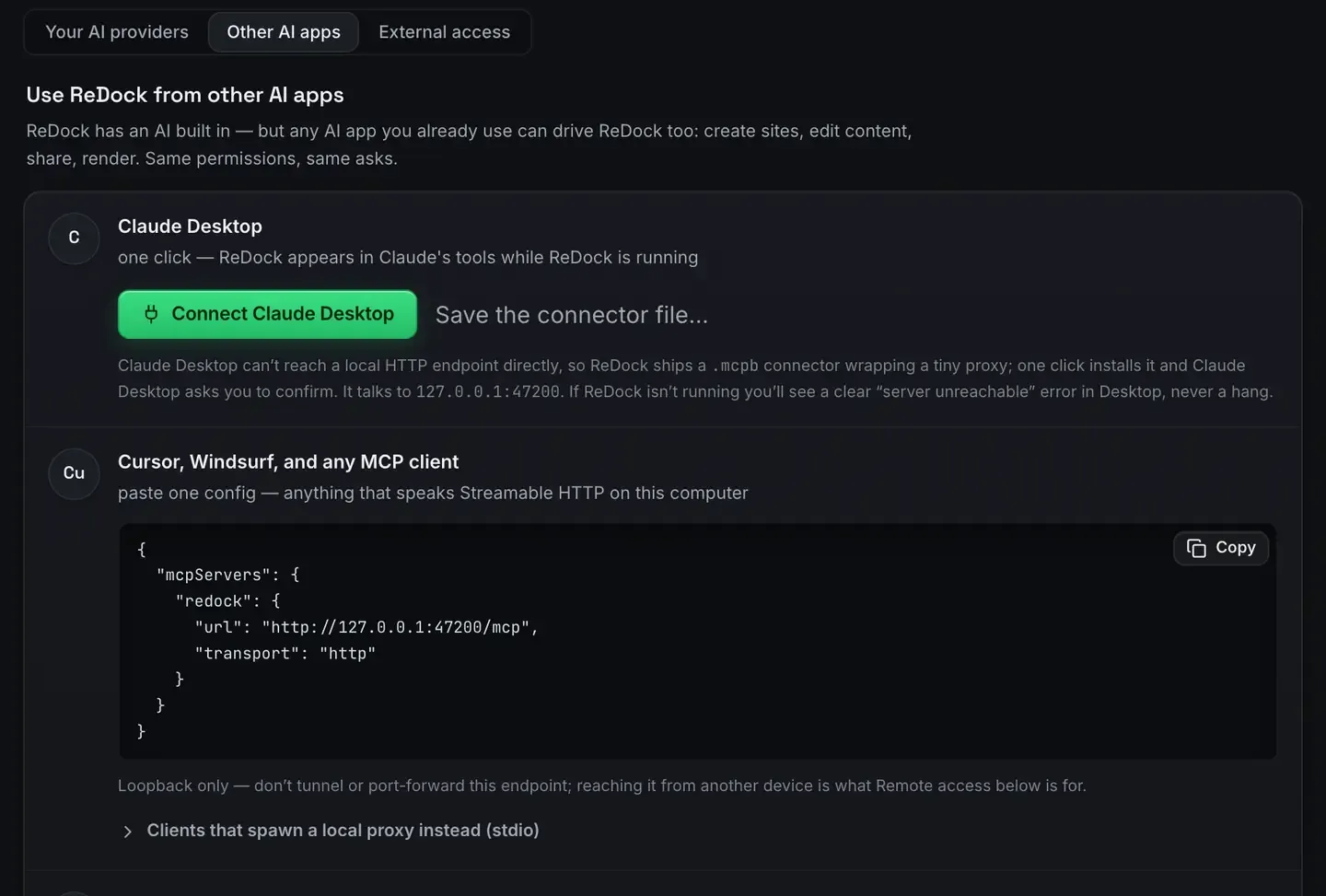
This is not a generic list of MCP tools. It is what ReDock publishes, on both of its doors, grouped by the job you would actually be asking for.
The local door runs inside the desktop app on 127.0.0.1:47200 and reaches the sites on your own computer. The web door runs at https://app.redock.xyz/mcp and reaches the live WordPress sites a workspace has connected. Your client discovers the tools when it connects, so nothing here is a list you have to memorise. It is a map of what is reachable.
The local door
Sites
Create a site, start it, stop it, delete it, and ask what state it is actually in. Each site is served at a trusted https://name.test address with a real padlock, on its own pinned runtime versions.
The status matters more than it looks. A tool that can list sites and read true state recovers from a surprise. One that assumes state narrates through it. ReDock maps every status from the real process tree, in the window and in the tool result alike. Your first site shows the flow.
WordPress
Author with real blocks and the theme’s own patterns rather than raw HTML, manage plugins, and sign into wp-admin through a single-use link so nobody hunts for a password.
The authoring tools are deliberately structural: read a post as a block tree, patch specific blocks, read the rendered page back to check the change landed. Every write is a WordPress revision, so the undo is WordPress’s own. Gutenberg MCP is the longer version.
Elementor
On a site running Elementor, read the document’s element tree and patch a widget through Elementor’s own data model. Each read carries a version token, and a stale token is refused rather than overwriting an editor you left open. The agent edits what Elementor stores; it does not drive the visual editor.
Ship
Share a running site over a Cloudflare tunnel, claim a name under redock.xyz, deploy to Cloudflare, attach a domain you own.
Sharing and deploying are separate deliberate acts. The MCP port itself stays loopback. Deploy a website for free walks the deploy path.
System
Services, runtimes, databases and logs. The database tools read and query, and a write goes through the same permission gate as anything else.
The MCP docs are the canonical grouping, and the tools change with the app, which is why your client’s own tool list is the truth rather than this page.
The web door
The web door reaches live WordPress sites, so it is built differently. Two things gate it before any tool runs.
The level you approved
The first connection lands on a consent screen naming the workspace and asking for one of four levels.
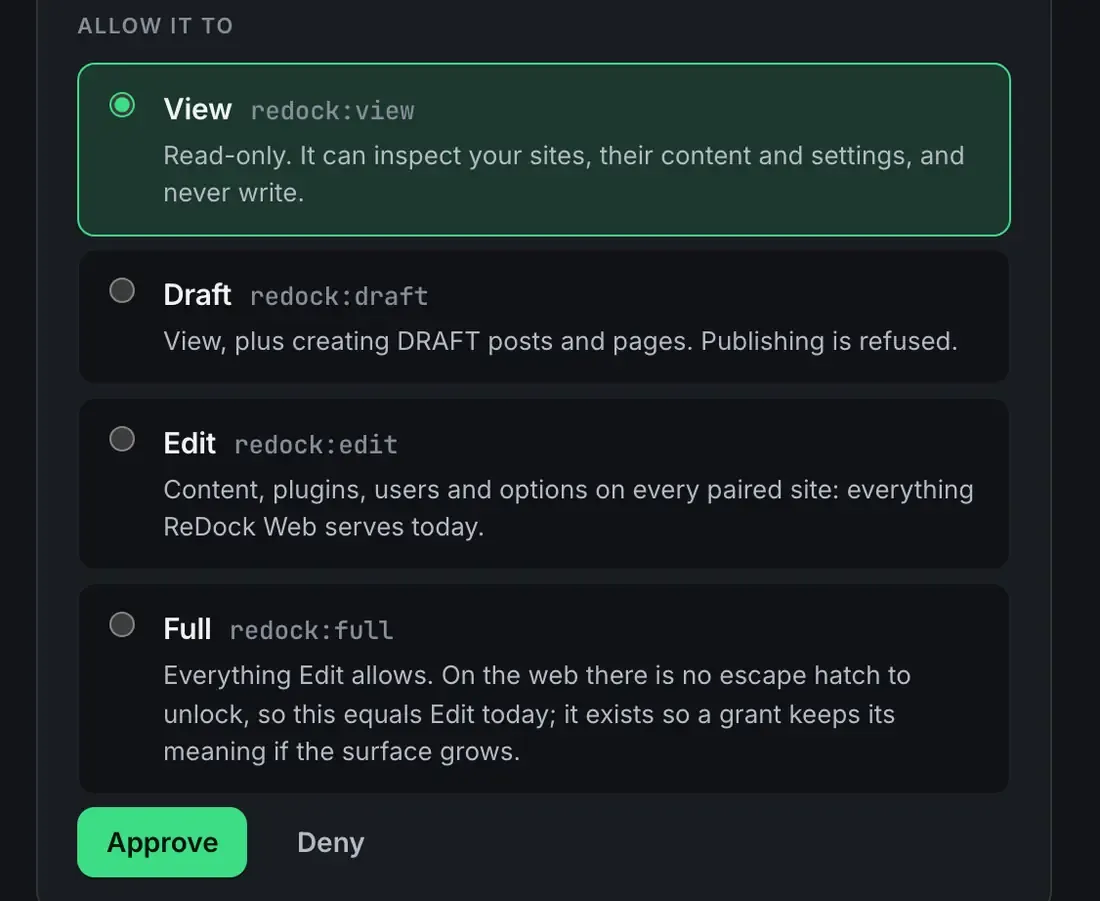
Approve it and the app appears under Connected apps with the date, the level and a Revoke that takes effect on its next call. There is also a per-site address that reaches one site and nothing else in the workspace, which is what you give an app you want near one client only.
The seven switches
On top of the level, the workspace decides what any AI app may do on its own.
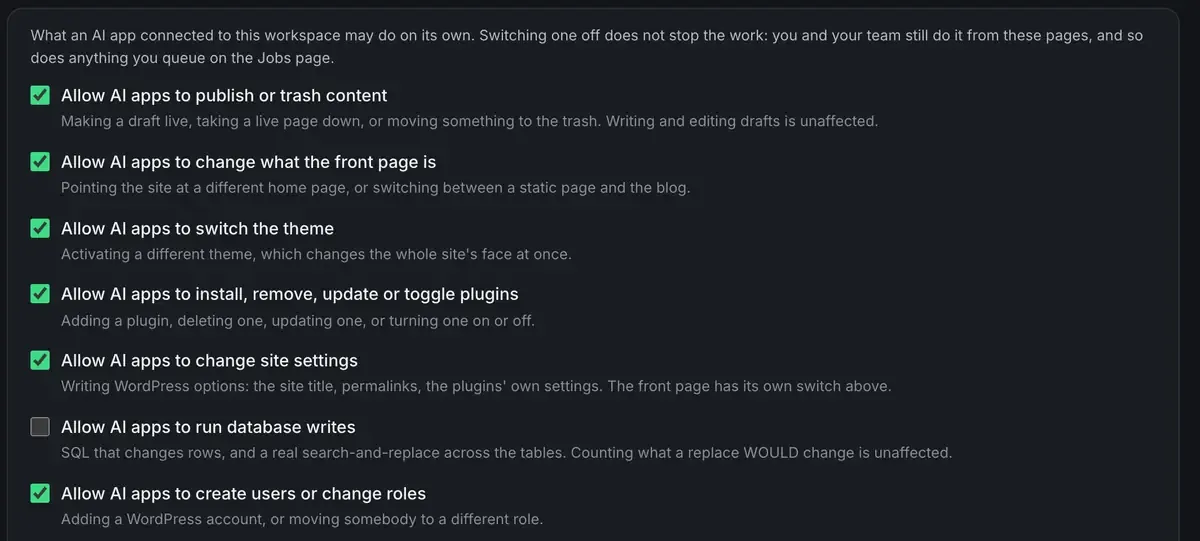
Publishing or trashing content. Changing what the front page is. Switching the theme. Installing, removing, updating or toggling plugins. Changing site settings. Database writes. Creating users or changing roles.
Switch one off and an app is refused at the door and told to ask a person. Your team is unaffected, and so is anything you queue as a job. A single site can be made stricter than the workspace on its own AI tab. Every refusal lands on the activity page with the app’s name on it. AI access on ReDock Web has the detail.
What the tools do there
Within that gate, the shape is the same as locally, aimed at live sites: read a site’s system, health, plugins, theme, users and activity; work with content; and reach a named place through a pinpoint. A pinpoint is a name, a note you wrote and the exact places it means, so “update the pro price” is one instruction across several sites rather than five hunts. The note is read word for word before anything changes there.
For a script rather than an app that signs in, mint an API token scoped to the workspace or one site, at a level you choose. It goes through the same door, the same policy and the same records.
Which clients
Any MCP client, on either door. Claude Desktop, Claude Code, Cursor, Windsurf, or anything else that speaks the protocol. Because the local server listens on a port rather than being launched per client, several can be connected at once and share state. MCP over HTTP explained covers why.
FAQ
What makes an MCP tool different from a normal function?
It describes itself. Each one ships a name, a description a person can read and a JSON Schema for its inputs, delivered when the client connects, so an agent can discover and call it without hardcoded knowledge. MCP vs plain APIs unpacks that.
Do I need to memorise these names?
No. Your client lists them at connect time and the agent picks. You describe the goal in plain words.
Are the tools the same on both doors?
No, and they should not be. The local door reaches your own computer, so it is wide. The web door reaches live sites somebody depends on, so it is gated by consent, a level per app and seven switches. Local MCP vs remote MCP is the comparison.
Can a script use the web door?
Yes. Mint an API token under API tokens, scoped to the workspace or one site, at the level you choose. It uses the same address, obeys the same policy and lands in the same records, and it is dead on the next call after you revoke it.
For the sites on your own computer, download ReDock for macOS or Windows. For the live sites you look after, one connected site is free: create an account.