Introducing ReDock: your AI has a dock now
Why we built a desktop app where an agent creates real sites, shares them over tunnels and deploys them, with honest status the whole way.
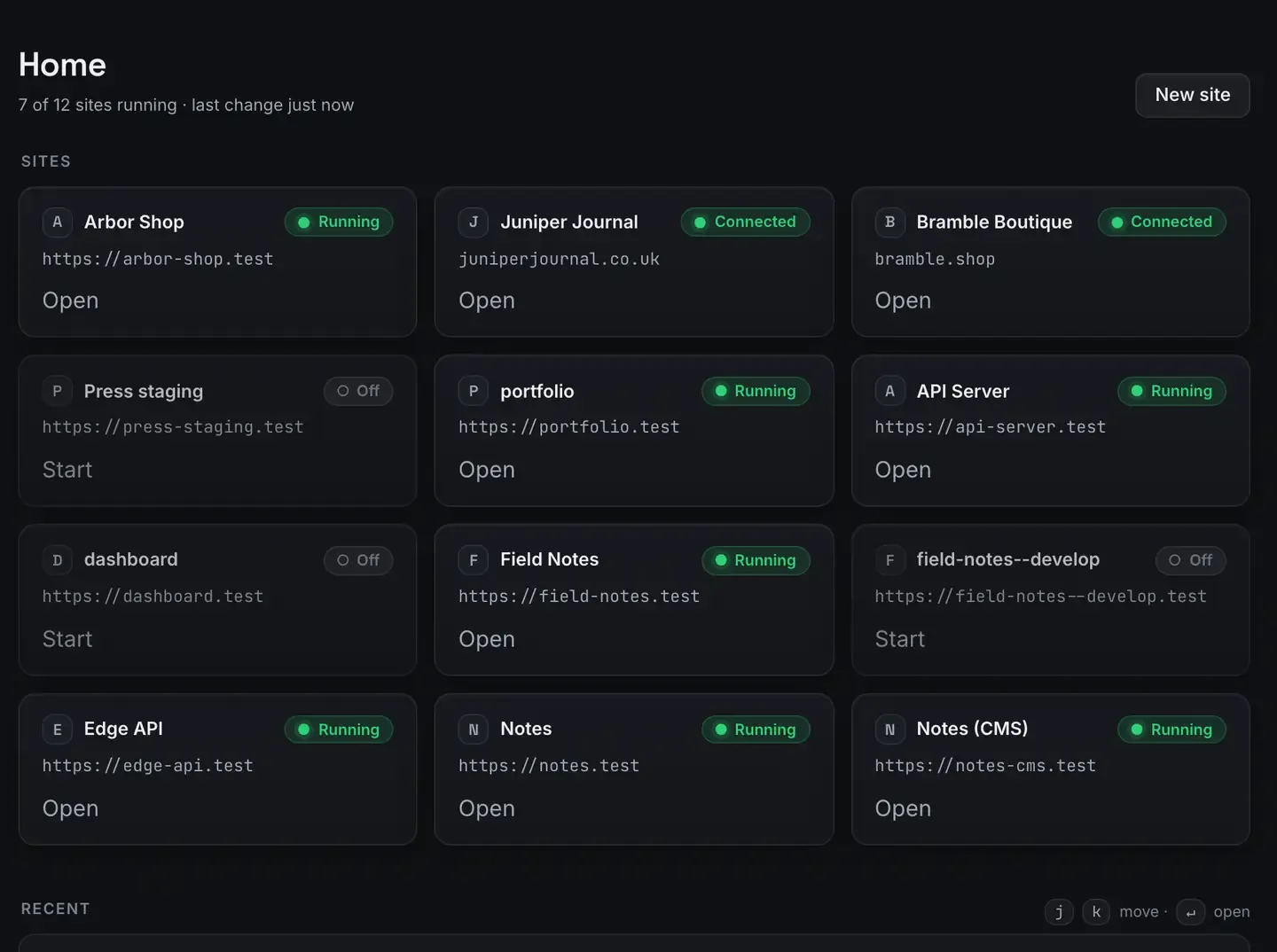
Local development tooling had been stuck in the same shape for a decade. A menu-bar app that starts PHP, a terminal for everything else, and a prayer when HTTPS is involved.
Meanwhile the way we build changed completely. An agent can write the site, wire the database and draft the launch post. What it could not do was run any of that on your machine without you babysitting a terminal.
ReDock is our answer. Every project gets a real .test address with a trusted certificate, its own pinned runtimes, and one honest status light.
The dock, not the terminal
Everything it does is exposed twice: once as calm, clickable interface, and once as MCP tools on 127.0.0.1:47200.
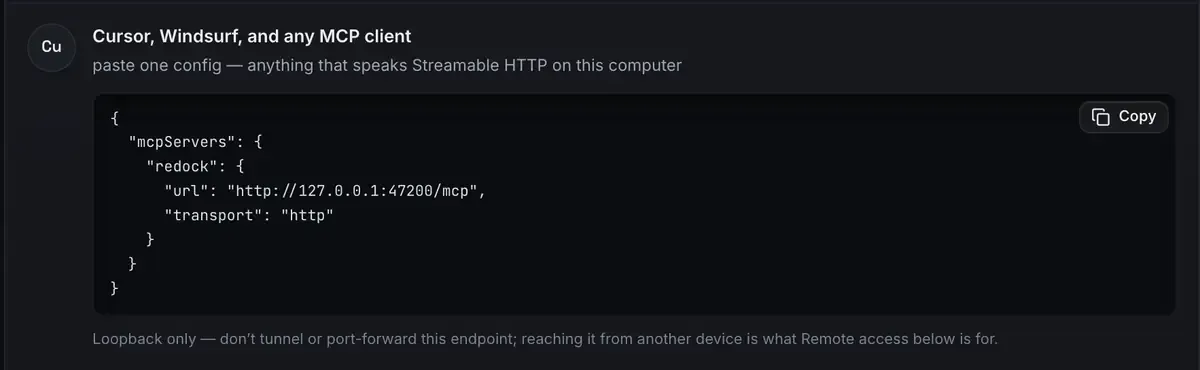
That second surface is the whole point. Claude Desktop, Claude Code, Cursor, anything that speaks the protocol, can create a site, start it, share it over a tunnel and deploy it, exactly the way you would.
There is a full agent built in too: conversation history, WordPress authoring through real blocks and patterns, and a way into your own admin without a password. And if you would rather nothing left the machine, there is a catalogue of local models sized to your hardware.
Honest state, everywhere
The design rule that outranks every other: the interface never claims what is not true. Status is mapped from what is actually happening, so if the window says Running, the process exists. If it says Deploying, bytes are moving.
That is also why this site looks the way it does. What you see here is what the app does.
What changed since
This post is from 1 July 2026, and a fair amount has moved since. Rather than quietly editing the history, here is the delta.
Windows. ReDock ships for 64-bit Windows 10 or later as well as macOS 12 Monterey or later. Sites, the agent, sharing and the MCP server are the same on both. The Studio, for docs, video and images, is macOS for now. Neither build is code-signed yet, so the first open takes one extra click on either platform.
Elementor. The agent has tools for Elementor documents now: read the element tree, patch a widget, save, with a version token so a stale read is refused rather than overwriting an editor you left open. Anything written before this that says the agent is Gutenberg-only is out of date.
A second door. ReDock Web, at app.redock.xyz, is live. It looks after the live WordPress sites you run for other people, and it serves a second MCP door at app.redock.xyz/mcp with a consent screen, four access levels, seven policy switches and per-app revocation.

That third card is the sentence this whole thing was built around. An AI made 148 calls today and three of them were refused by a rule somebody set, and both halves of that are on the page.
Paying for it. The desktop app is still free on every plan. ReDock Web has four plans, and one connected live site costs nothing. Checkout is live by card inside the app, monthly for now.
The rest of the original stands. Sharing and one-click deploys were live then and are live now.
Where to start
For the sites on your own computer, download ReDock for macOS or Windows and bring your agent. For the live sites you look after, ReDock Web is the tour, and an account with one free site is enough to try it against something real.
FAQ
Is the desktop app still free?
Yes, on every plan: every stack, the built-in agent, the local model catalogue, the MCP server, unlimited quick share links, three named redock.xyz subdomains, one custom domain at a time, and one-click Cloudflare deploys. No account is needed to use it.
Does it run on Windows now?
Yes. That is the biggest change since this post was written. Sites, the agent, sharing and the MCP server are the same on macOS and Windows.
What is ReDock Web?
The dashboard for live WordPress sites you look after for other people: health checked several times a day, plugin updates with a snapshot taken first, jobs across many sites, a monthly report per client, and one MCP door with a policy on it. One connected site is free.
Can an agent reach both?
Yes, as two separate connections with separate permissions. WordPress MCP covers both doors.