The zero-dollar creator stack: a website, a scheduler and a video renderer in one window
A real website, an automation scheduler and a programmatic video renderer, running side by side on the machine you already own, with no subscriptions.
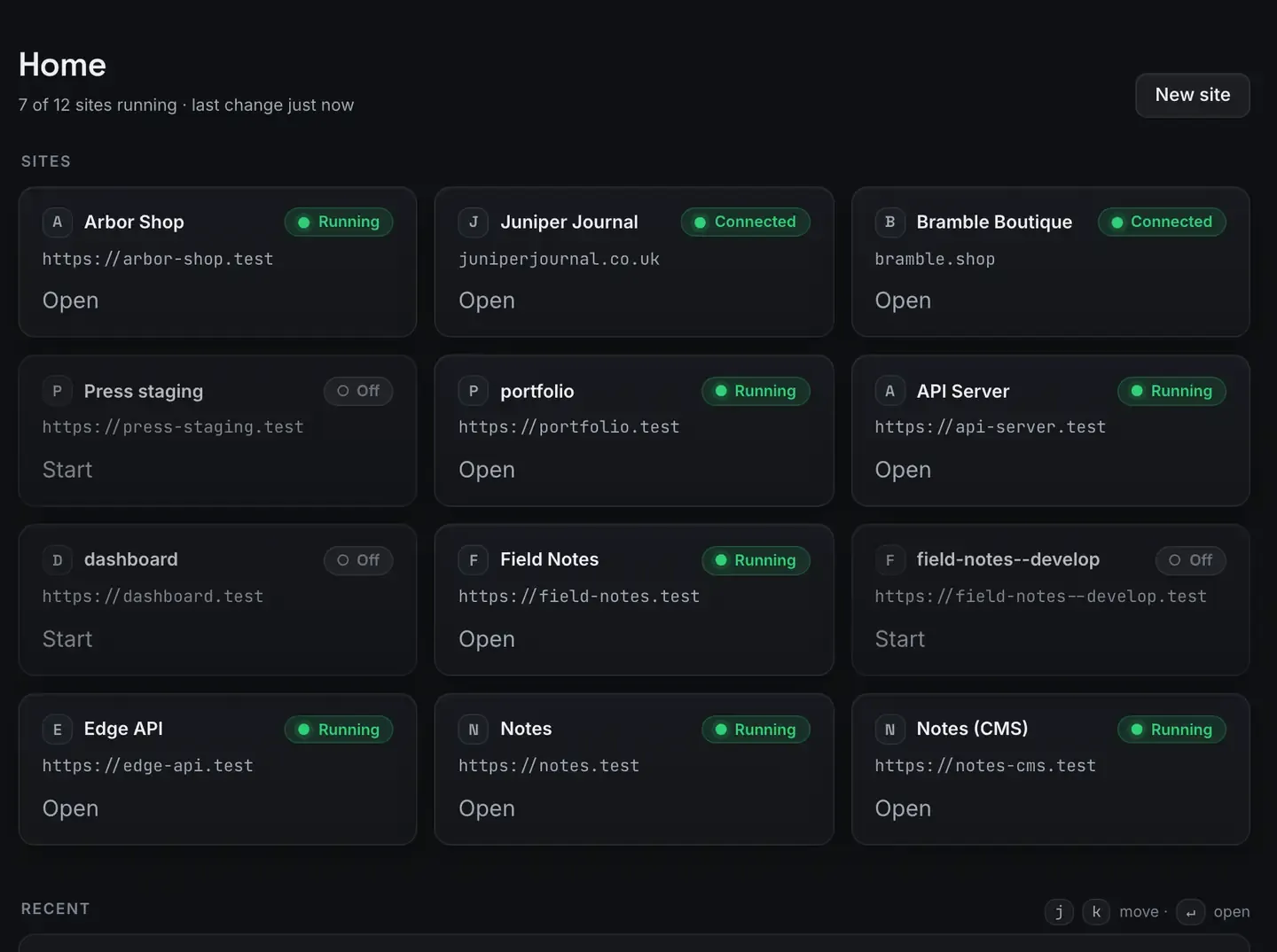
You can run a complete creator stack, a real website, an automation scheduler and a programmatic video renderer, on the machine you already own, for nothing.
ReDock runs WordPress, n8n and Remotion side by side as local sites with trusted HTTPS addresses and no terminal. This post is the map; the rest of the series goes deep on each piece.
To be clear about what it is: a workflow guide. A zero-dollar stack removes the cost barrier to publishing. What you ship with it is up to you, and this page is not going to tell you what it will earn.
What is in it
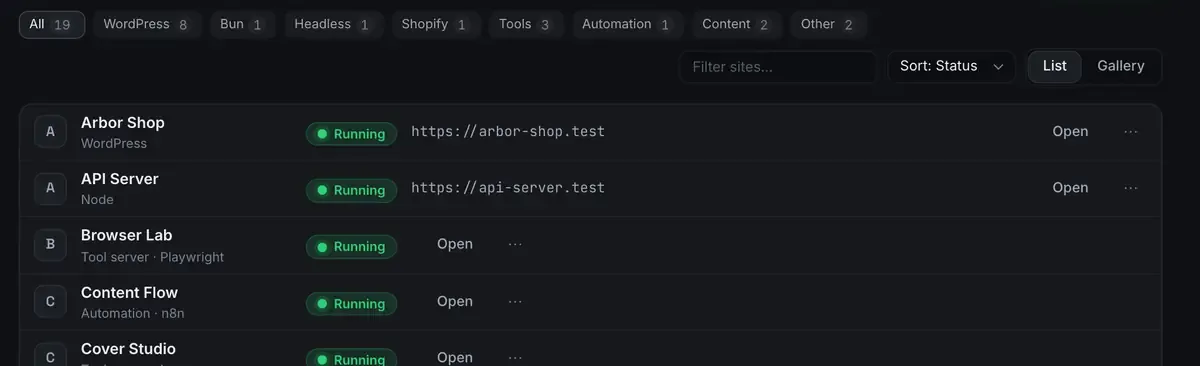
Three tools, one window, and the filter row across the top is the point: they are peers, not separate apps.
A website. WordPress for a blog or a niche site, or Astro or Next.js if you prefer static or headless. PHP, MySQL and the certificate are provisioned for you, and the site comes up at https://mysite.test with a real padlock. The first-site guide walks it.
A scheduler. n8n runs as one of your sites. It watches feeds, transforms data, posts on a schedule, and glues the other pieces together.
A video renderer. Remotion draws video from code, on the Bun runtime. An agent writes the scene code. This is programmatic video rather than a generative model: you describe the video, the agent writes React, the renderer draws every frame exactly.
Every runtime installs into ReDock’s own folder, never onto your system. Uninstall the app and the machine is as it was.
One platform note, stated rather than buried: the Studio, for docs, video and images, runs on macOS. Sites, the agent, sharing and the MCP server are the same on macOS 12 Monterey or later and 64-bit Windows 10 or later.
Why local first matters on no budget
The usual creator stack is a pile of monthly subscriptions: hosting, an automation service, a video tool. Each is small until you add them up, and each meters you by executions, render minutes or bandwidth.
Running locally flips that. The machine is hardware you already own. Executions are unmetered because they run there. Renders take as long as your processor takes, not as long as an allowance lasts. And the website costs nothing until you decide to publish it, at which point a one-click deploy targets Cloudflare’s free tier with a domain you own attached.
The trade is honest: the machine has to be on for a scheduled job to run, and you are your own operations team. For a solo creator getting started, that is usually worth it.
The agent is the glue, and it can be free too
The whole app is published as MCP tools on 127.0.0.1:47200, so Claude Desktop, Claude Code, Cursor or any MCP client can operate the stack: create a site, draft a post, wire a flow, write a scene.

If you would rather not hold a key at all, the catalogue has a model that runs on the machine. It reaches a smaller toolset than a cloud model, which the screen says before you download it, and for the bounded work in this stack that is usually fine. What is MCP covers the mechanism and AI with no API key covers the local path.
Showing your work without a hosting bill
Before publishing anywhere, you want feedback.
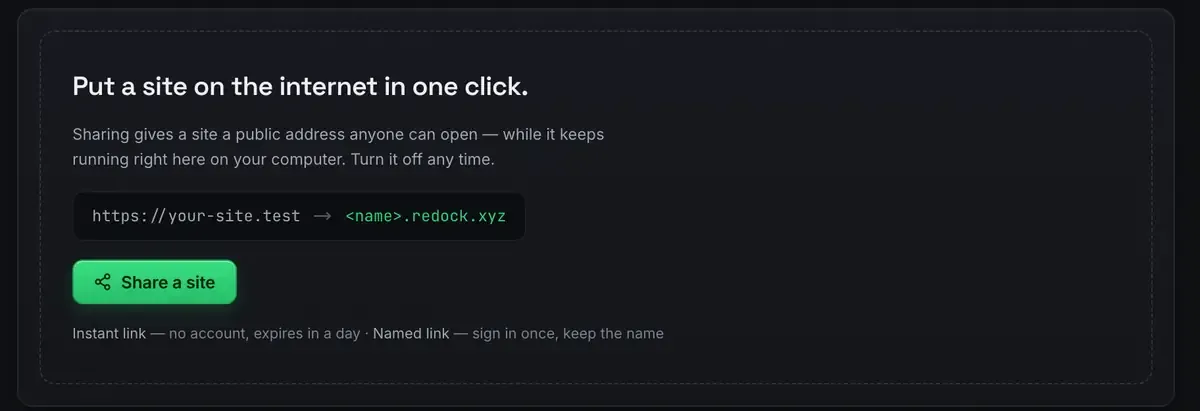
Quick links are unlimited and unlisted and expire in a day. Named links keep their name, and there are three of those, so a link you send on Monday still works on Friday.
The classic zero-budget mistake is deploying too early: buying a domain and hosting for an idea nobody has seen. Get eyes on it over a link first. It costs nothing and it can save you from paying to host something that needed another pass.
Deploy when it has earned it
When a site is worth making permanent, deploy it from the same window to Cloudflare’s free tier, with one domain you own attached. Deploy a website for free is the walkthrough.
A dynamic WordPress site is the exception: it needs PHP and a database at request time, which a static free tier does not run. The zero-budget pattern there is headless, with WordPress on your machine as the editor and the built front end deployed.
Two habits that keep it sustainable
Version everything. Sites have their own git, so theme changes and structure have history. When an experiment breaks the site you roll back rather than rebuild.
Trust the status. The window reflects real process state, so if it says Running the processes are alive. You always know whether the thing you are about to share is actually up.
Where to go next
Each leg has its own guide. Free video tools for YouTube is the video leg. A one-person content pipeline wires all three together with n8n. Ship a side project in one evening is the compressed version.
Start with whichever leg matches what you want to make first. The stack composes; you do not have to adopt all of it at once.
FAQ
Is this actually free?
The desktop app is free on every plan. The tools it runs, WordPress, n8n and Remotion, are open source. Sharing and Cloudflare deploys use free tiers. The paid plans buy room in ReDock Web, which looks after live WordPress sites and is not part of this stack.
Do I need to know how to code?
No terminal is required and the agent can do most of the building. Knowing some code helps, especially for Remotion, where a video is literally React components, and you can direct an agent in plain language and review what it produces.
Do I need to buy a domain?
Not to start. Local sites get .test addresses with real HTTPS, shares get redock.xyz names, and one domain you own can be attached when you deploy. Buy the name once the site has proved itself.
Does this work on Windows?
Sites, the agent, sharing and the MCP server are the same on macOS and Windows. The Studio, for docs, video and images, runs on macOS.
Ready to run the whole stack on your own machine? Download ReDock for macOS or Windows.