Free AI video with Remotion: video as code, rendered on your own machine
Remotion draws video from code, so an agent writes the scenes and the renderer draws them exactly. Nothing is synthesised. The Studio runs on macOS.
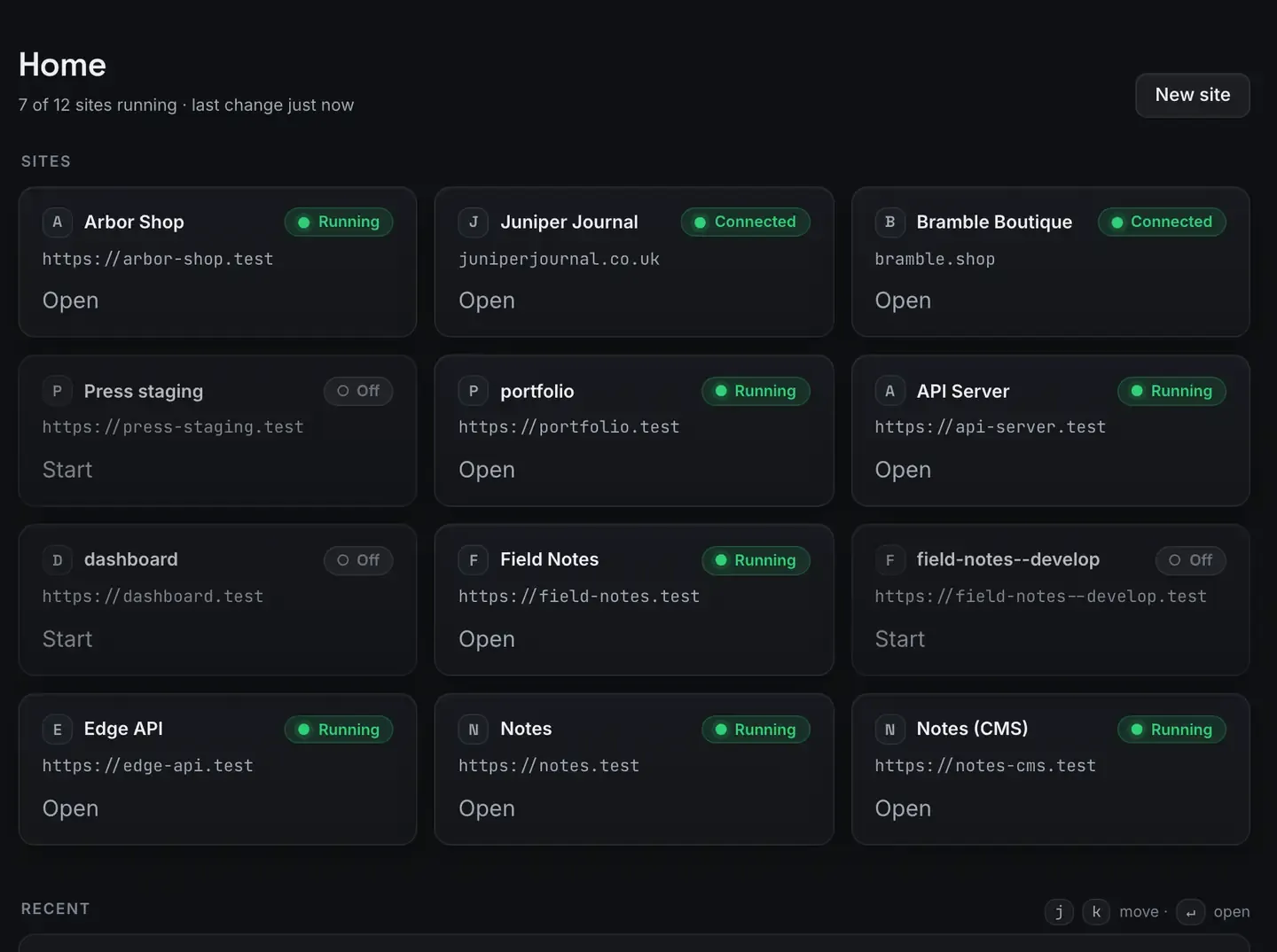
Let us be precise about what this is, because the difference is the whole point.
Remotion is programmatic video. You define scenes in code, React components with text, shapes, images and timing, and a renderer draws each frame exactly as specified, then encodes them. The AI part is an agent writing that scene code. Nothing is synthesised frame by frame and nothing is hallucinated. The renderer draws precisely what the code says.
ReDock runs Remotion as a built-in stack on the Bun runtime, free, with live frame progress. The Studio, which covers docs, video and images, runs on macOS. Sites, the agent, sharing and the MCP server are the same on macOS and Windows; this one is not, and this page is not going to pretend otherwise.
Programmatic, not generative
A generative video model invents pixels from a prompt. Impressive and unpredictable: you cannot guarantee your logo is the right blue, your product name is spelled correctly, or a number matches your data. For a marketing video, a demo or an intro, that unpredictability is the dealbreaker.
Remotion is the opposite. A scene is code, so it is deterministic and exact. Your brand colour is a hex value. Your headline is a string. An animation is a function of the frame number. Render it today or next month and you get the identical file.
When an agent writes Remotion scenes it is writing that code, so you get the speed of describing what you want with a renderer that draws exactly rather than approximately.
How video as code works
A Remotion project is a React app whose components are scenes. Each frame is a snapshot of that tree at a point in time. The renderer walks frame by frame, captures each, and encodes the sequence.
Because it is React:
- Text is real text. Titles, captions and figures come from variables, spelled and styled exactly as you set them.
- Animation is a function of time. Position, opacity and scale are computed from the current frame, so motion is smooth and repeatable.
- Data drives the video. Feed in a changelog, a list of stats or a spreadsheet, and the same template renders a different video. That is the basis of auto-generated product demos.
ReDock runs it on the Bun runtime and shows live frame progress, so you watch the work happen rather than a spinner.
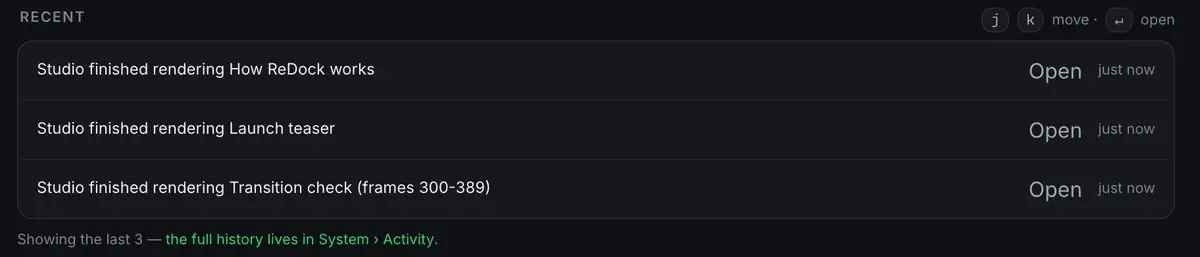
That last line is what a real render loop looks like: a specific frame range, checked on its own, because when a transition is wrong you re-render the ninety frames rather than the whole thing.
Where the agent fits
Writing scenes is coding, which is exactly where an agent helps. Because the whole app is published as MCP tools on 127.0.0.1:47200, Claude, Cursor or ReDock’s own agent can write scene components: a ten-second intro with the logo animating in, then a tagline. The agent produces the code, the renderer draws it, and you change a colour or a timing number and render again. Let Claude write your launch video walks that through.
Because ReDock ships a catalogue of local models, you can do it with no API key at all.
Remotion is one stack among several
The Studio sits beside the rest of what runs on your machine, rather than in a separate app.
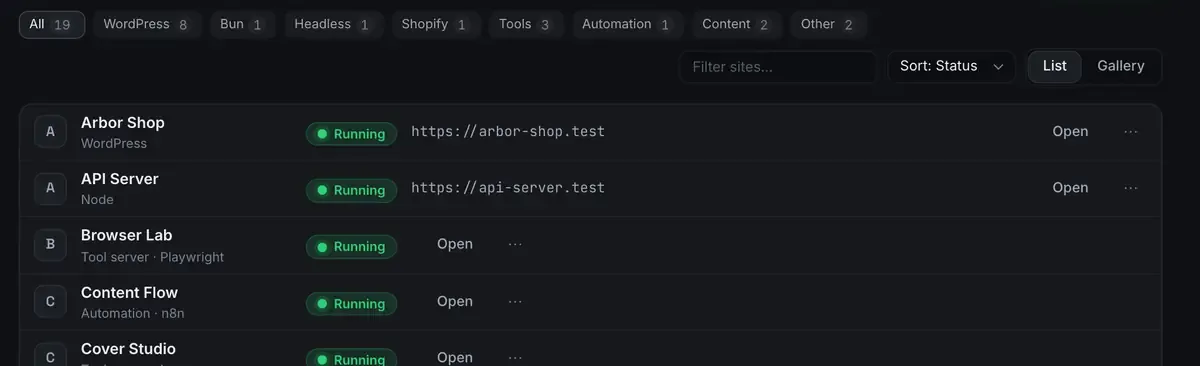
Which matters more than it sounds: the video project and the site it is advertising are in one window, on the same runtimes, and the same agent can reach both.
Free, local and yours
A cloud video generator charges per render or per minute of output and keeps your assets on its servers. Remotion here runs on your hardware at no marginal cost, so render as many times as you like. The project is plain code in a folder, so the templates are yours, version-controlled, and reusable. The zero-dollar creator stack is the wider toolkit, and the Remotion tutorial is the gentle start.
One honest note on effort. Because scenes are code, the first version takes more thought than typing a prompt into a generator. The payoff is exactness and reuse: a template you render a hundred times beats a prompt you re-roll until it is almost right.
FAQ
Is this the same as a generative video model?
No, deliberately. Remotion renders exactly what the code specifies, with no synthesised frames. The agent writes the scene code and the renderer draws it, so the output is on brand every time.
Do I need to know React?
It helps and you do not have to start from nothing. Templates and an agent can write the scene code; you adjust text, colours and timing. The Remotion tutorial starts from zero.
Does the Studio run on Windows?
Not yet. The Studio, for docs, video and images, runs on macOS. Sites, the agent, sharing and the MCP server are the same on both platforms.
What does ReDock add over installing Remotion myself?
A one-click stack on a warm Bun runtime, a real preview address, live frame progress, and an MCP surface so an agent can write scenes. Nothing installs onto your system.
Exact, on-brand video from code, drafted by an agent and rendered on your own machine. Download ReDock and render the first one today.