n8n and Claude over MCP: an agent that helps build its own automations
Point Claude at ReDock and it can see the n8n instance running on your computer, reason about the flow with you, and draft the workflow JSON you import.
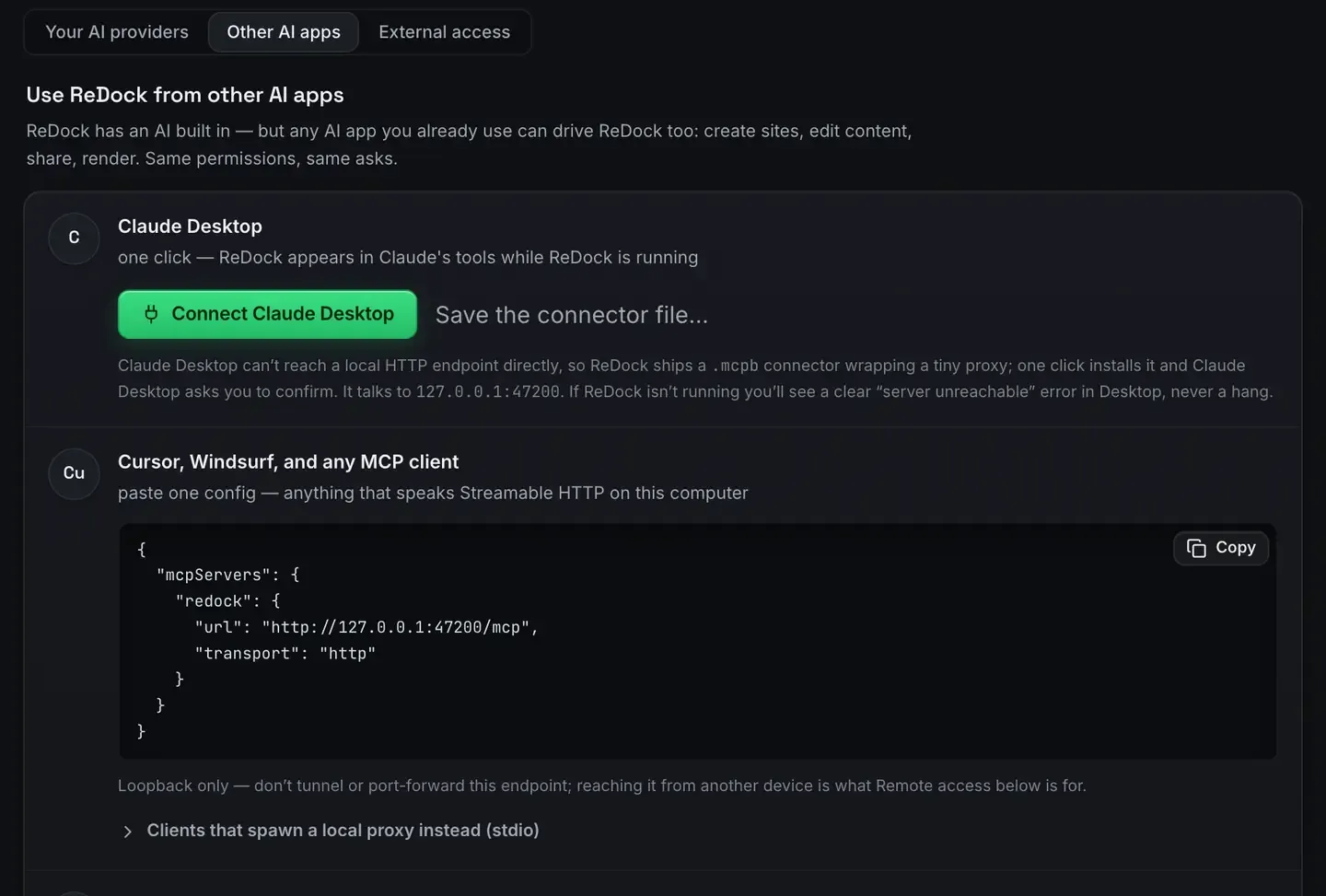
You can point Claude, Claude Code, Cursor or any MCP client at n8n running on your own computer and have it help build the automations. ReDock publishes the whole app as MCP tools on 127.0.0.1:47200, and n8n is one of the stacks it runs, so an agent can see what is actually on the machine rather than guessing.
It works the same on macOS and Windows, and it is free.
Why this changes the building part
The Model Context Protocol is a standard way for AI clients to call tools on your machine. Instead of an agent guessing at your setup, it calls a tool, gets a structured answer, and acts on it. What is MCP is the primer and the MCP docs have the connection.
For automation the payoff is specific. Building a flow means knowing the trigger, the nodes between, the credentials each one needs, and the shape of the data moving through. That is a lot of context to hold in a chat. An agent that can confirm the instance is running, on which address, and reachable over HTTPS is reasoning with you rather than at you.
What the agent can actually do
See the running instance. Whether n8n is up, at which .test address, and what state the process is really in. ReDock maps that from the process tree, so the agent cannot be told the site is running when it is not.
Reason about the chain. Describe the outcome, a new WordPress post becomes a summary becomes a message, and the agent proposes the nodes and the credential each step wants.
Draft the workflow. n8n workflows are JSON. Agents are good at JSON. You review it, import it, and run it in n8n’s own editor.
Check a webhook actually arrived. With sharing on, a Cloudflare tunnel gives the instance a public address, and the agent can help you confirm the event landed. Webhooks on localhost covers that.
Here is the shape of one exchange against a local site, in the app’s own agent:
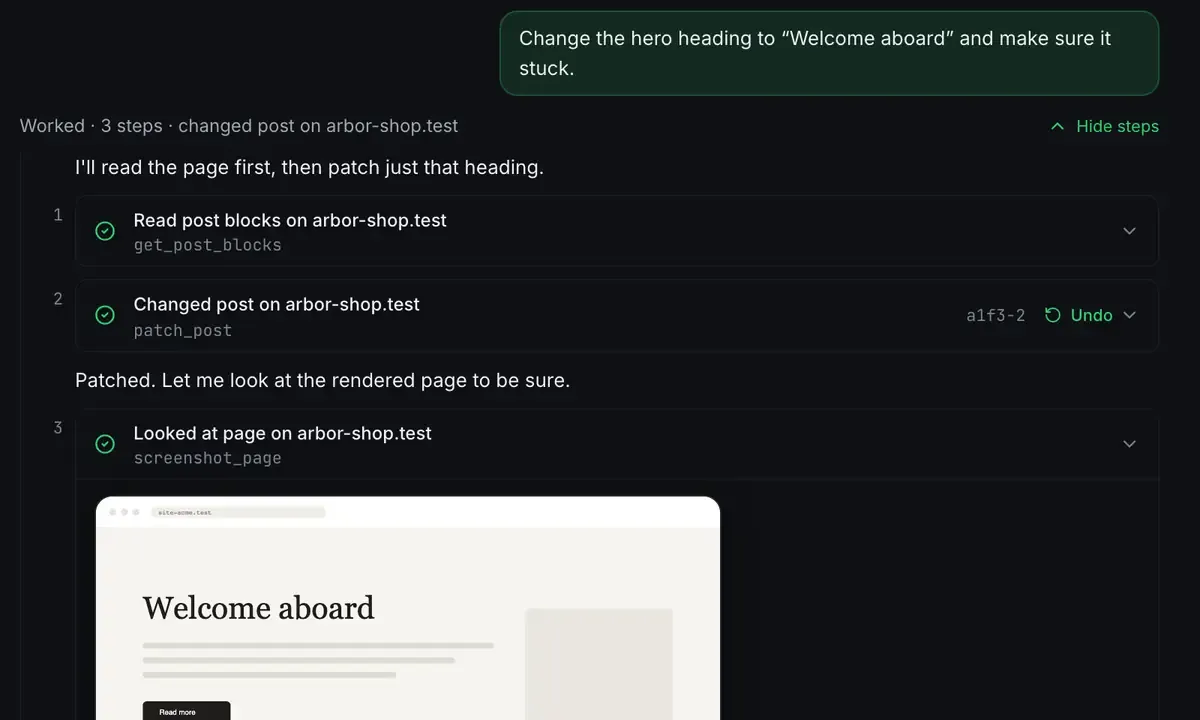
Read something, change something, check it landed. The same loop, whether the target is a WordPress page or an n8n instance.
One thing that is already wired for you
If you connect a scraping engine, n8n sites pick it up on their own.
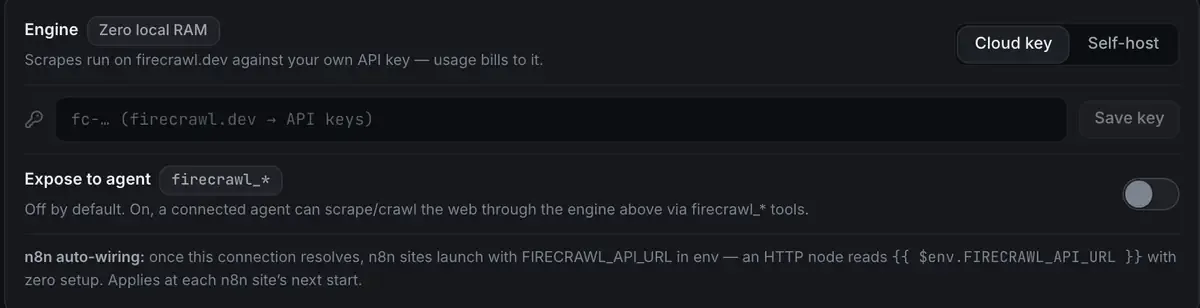
Once the connection resolves, every n8n site launches with the address in its environment, and an HTTP node reads it with no setup. It applies at each site’s next start. Small thing; it is the difference between a workflow that works on your machine and one that works on your machine after you remember which variable it wanted.
A concrete first pass
Say you want a daily digest of a site’s new comments. You describe it. The agent confirms the n8n site is running, proposes a schedule trigger plus an HTTP node against the WordPress REST API plus a formatting step plus an email node, and hands you the workflow JSON. You import it, add the credential, and run once to check. If the shape is wrong you say what came back and it adjusts.
The agent does not replace n8n’s editor. It gets you to a working first draft faster and explains the parts you have not met yet. You still own the flow.
Local first, no key needed
Everything runs on your machine, so the sensitive parts stay there. The n8n credentials live in your instance. The data moves through your hardware. With ReDock’s own agent and a model from the local catalogue, there is no external call at all.
If you would rather use Claude Desktop or Claude Code, they connect to the same endpoint. The tools are identical; only the client differs. The one-click setup is the same either way: n8n in one click.
FAQ
Do I need an API key to have an agent build workflows?
No. ReDock ships its own agent and a catalogue of local models, so this runs with no key and no cloud call. Connect Claude or Cursor instead if you prefer those.
Does the agent run inside n8n?
No. It connects to ReDock over MCP and helps you assemble the workflow, proposing nodes and drafting the JSON. You import and run it in n8n’s own editor, so you decide what executes.
Which clients can connect?
Any MCP client: Claude Desktop, Claude Code, Cursor, Windsurf and others, all to 127.0.0.1:47200. Several can be connected at once. The MCP docs have the setup.
Can it reach my live sites too?
Not through this door. The local one reaches sites on your own computer. For live WordPress sites there is a separate door with its own consent screen and policy: WordPress MCP covers both.
An agent that can see your machine builds better automations than one that cannot. Download ReDock for macOS or Windows.