Free MCP server: give Claude real tools on your computer in five minutes
ReDock is a free MCP server for macOS and Windows: Claude gets tools to create local sites, write WordPress content, share a preview and deploy, with no terminal and no API key.
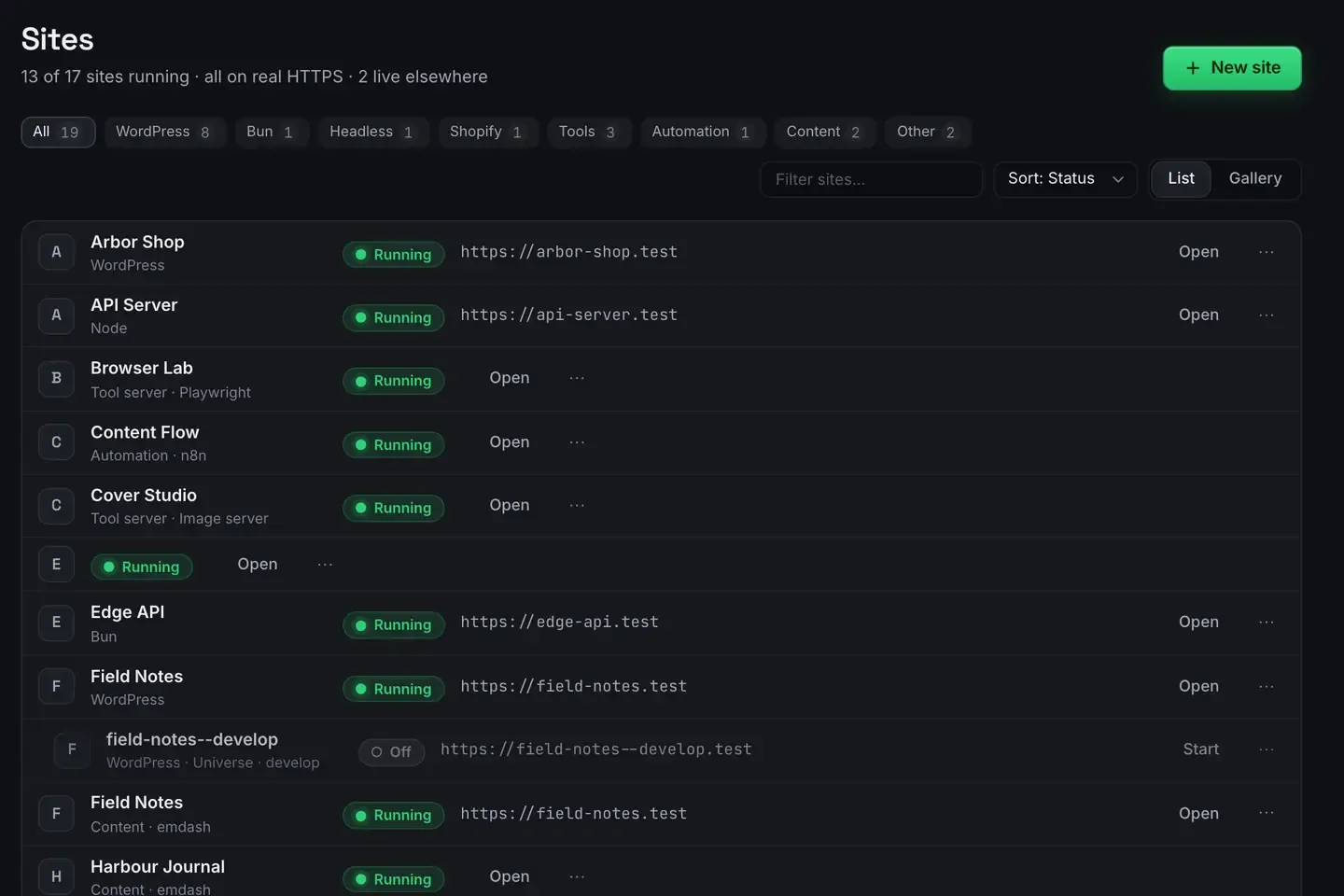
If you want a free MCP server that gives Claude something real to do, ReDock is a desktop app for macOS and Windows that publishes an entire local web stack as MCP tools on 127.0.0.1:47200. Install it, connect Claude Desktop, Claude Code or Cursor, and the assistant can create sites, author WordPress content, share a preview and deploy. No terminal work, no API key.
Most “free MCP server” lists point at demo servers: a weather tool, a calculator, a file reader. Those are fine for learning the protocol and useless for shipping anything.
What a starter server usually gets you
The typical one does a single small thing. You clone a repository, install dependencies, edit a JSON file, restart your client, and now Claude can tell you the temperature in Lisbon. A reasonable hello world, and the setup cost is real: Node versions, config paths, pipe quirks. At the end of it the model still cannot do your actual work.
A server is only as interesting as its tools. If the protocol itself is new to you, What is MCP is the short version.
What ReDock’s tools reach instead
ReDock runs real websites on your own computer: WordPress, headless WordPress, Astro, Next.js, Node, Bun, PHP, MySQL, PostgreSQL, Redis, n8n and Remotion. Each one gets a trusted https://name.test address with a real padlock. The whole app is one MCP server, and the tools cover the life of a site rather than one corner of it.
- Sites. Create one, start it, stop it, delete it, read its real status.
- WordPress. Author with real Gutenberg blocks and patterns, manage plugins, sign into wp-admin through a single-use link.
- Elementor. On a site running Elementor, read the element tree and patch a widget, with a version token so two edits never clobber each other.
- Ship. Share over a Cloudflare tunnel, claim a name under redock.xyz, deploy to Cloudflare, attach a domain.
- System. Services, runtimes, databases, logs.
There is a built-in agent too, with cloud keys or a catalogue of local models, so you can run the whole loop without an API key at all.
The five-minute setup
- Install ReDock. macOS 12 Monterey or later on Apple silicon, or 64-bit Windows 10 or later. Neither build is signed yet, so the first open needs one extra click: right-click and Open on macOS, More info then Run anyway on Windows. The install guide covers it.
- Open it. The MCP server is part of the app and listens on
127.0.0.1:47200. Nothing to compile. - Connect your client. Settings, AI, Other AI apps has a one-click connector for Claude Desktop, a config block to paste into Cursor or Windsurf, and one line for Claude Code.
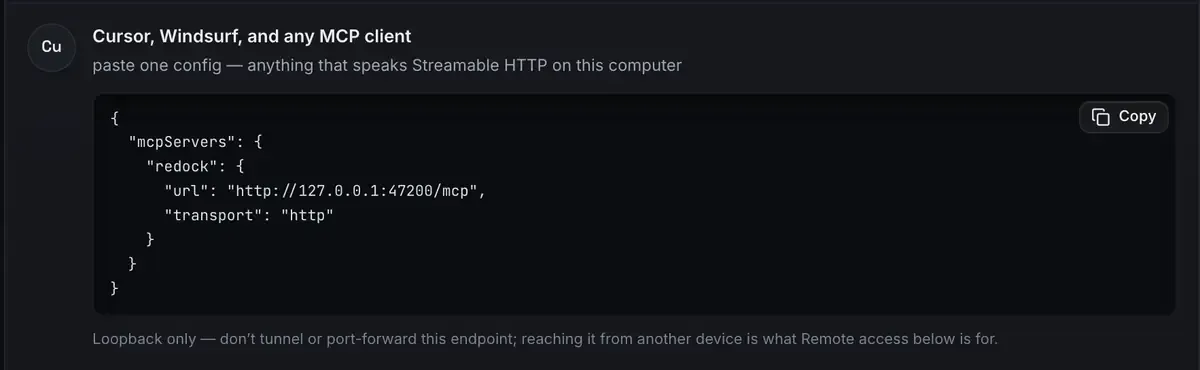
That is the whole setup. The per-client detail is in the MCP docs, and there is a walkthrough for Claude Desktop if you want it click by click.
The first ask, and what comes back
Once the tools are listed, ask for a change rather than a status check. Here is one against a local WordPress site: change the hero heading to “Welcome aboard” and make sure it stuck.
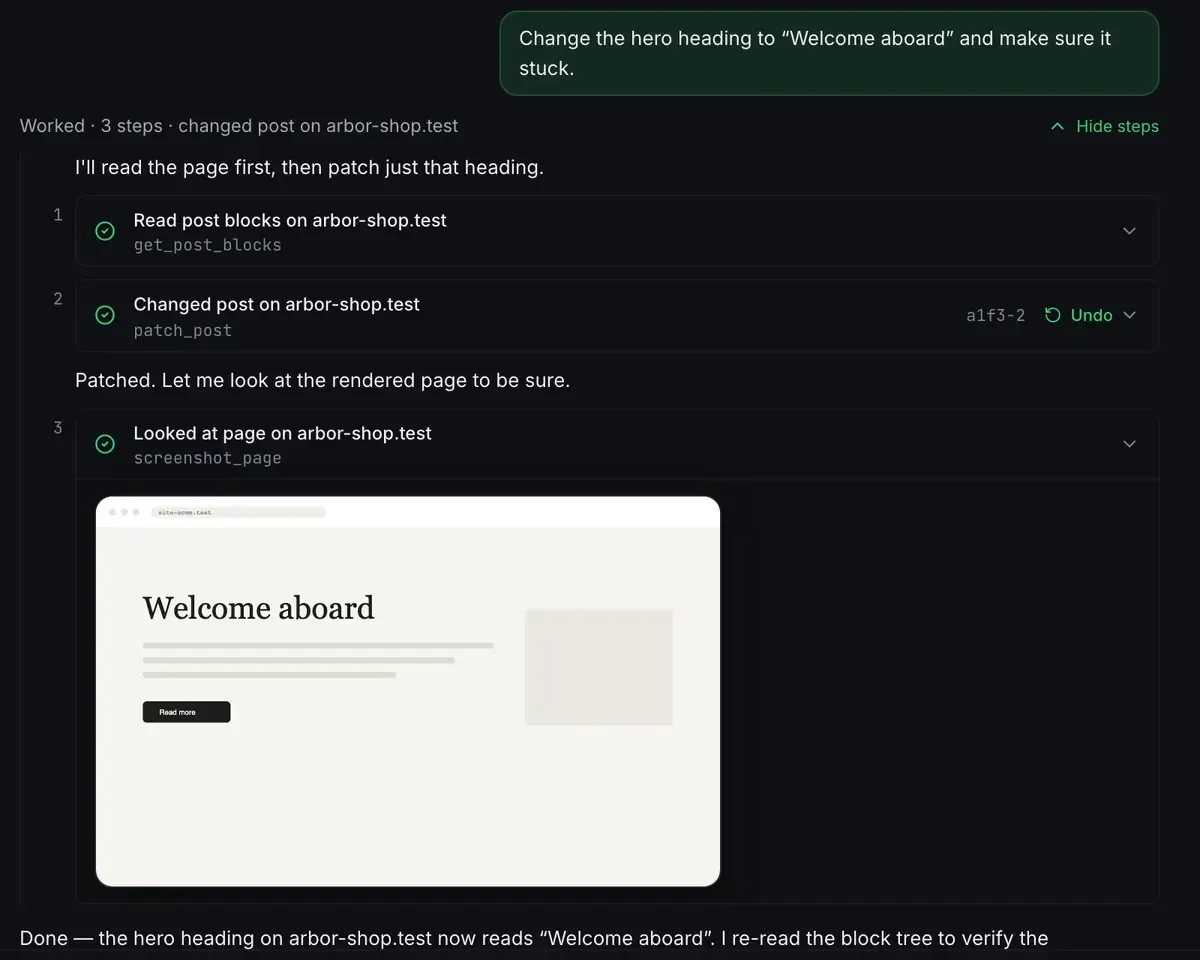
It read the blocks, patched one, then looked at the page to check. The write is listed with an Undo next to it. That read, act, verify loop is what a tool surface built for the job buys you over a text box.
What free means here, exactly
The desktop app is free on every plan: every stack, the built-in agent, the local model catalogue, the MCP server, unlimited quick share links, three named redock.xyz subdomains, one custom domain at a time, and one-click Cloudflare deploys. No account is needed to use it.
The paid part is ReDock Web, the dashboard for the live WordPress sites you look after, and nothing in this post depends on it. One connected live site is free there too, if you want to see it.
The other cost people forget is model access. Because ReDock ships a local model catalogue, you can pair a free server with a free local model and have a working agent with no recurring spend at all.
FAQ
Is ReDock actually free?
Yes. The whole desktop app, the MCP server, sharing and deploys cost nothing, on every plan. The paid plans buy room in ReDock Web, which is a different product: the dashboard for live WordPress sites.
Does it work with clients other than Claude?
Yes. MCP is an open protocol. Claude Desktop, Claude Code, Cursor, Windsurf or anything that speaks Streamable HTTP can connect to 127.0.0.1:47200.
Do I need Node, Docker or a terminal?
No. The app carries its own runtimes, per version, per site, in its own folder. Your system PHP, Node and MySQL are untouched.
Does it run on Windows?
Yes. Sites, the agent, sharing and the MCP server are the same on macOS and Windows. The Studio, for docs, video and images, is macOS only for now.
Give Claude tools that produce a website instead of a weather report. Download ReDock for macOS or Windows.