Shopify MCP: what an agent can and cannot do for store developers today
There is a difference between an agent that manages a store and one that operates your local app development environment. ReDock does the second, and says so.
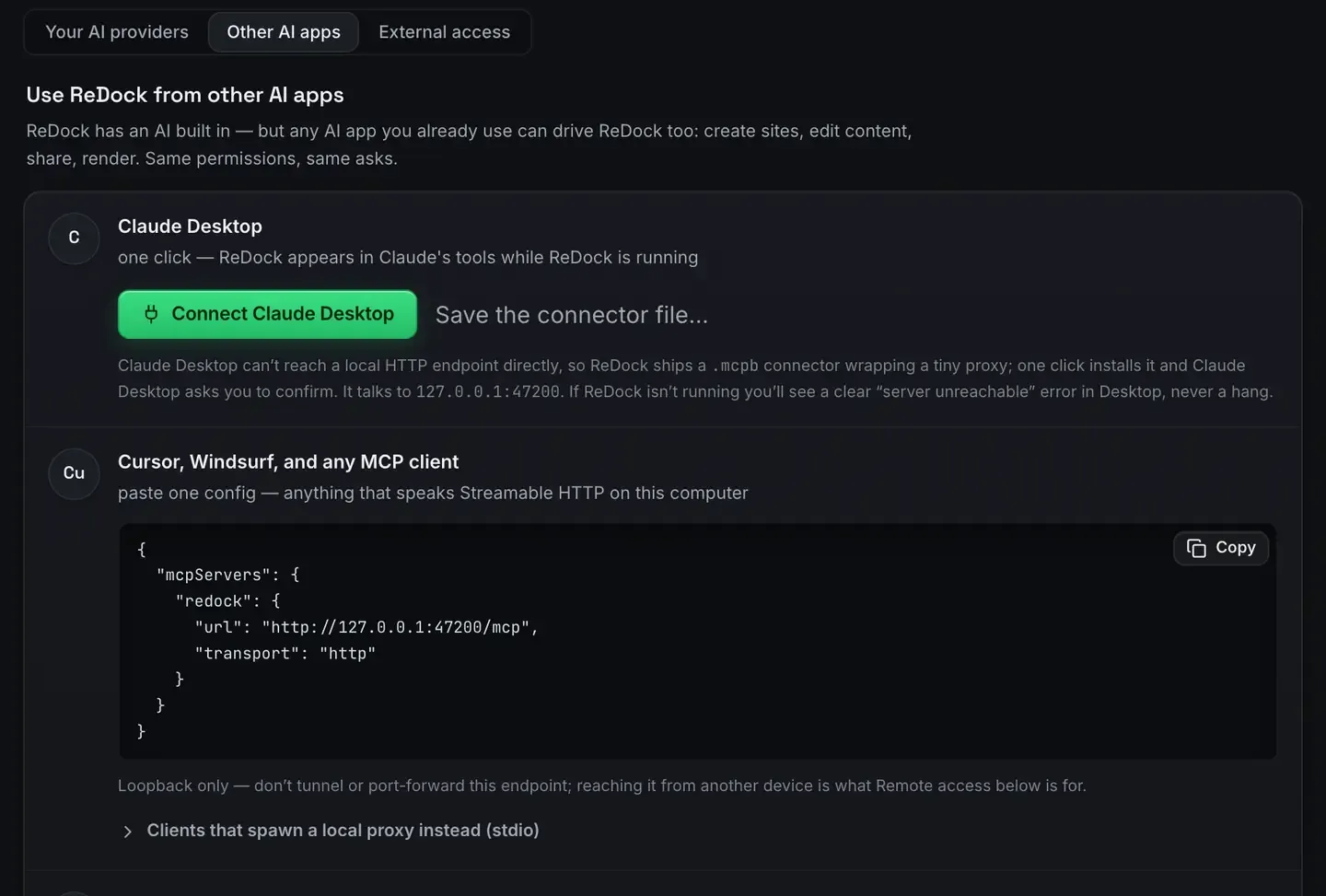
If you are asking what a Shopify MCP lets an agent do, the honest answer starts with a distinction most write-ups blur.
There is an agent that manages a store, editing products, fulfilling orders, changing settings, operating on a merchant’s live data. And there is an agent that helps you develop a Shopify app, running it locally, completing OAuth, receiving webhooks.
ReDock does the second, not the first. Its MCP server on 127.0.0.1:47200 operates that environment rather than a live storefront.
Two different things people mean
A store-management door. An agent reaching into a running shop through Shopify’s own admin surfaces.
An app-development door. An agent operating your local setup, the thing you build the app in.
ReDock is the second. If you came looking for the first, this is not it, and we would rather say so than blur the line. What is MCP explains the protocol if it is new.
What the surface actually covers
The whole app is published as MCP tools on a loopback endpoint, and for a Shopify developer the value is in the environment: the Node version pinned to the site, a public HTTPS address in one click so callbacks and webhooks arrive, and the app’s own output in the logs. Shopify app development on localhost covers that setup.
The agent works against that environment, and it does it under permissions you set per site.
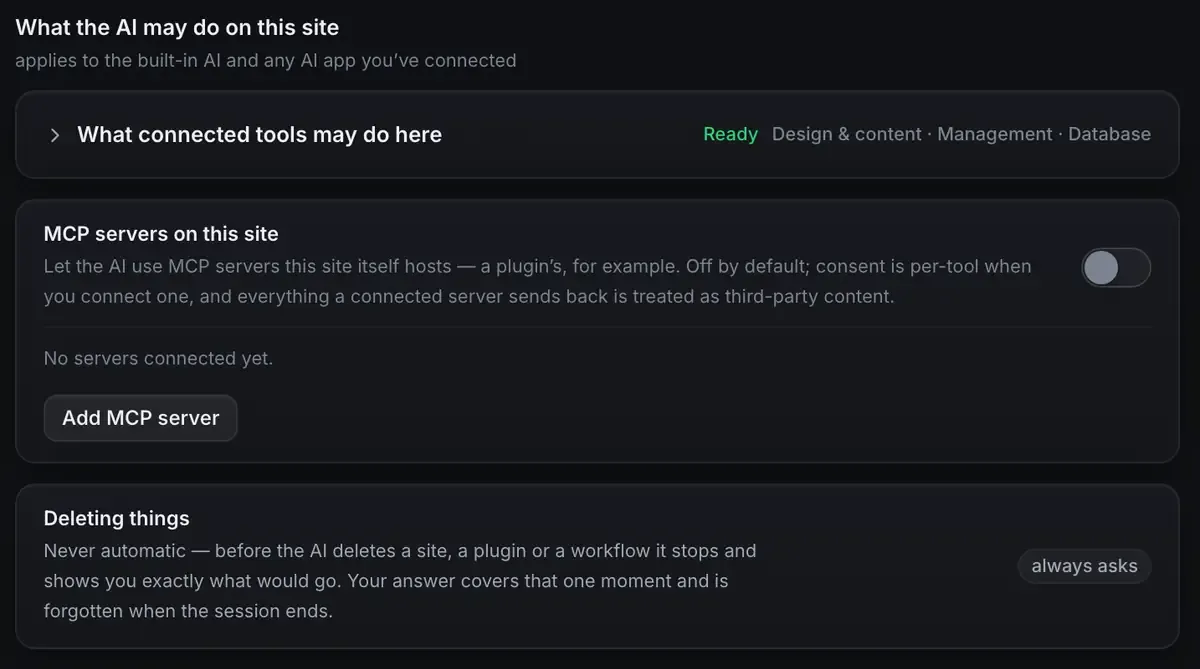
Design and content, management, database, advanced access off by default, and deleting anything always asks first with the answer covering that moment rather than the session. Those are the same guardrails the WordPress surface uses, and they matter more here, not less, because a half-built app is exactly the kind of thing an over-eager agent will happily reorganise.
Why drawing the line honestly matters
It would be easy to imply an agent can run your Shopify store. Two reasons not to.
Expectations. If you expect store management and get an app-development environment, you waste time. Naming the boundary means you know what you are getting.
Trust. An agent with write access to a live store, touching real orders and customer data, is a serious thing. This one operates your development environment, so the blast radius is your own setup rather than a merchant’s business.
What it is good for today
Running the app locally on the version it wants, with a real HTTPS address so OAuth and webhooks work. Reading what actually happened when they do not.
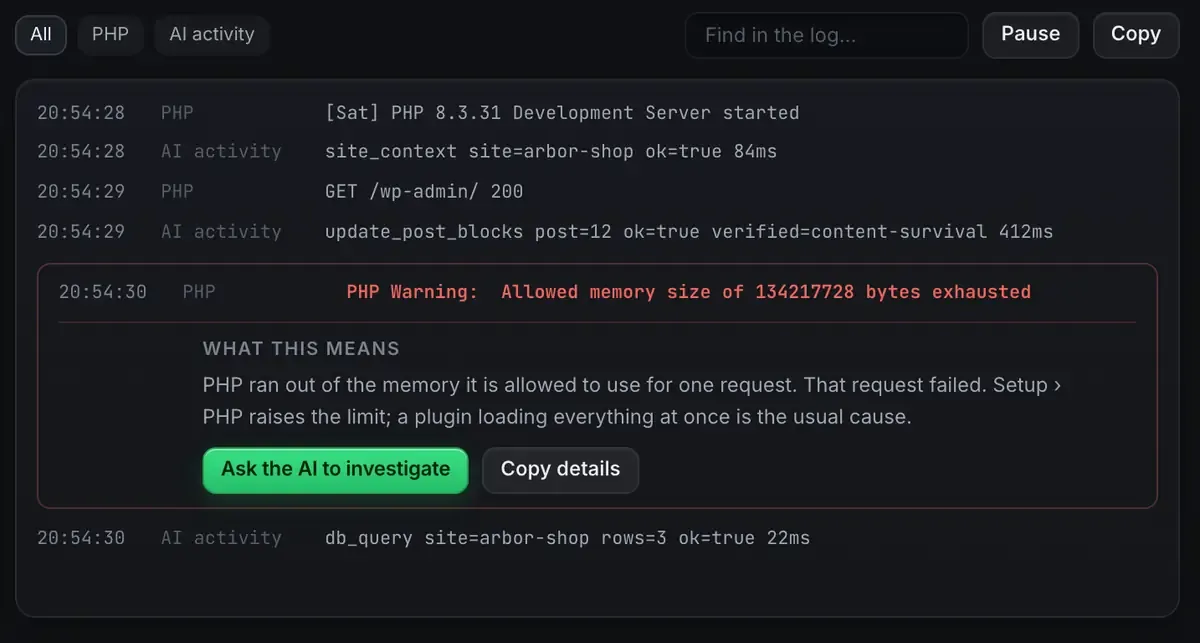
That last button is where the agent earns its place in this workflow. The log explains what went wrong in a sentence, and hands the agent both the error and the file it came from. Testing webhooks locally shows that flow, and the dev environment checklist is the pre-flight.
Store-management automation against a live shop is a separate category with its own risks, and it is not what this provides.
FAQ
Can ReDock’s MCP manage my live Shopify store?
No. The agent surface operates your local app development environment: running the app, the tunnel, OAuth, webhooks and the logs. It does not manage products, orders or a live storefront, and there is no theme tooling.
So what is the value for Shopify work?
An agent can operate the local environment through tools rather than you configuring it by hand, under permissions set per site, with an undo on writes and a record of what changed.
Is production access coming?
This door runs on your own machine and its scope is your development environment. There is a separate web door for live WordPress sites; there is no equivalent for a Shopify storefront.
Does it work on Windows?
Yes. Sites, the agent, sharing and the MCP server are the same on macOS and Windows.
Building Shopify apps and want a clear, agent-operable local environment? Download ReDock for macOS or Windows.