The Shopify dev environment checklist: Node, a database, a public address
Three things have to be right before a Shopify app installs locally. Miss one and you get a confusing failure that looks like your code's fault and is not.
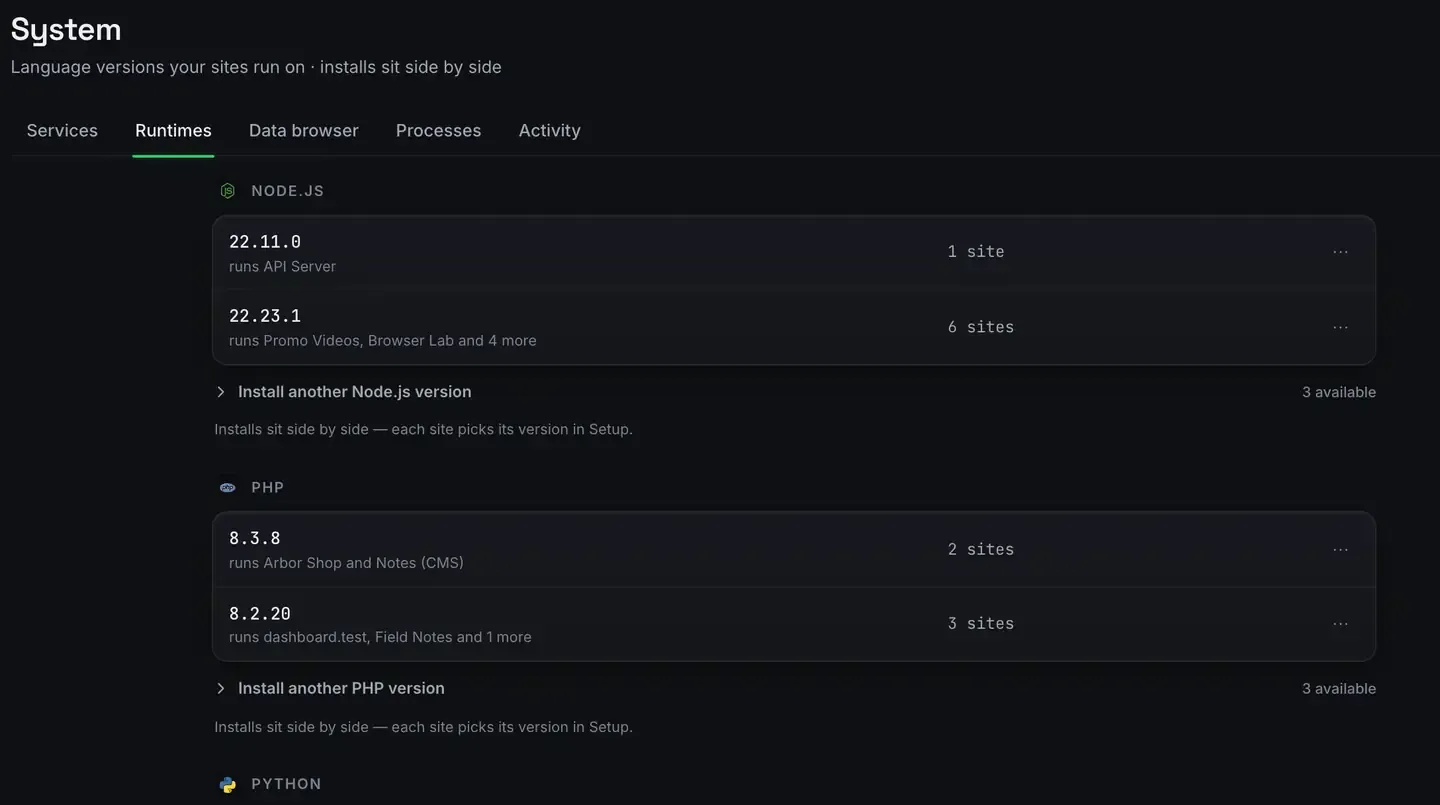
Before a Shopify app will run and install locally, three things have to be in place: the Node version the app expects, somewhere to keep its data, and a public HTTPS address for OAuth and webhooks.
Miss one and you get a confusing failure. A version mismatch, a database error, or a callback that never resolves, each of which looks like your code’s fault and is not.
This is the checklist. ReDock handles the three, and it is an environment for building apps rather than a tool for managing a store.
1. The right Node version
Shopify app templates pin a version, and running on another one produces errors that mislead you for an hour.

Pin the version on the site, from its Setup tab, and it stays pinned. What matters here is the second line under each version: versions sit side by side, so an older app and a new one coexist. And none of them are installed onto your system. Every runtime lives in ReDock’s own folder, per version, per site, so your PATH is irrelevant and uninstalling leaves the machine as it was.
Check what the app actually wants before you pin. Shopify scaffolds often carry more than one package with its own requirement, and the front end and the back end can differ.
2. Somewhere for the app’s data
A Shopify app keeps sessions somewhere. If there is nowhere, OAuth completes and then immediately falls over, because the session has nothing to live in.
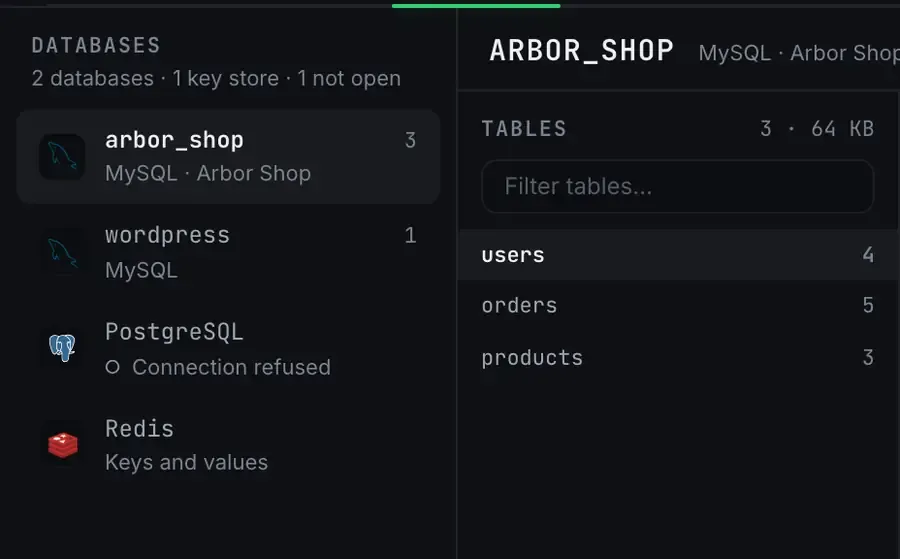
MySQL, MariaDB, PostgreSQL and Redis all run as supervised services and browse in the same window, so pick whichever your app is written against and point its configuration at it.
Note the third row. PostgreSQL is listed and says Connection refused, because it is not running. That is the honest-state rule doing its job: the window tells you a thing is not answering rather than showing an empty database and letting you conclude the tables are missing. When an app’s session store is broken at four in the afternoon, that distinction is the whole debugging session.
The databases docs cover browsing and querying.
3. A public HTTPS address
This is the one localhost cannot provide. Shopify’s servers redirect OAuth to your callback and post webhooks to a URL, and neither can reach a port on your own machine.
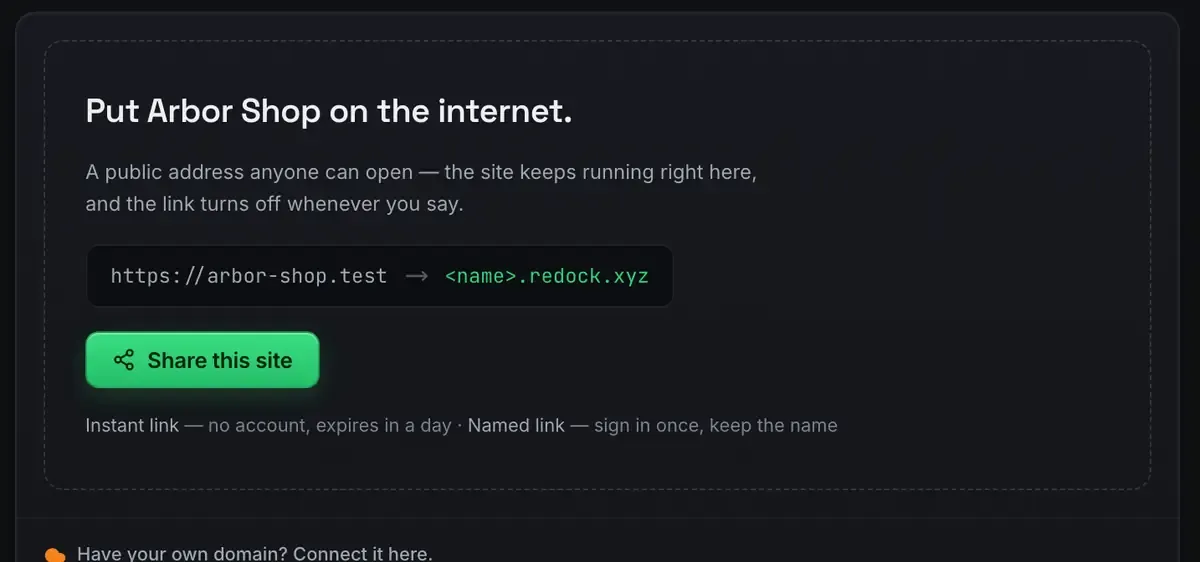
Turn sharing on and the app has a real HTTPS address. Register it in the Partner dashboard as the app URL and as the webhook endpoint. Use a named link rather than a quick one, because you are registering it: a named link keeps its name, and a quick one expires in a day.
Shopify app development on localhost covers all three together and testing webhooks locally drills into the webhook half.
Knowing what good looks like
The point of a checklist is not to do each step by hand every time. It is to know what a working environment means, so you can tell when something is off. When the install fails, you check in order: is it on the right Node, is the database answering, did the callback arrive. The logs answer the third one directly.
One honest note. This is an environment for developing Shopify apps. It runs, exposes and configures your app locally. It is not a store-management tool, and there is no Shopify module or theme tooling in it. Shopify MCP: what an agent can and cannot do draws that line, and the Shopify page states it plainly.
FAQ
What Node version does my Shopify app need?
Whatever the app pins. Check every package in the project, because a scaffold’s front end and back end can want different ones. Pin it on the site and it stays pinned.
Why does my app need a database locally?
For its session store. Sessions have to persist somewhere, and without a database OAuth completes and then falls over. MySQL, PostgreSQL and Redis all run as services here.
Can I skip the public address if I am just testing?
No. OAuth callbacks and webhooks come from Shopify’s servers, which cannot reach your machine directly. You need a real HTTPS address, and sharing the site gives you one.
Does it work on Windows?
Yes. Sites, the agent, sharing and the MCP server are the same on macOS and Windows.
Want the checklist handled rather than remembered? Download ReDock for macOS or Windows.