SSO for a WordPress agency: company sign-in for the workspace your clients' sites live in
Single sign-on for a WordPress agency's ReDock Web workspace: connect any OpenID Connect provider, prove your domain with a DNS record, then require it, with the owner's own password kept as the way back in.
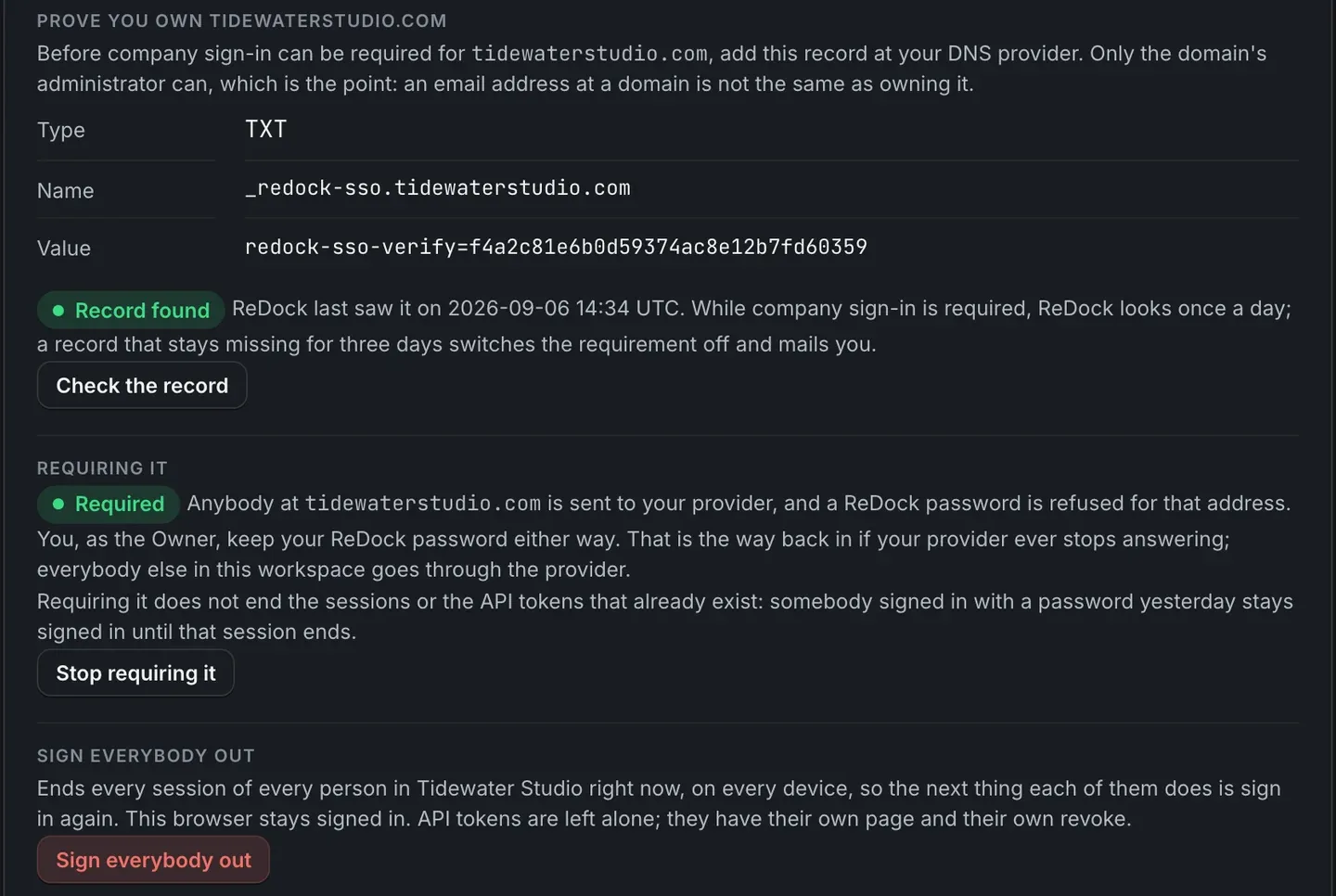
SSO for a WordPress agency means your team signs in to the place your clients’ sites are run from with the company account they already have. The day somebody leaves, switching off one account in your identity provider actually ends their access. In ReDock Web, the workspace owner connects Google Workspace, Microsoft Entra, Okta or any other OpenID Connect provider, proves the email domain with a DNS record, and then requires it. From then on a ReDock password is refused for anyone at that domain, and the owner keeps their own password as the way back in if the provider ever stops answering. This post sets it up from the provider side through to the first sign-in.
What SSO does for a WordPress agency, and what it does not
Agencies collect sign-ins. A freelancer who helped in March, a developer who moved on, a shared login somebody made for a client call. The risky ones are the accounts nobody remembers.
Company sign-in makes your provider the one place those decisions are made. Whatever your provider enforces, its own two-factor rules for instance, then stands in front of the tool that can change every client site.
The scope is worth stating exactly. This is the sign-in to your ReDock Web workspace. It does not change how anyone signs in to a client’s own wp-admin. From a site’s page, Sign in to wp-admin as an administrator gets your team in without a password crossing anything, and that sign-in is recorded like any other change.
The task: connect, prove, require
Only the workspace owner can connect a provider, and only for an email domain they have proved.
1. Register ReDock with your provider
In your identity provider, create an application of this kind with one redirect address.
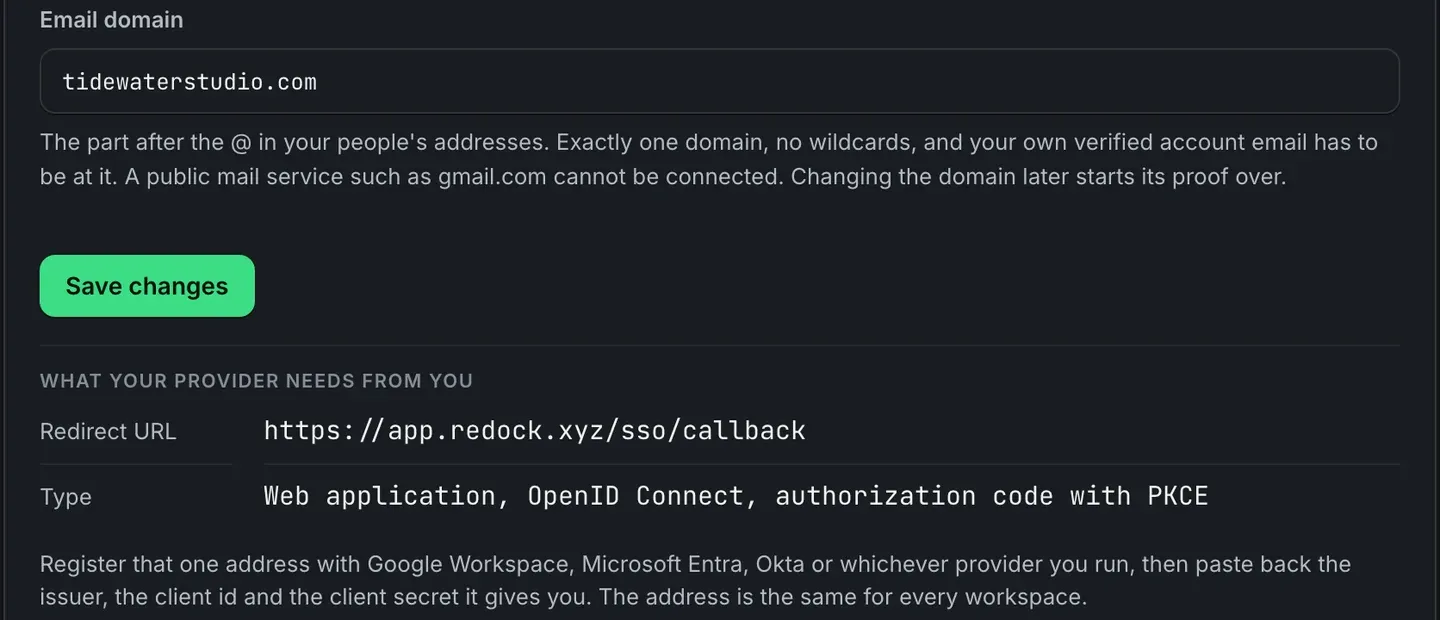
The redirect is https://app.redock.xyz/sso/callback, and it is the same for every workspace. The application type is a web application using OpenID Connect with the authorization code flow and PKCE.
2. Paste the connection back
Your provider gives you an issuer address, a client id and a client secret. Paste all three into company sign-in, and ReDock reads the provider’s OpenID Connect discovery document from the issuer.
Scopes must include openid, and the default is what Google Workspace, Microsoft Entra and Okta accept. The email domain is exactly one domain with no wildcards, and your own verified account address has to be at it. A public mail service such as gmail.com cannot be connected.
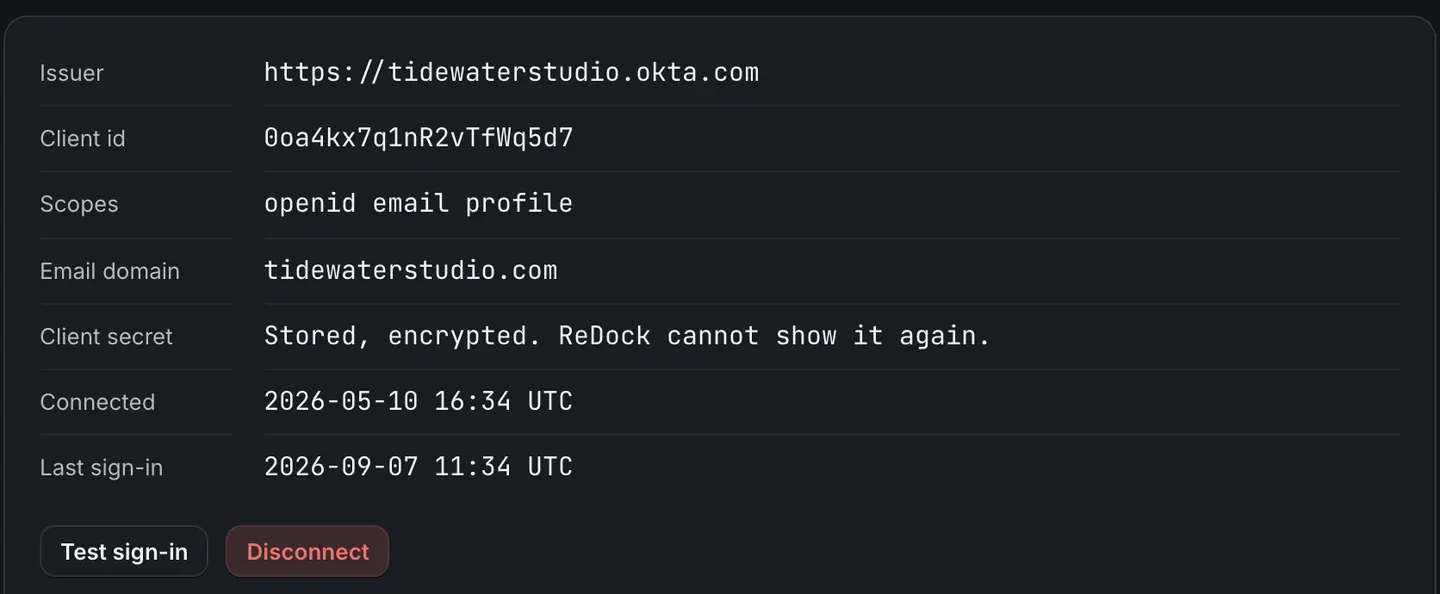
Press Test sign-in before going further. A mistyped issuer is far easier to fix now than after the whole team has been sent to it.
3. Prove you own the domain
Company sign-in cannot be required until the domain is proved. ReDock gives you a TXT record, a name and a value, to add at your DNS provider. Only the domain’s administrator can add it, and that is the point: an email address at a domain is not the same as owning the domain.
Add the record and press Check the record. Once it is found, you see what the picture at the top of this post shows. While company sign-in is required, ReDock looks for the record once a day, and a record that stays missing for three days switches the requirement off and mails you. A record removed by mistake turns the rule off rather than shutting your team out.
4. Require it
Then require it. Anybody at your domain is sent to your provider from that moment, and a ReDock password is refused for that address.
Two sentences on that card are the ones people skip. The owner keeps their ReDock password either way, and that is the way back in if the provider ever stops answering. And requiring company sign-in does not end the sessions or API tokens that already exist, so somebody who signed in with a password yesterday stays signed in until that session ends.
5. Sign everybody out, if you need it now
If the reason for all this is somebody leaving today, Sign everybody out ends every session of every person in the workspace, on every device. The browser you press it in stays signed in. API tokens are left alone, because they have their own page and their own revoke.
What your team sees
On the sign-in page, anyone at your domain uses Continue with your company instead of a password.
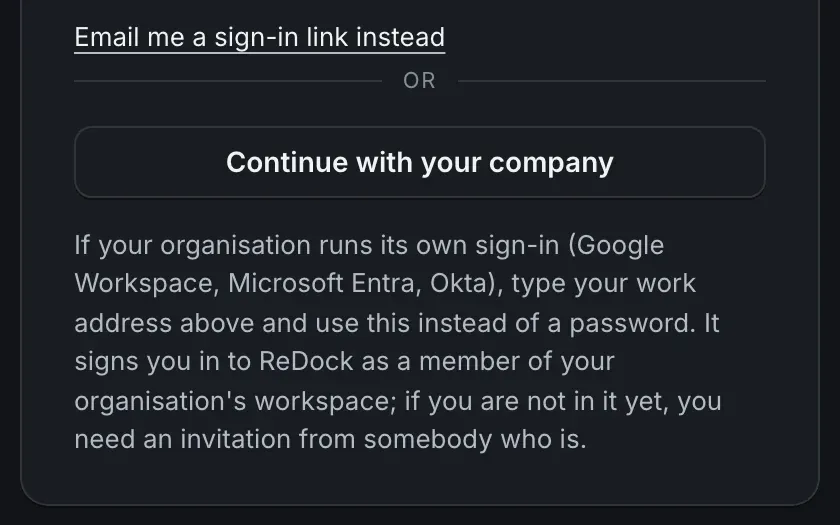
The provider signs in people who are already in the workspace. Somebody you invited who has no ReDock account yet joins in the same step, when they first sign in through it. A person at some other domain is refused, and told which domain the provider covers.
Roles still come from the workspace: owner, admin, member and viewer, as teams and permissions describes. The provider decides who you are, and the workspace decides what you can press. The whole setup is also in the people and roles guide.
FAQ
Does this change how my team signs in to clients’ WordPress sites?
No. It is the sign-in to your ReDock Web workspace. A client’s wp-admin keeps its own accounts, and a site’s page offers a sign-in as an administrator that needs no password.
What happens if our identity provider goes down?
The owner signs in with their ReDock password, which is kept for exactly this, and can stop requiring company sign-in until the provider is back.
Which identity providers work?
Any OpenID Connect provider. Google Workspace, Microsoft Entra and Okta are the ones the setup names, and the default scopes are the ones those three accept.
Is single sign-on on every plan?
Yes. Client groups and single sign-on come with every plan, Free included. What the plans change is how many sites and seats a workspace has.
Set it up on a free workspace
A free account is a workspace of your own, with company sign-in in its settings. Connect your provider, prove your domain, and test the sign-in before you require anything.
Create a free account and connect your provider.