How to show a client a work-in-progress site without deploying it
Share the site running on your own computer over a real HTTPS link. No build, no staging server, no copy to keep in sync, and the link goes dark when you are done.
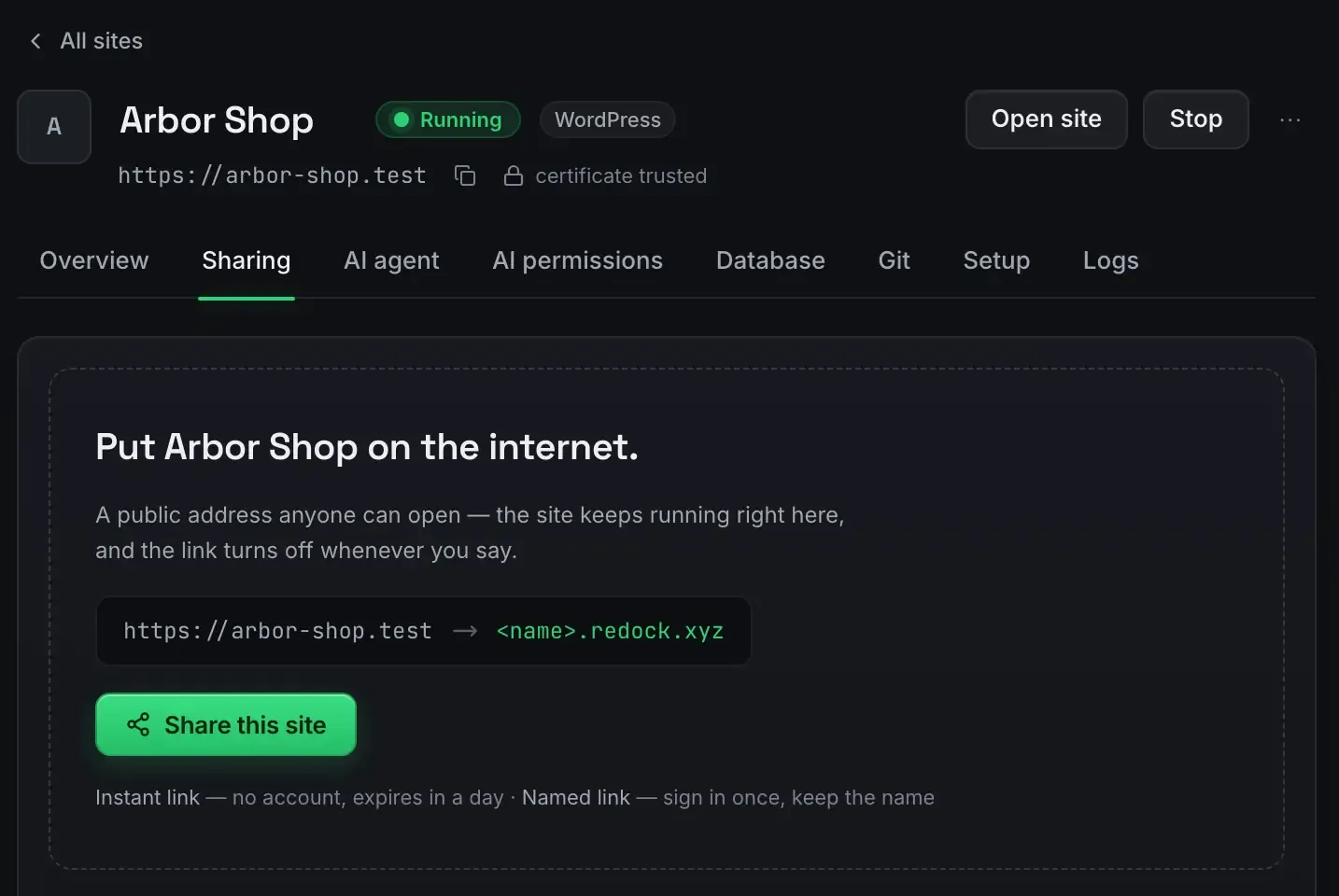
The fastest way to show a client a work in progress is to share the site running on your machine, not to deploy a copy of it. A tunnel gives that site a real, public HTTPS address the client can open from anywhere, and it reflects exactly what is on your screen right now.
ReDock does it with one button, free, on macOS and Windows.
Why not deploy a preview
Deploying a preview works, and it is the heavy option for a moving target. Every time the client wants to see a change you rebuild and redeploy. The deployed copy drifts from your local one. And you have stood up infrastructure for something that only needs to exist for a review call.
A tunnel skips all of it. Your computer is the server. The client sees the site live: make a change, they refresh, they see it. When the review is over you stop sharing and the address goes dark. Nothing to tear down.
The flow
- Run the site. It serves at
https://name.testwith a certificate your machine already trusts. WordPress, headless WordPress, Astro, Next.js, Node, Bun, PHP. No terminal. The first-site guide covers setup. - Press Share.
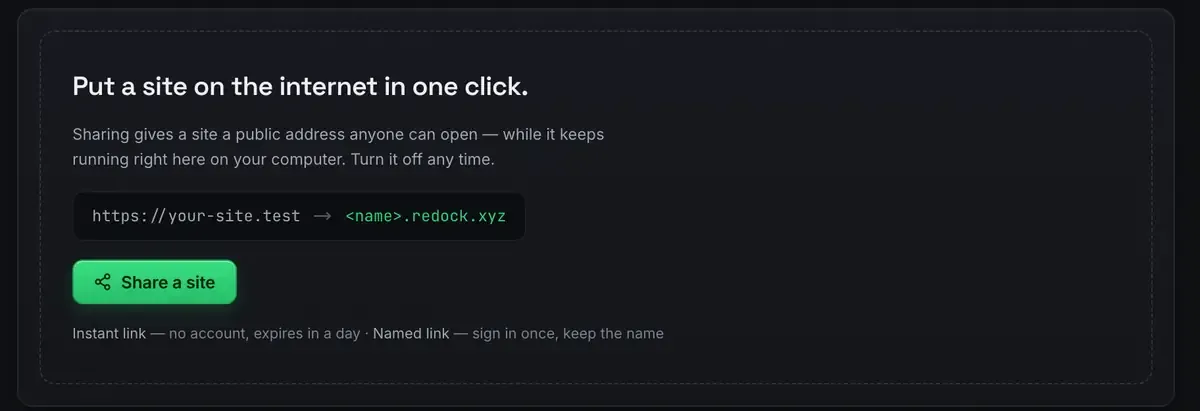
- Send the link. The client opens it on a laptop or a phone. They are looking at your site.
- Stop sharing when you are done. The address stops resolving. The site keeps running locally.
The sharing docs go deeper, including the three named subdomains that are also included.
What the client actually sees
It is live, not a snapshot. They see the current state. If you edit while they are looking, a refresh shows it. Good for a review call where somebody says “can we try it bigger”.
It is a real HTTPS address. No security warning to click through, so forms, logins and modern browser features behave normally.
It is unlisted. The address is randomly named and not discoverable. Make as many as you like. Unlisted is not the same as authenticated, though: anyone holding the link can open it, so treat the link as the key and stop it afterwards.
It depends on your machine being awake. This is a live share, not hosting. Close the laptop and the tunnel parks; bring the site back and it resumes.
After the client says yes
The review ends, the site goes live somewhere, and that is usually where a freelancer’s tooling stops and the awkward part starts. The client emails six months later because something is broken, and you have no idea what state the site is in.
That is what ReDock Web is for. Connect the finished live site to a workspace with the ReDock Connect plugin and it gets a page of its own.
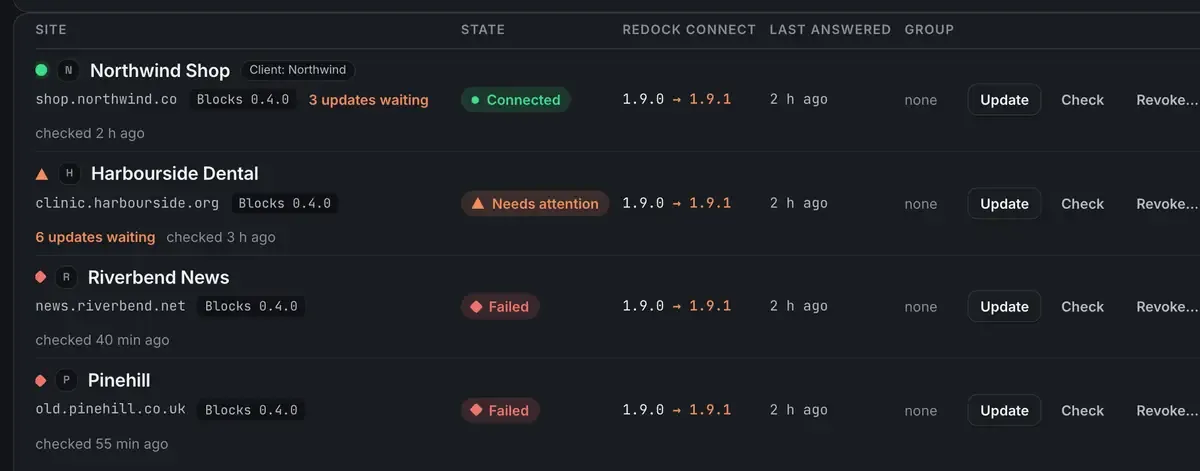
Health checked several times a day, with reasons rather than a score. Plugin updates that take a snapshot of the plugin first and put it back with one press. A monthly report you can put your own name and colours on. A record of who changed what, kept 400 days.
One connected site is free, so a single client’s site costs nothing to look after: create an account.
Tunnel now, deploy later
Knowing which job you have saves time. Share for review, feedback and demos of moving work: live and disposable, which is this post. Deploy when the site is finished and should stay up without your machine: deploy a website for free covers that, and free staging environments covers the review-branch case.
For a recurring client, use one of the three named redock.xyz subdomains rather than a fresh quick link, so the address does not change between sessions. A real URL for a local site covers both kinds.
FAQ
Does the client need to install anything?
No. They open a normal HTTPS address in any browser on any device.
Is the link private?
It is unlisted and randomly named, so it is not discoverable, and only the people you send it to can reach it. Anyone with the link can open it, so stop the share when the review is over.
What happens if I close my laptop mid-review?
The tunnel parks. Bring the site back up and the share resumes. This is a live share of a site on your own computer, not standalone hosting.
What happens to the site after launch?
That is a different product. Connect the live site to ReDock Web and it gets health checks, plugin updates with a snapshot first, and a monthly report you can brand. One site is free.
Want to show your work without shipping it? Download ReDock for macOS or Windows.