The WordPress maintenance report a client will actually read
Build a monthly WordPress maintenance report from records made as the work happened, put your own name and colours on it, and send the client their own copy.
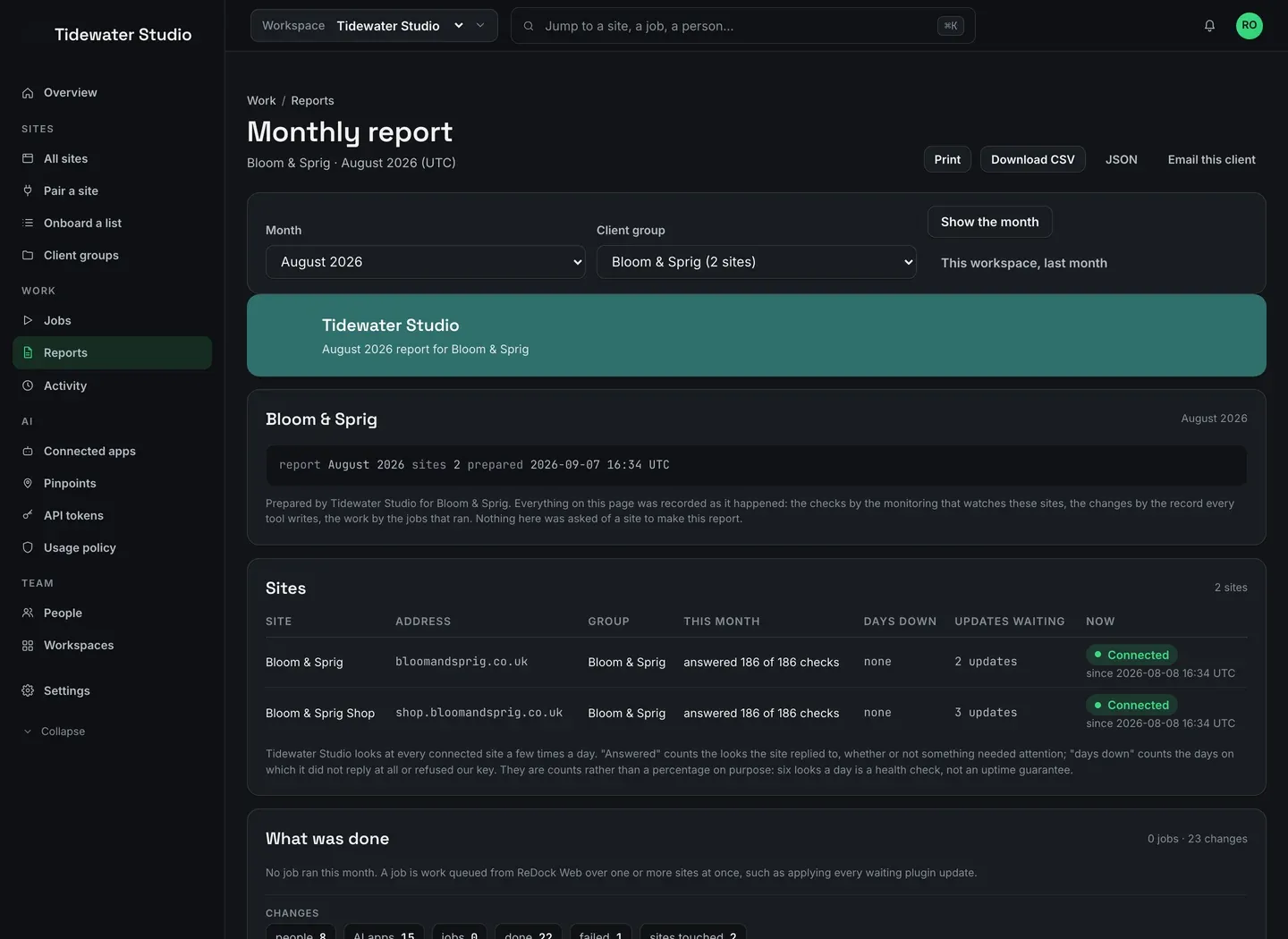
A WordPress maintenance report is the document that tells a client what you did for them last month and what state their sites are in now. It is the one artefact of a care plan that the client ever sees, which makes it the reason they renew or do not. In ReDock Web a report is built from records written as the work happened, not from questions asked of the site at the moment you press the button, and it goes out wearing your studio’s name instead of ours. This post opens August for one client, sets the branding, and sends the client copy.
Why most WordPress maintenance reports are quietly dishonest
There is a bad habit in this corner of the industry. A report gets generated by asking each site, right now, what its plugin versions are, and then presenting that snapshot as though it were a month.
It is not a month. It is one moment, and it cannot tell a client the thing they are actually paying for: that somebody was watching in between. Worse, a report built that way has no way of showing what went wrong, because a site that was down for two days in the middle of August is answering perfectly on the first of September.
Every figure on a ReDock Web report is a count of records made at the time. The checks a site answered, and the days it did not answer at all. The jobs that ran, who queued them, and a count of every change by tool. What needs attention today, marked as today. And the calls that were refused, with their codes and how often. The report’s own header says as much: nothing on the page was asked of a site to make the report.
That last section is worth defending to a client rather than hiding. A refused call never reached the site, so it changed nothing. Showing it says that the walls are up and doing their job.
The task: a WordPress maintenance report for one client
1. Set your marks, once
Go to Settings, then Client branding. Four fields and a logo:
- the name your clients see;
- the name their email arrives from;
- a brand colour, which is the band at the top of a report and the rule under each heading;
- the text colour drawn on that band.
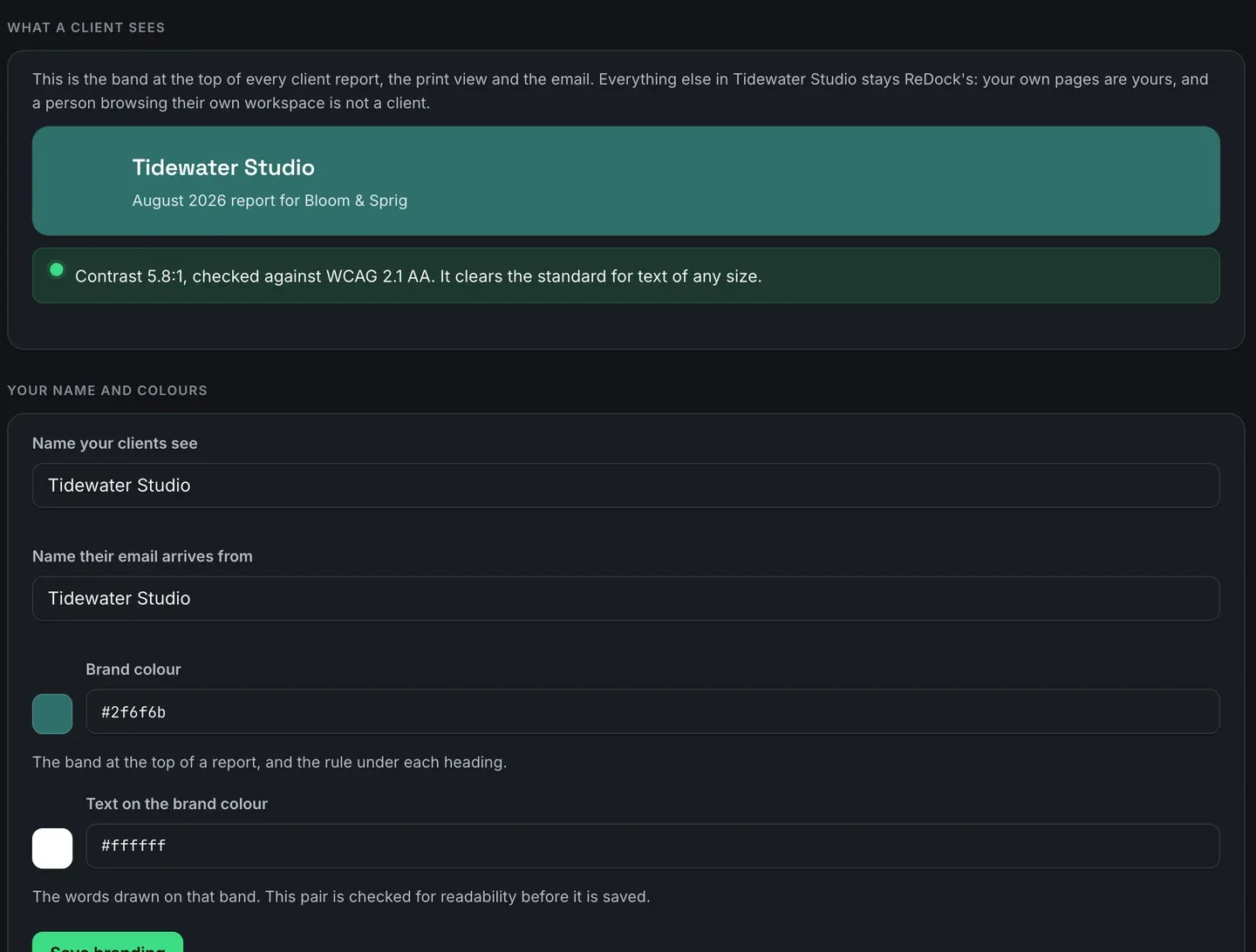
The preview band above the fields is the real thing, drawn from the values as you type. A colour pair that would put pale text on a pale ground is refused before it saves, with the measured contrast ratio in the message, checked against WCAG 2.1. That is not fussiness. It is the difference between a document a client reads on a phone in bad light and one they give up on.
You do this once. Every client group’s report picks it up.
2. Open the month
Go to Reports. Pick August 2026 in the month picker and pick the client group in the group picker. The page redraws for that client and nobody else’s sites appear on it.
What you get is four sections. Sites, with checks answered and days down per site. What was done, which is the jobs and a count of every change by tool, with the people, the AI apps and the jobs counted separately. What needs attention now, which says plainly that it is today’s state rather than August’s. And the refusals.
The line under the sites table is the one to read before you promise anything: ReDock looks at every connected site a few times a day, so “answered 186 of 186 checks” is a count of health checks, not an uptime guarantee. If a client’s contract names an uptime figure, the uptime checks are the thing that measures it, and they have their own page and their own target.
3. Send the client copy
Four buttons sit at the top of the report: Print, Download CSV, JSON and Email this client.
Print is a real print stylesheet, not a screenshot of a dashboard. It drops the navigation and lays the month out for A4, so printing to PDF gives you something you would put on letterhead.
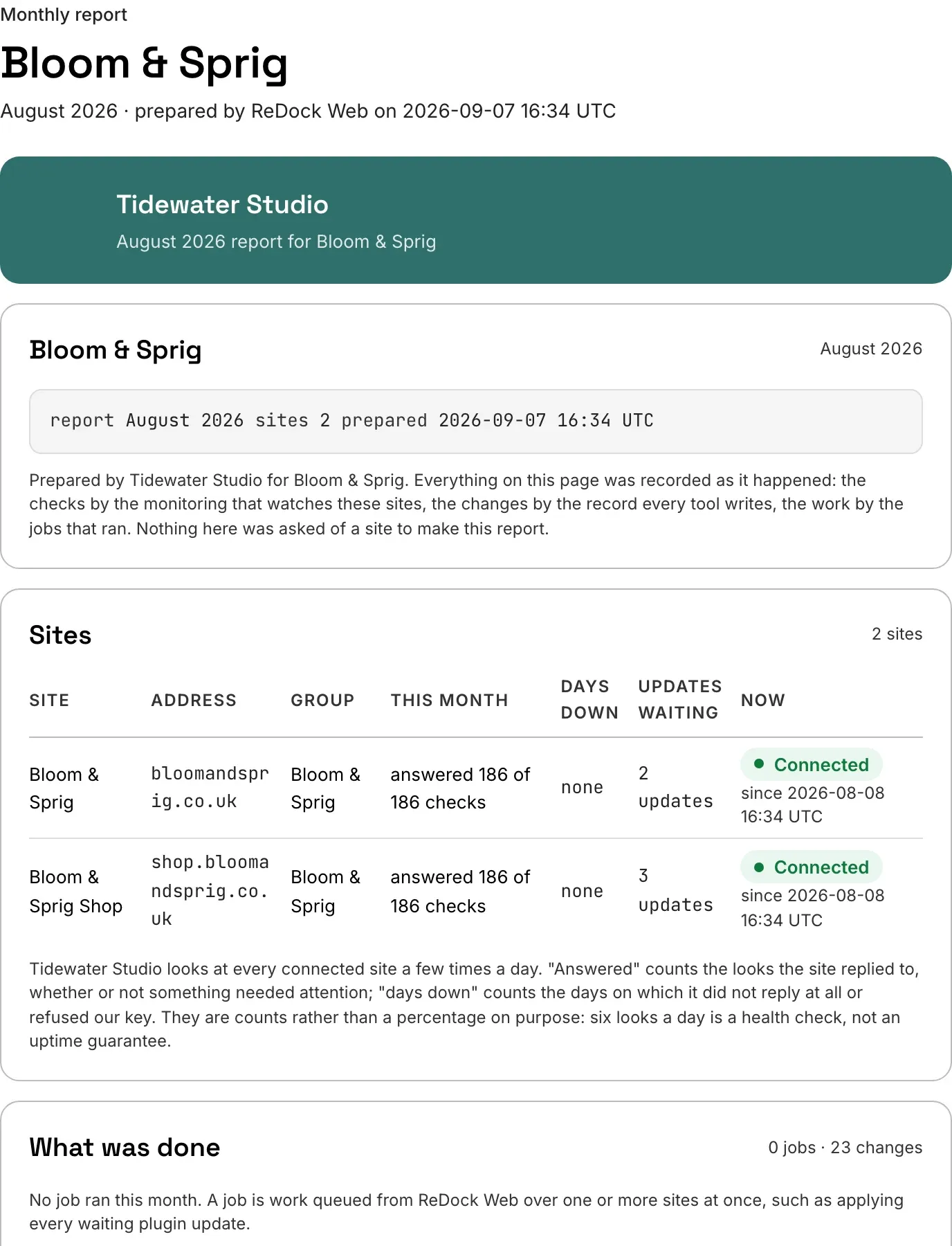
CSV goes into a spreadsheet. JSON goes into whatever you already send clients, if you have a pipeline of your own.
Email this client sends the group’s own copy to the recipient list you set on the client group. Add the client’s own people there, switch the monthly send on, and it goes out on the first of the month, one email per client group. What arrives is a document from you. There is no account for them, no sign-in, and no link back into ReDock.
You can preview the whole thing, the same bytes the send uses, before anybody is on the recipient list. Nothing of one client ever appears on another client’s report.
The bit agencies ask about first
The branding is real white labelling, not a logo squeezed into a corner of somebody else’s template. The client’s copy carries your name in the band, your colours through the document, your logo, and your name on the email it arrives from.
What it does not do, today, is give the client their own sign-in. That is being built and it is not here yet, so this is a document you send rather than a portal you invite them into. For most care plans a document is what the client wanted anyway, and it has the useful property of surviving in their inbox after they have forgotten which dashboard it came from.
There is more about what goes in a month and how the sending works on the client reports page.
FAQ
How far back can I run a report?
Four hundred days of history sit behind the month picker, which covers a full year plus the awkward month when a client asks for last January in February.
Can the report go out automatically?
Yes. Switch the monthly send on for a client group and it goes on the first, one email per group, carrying the same numbers as the page because it is built from the same rows.
Does the client see anything from my other clients?
No. A report is written for one client group, and only that group’s sites appear on it. The branding is the same across your groups because it is yours, but the contents are separated at the group.
Can I add my own commentary to a month?
Not today. The report holds what was recorded, and there is no free-text section for a covering note. If you want to put words around it, print or download the month and send it under a covering email of your own.
Try it on one month
A free account connects one live site, and a single site is enough to see what a month looks like when it is built from records rather than from a question asked at the last minute. Connect a site, leave it a few weeks, and open the report.
Create a free account and see what your first month reads like.